Quick Start Guide
Get started with Knowverse quickly with our step-by-step guide.
1What Is KnowVerse AI?
KnowVerse AI lets you get actionable intelligence from your documents and data that:
- Easy connect, add and learn from your documents, data, and media
- Perform analytics followed by answering questions with references and dashboards
- Turn conversations into organized, reusable insights
You don't need AI expertise.
If you can upload a file and ask a question, you can use KnowVerse AI.
2Ask Your First Question
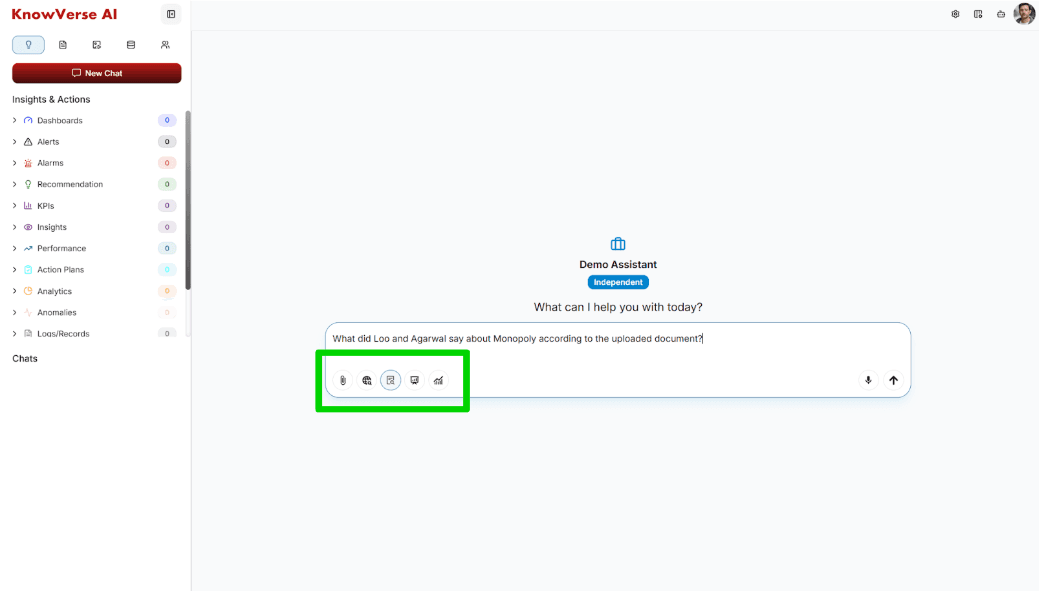
Inside the input box, you'll see tools in this order:
Add Files
Upload more documents during chat
Web Search
Search the internet
Internal Search
Search uploaded documents & data
Presentation
Generate presentation-ready output
Realtime Dashboard
Create live dashboards & analytics
Select any mode as preferred in addition to "Internal Search" and ask your question.
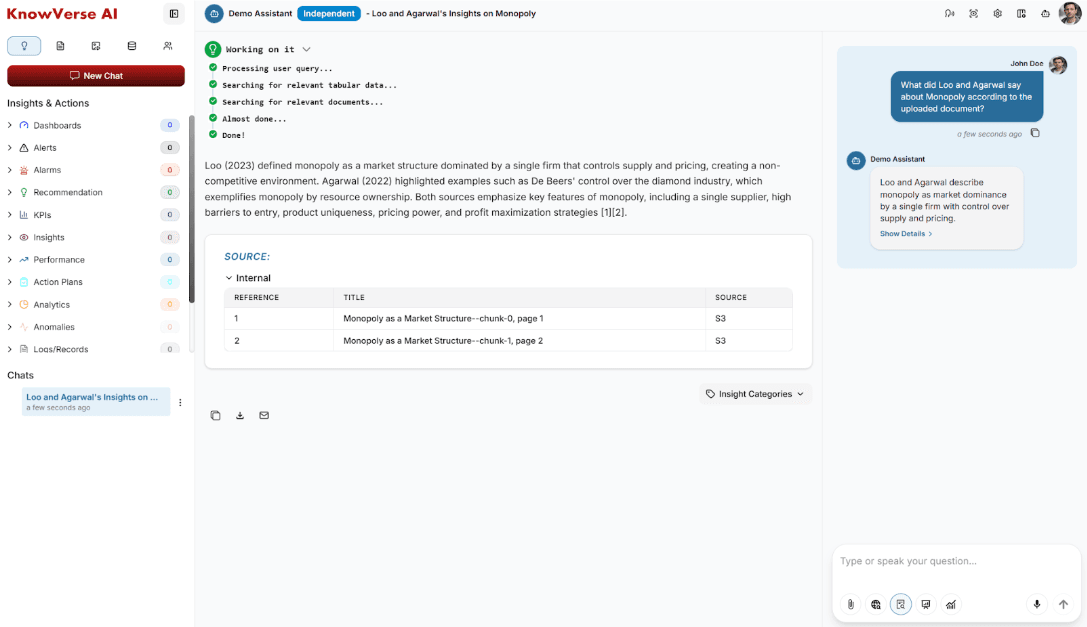
After live query processing steps, the assistant responds with:
- A clear answer
- A Sources section showing where the answer came from
3Save & Organize Insights
Tag Response
Tag the response with one or more Insight Categories for easy filtering.
Organize
The response is now tagged and saved directly into your knowledge base.
Quick Access
Return to it later with one click under the 'Insights & Actions' menu.
“This turns chat answers into organized permanent knowledge, not lost messages.”
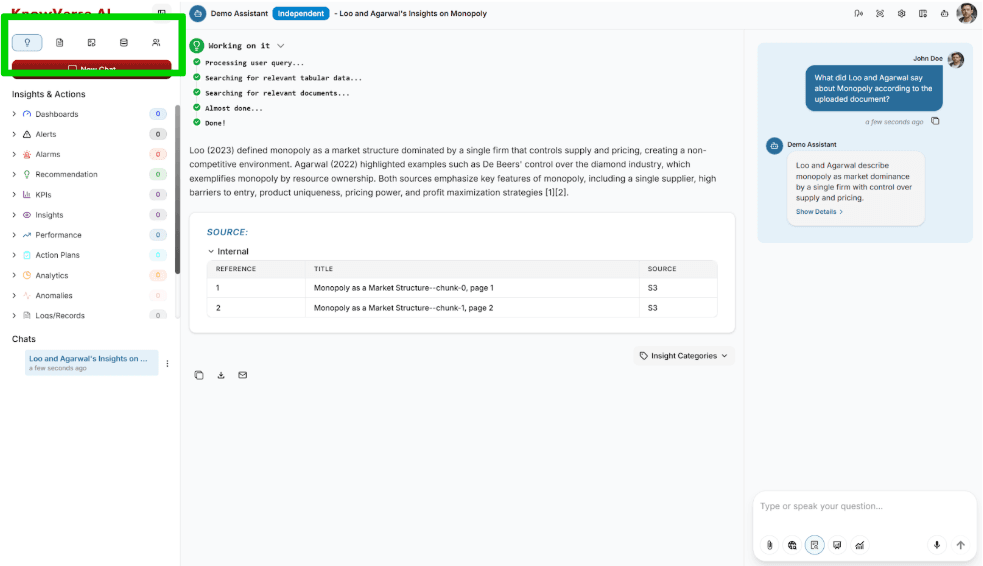
4Left Sidebar Navigation
Insights & Actions
Saved categories
Documents
All files
Photos & Videos
Media library
Data List
Tabular data
Team Members
User access
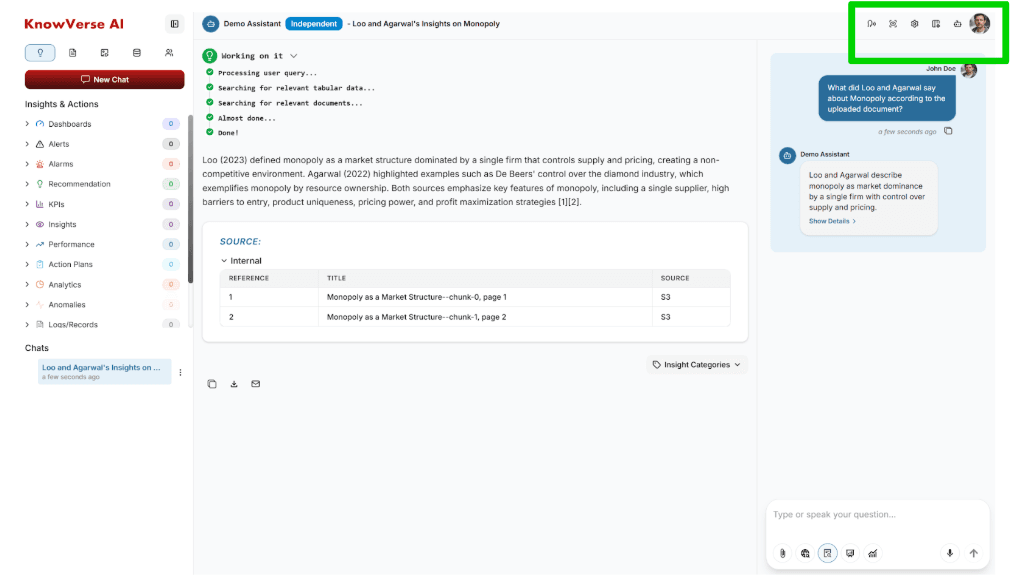
5Top-Right Corner Controls
Read Text
Listen to audio responses
View Full History
See complete chat logs
Assistant Settings
Edit core configuration
LLM Settings
Choose AI model (GPT-4, O3, etc)
Assistants
Return to all assistants
Account Settings
Profile and account options