


Diagnosing Diabetes Using Patient Data
Diagnosing diabetes timely and accurately to allow professional intervention.
1Overview & Strategic Importance

Problem Statement
Diabetes is a chronic disease that affects millions of individuals globally. It can lead to severe health complications such as heart disease, kidney failure, nerve damage, etc. if the symptoms are not properly handled. Early detection and intervention are crucial in preventing the progression of the disease and reducing its impact on patients’ health and quality of life. Traditional methods of diagnosing diabetes can be time-consuming and require significant medical expertise. To automate the process of diagnosing diabetes based on various health indicators of patients, an accurate and efficient predictive model is required.
Required Solutions
The main solution to the problem is to develop an automated system that can perform accurate and efficient predictions to diagnose diabetes in patients. The system will use machine learning algorithms to analyze various health and lifestyle indicators, such as glucose levels, blood pressure, BMI, insulin levels, and more, to determine the likelihood of a patient having diabetes.
Solution Objectives
- Conduct exploratory data analysis to identify key predictors.
- Build a predictive model to predict likelihood of someone having diabetes.
- Create an AI application to facilitate scenario-based analysis and targeted interventions.
Understanding the Problem
Diabetes mellitus is a metabolic disorder characterized by high blood sugar levels. Early detection and management are crucial to preventing severe complications. Machine learning offers promising alternatives for early and efficient diabetes detection by analyzing large datasets to identify patterns and risk factors.
2About the Data
Data Collection
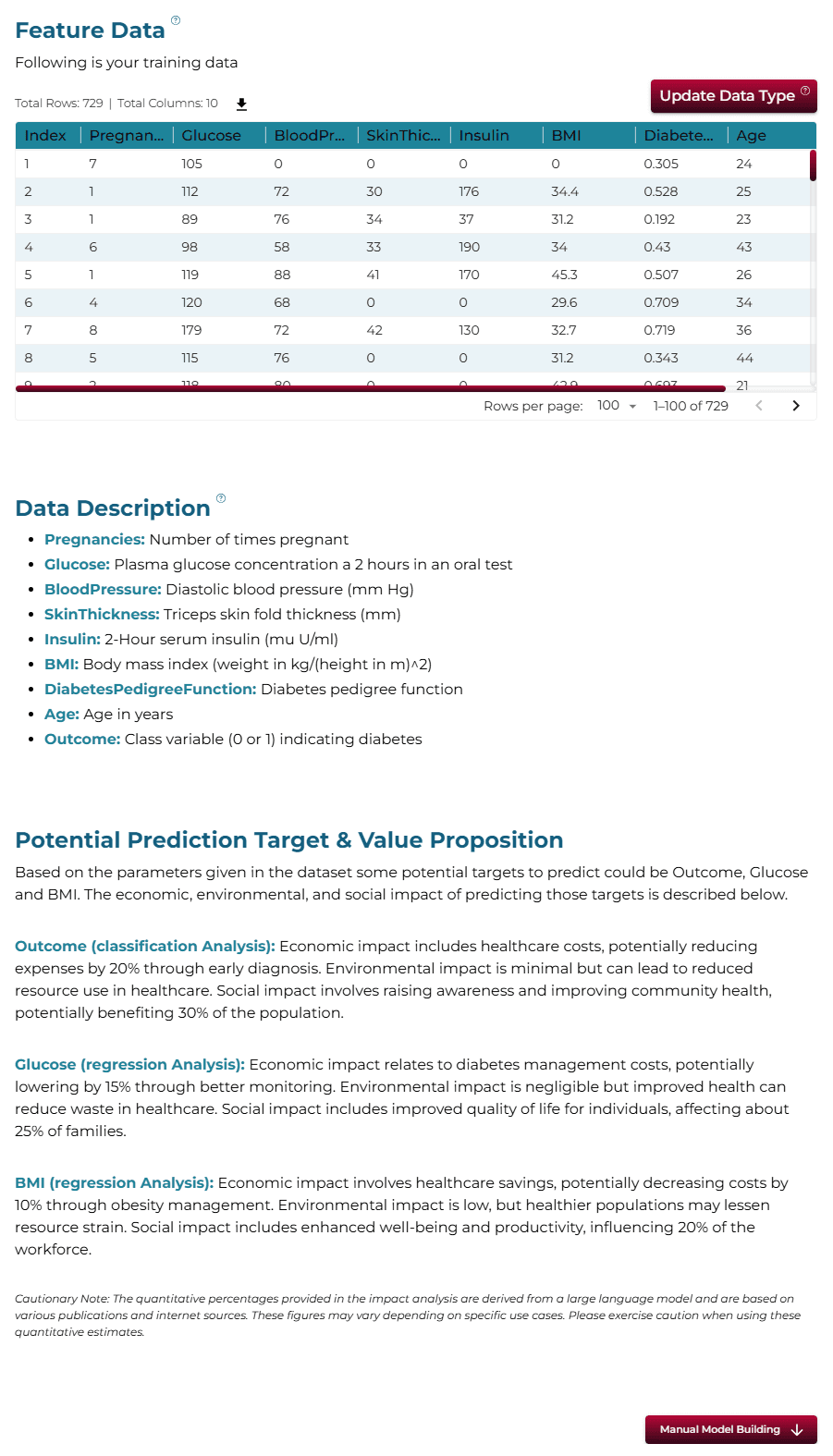
This dataset is originally from the National Institute of Diabetes and Digestive and Kidney Diseases. All patients here are females at least 21 years old of Pima Indian heritage. The dataset consists of several medical predictor variables and one target variable, Outcome.
Major Parameters Description
Download Training DataPregnanciesThe number of times the patient has been pregnant. (Integer)
GlucosePlasma glucose concentration measured two hours after an oral glucose tolerance test. (Integer)
BloodPressureDiastolic blood pressure (mm Hg). (Integer)
SkinThicknessTriceps skin fold thickness (mm). (Integer)
Insulin2-hour serum insulin (mu U/ml). (Integer)
BMIBody mass index, calculated as weight in kg/(height in m)^2. (Float)
3Using iDareAI
Guided Mode Initialization
AUploading Dataset
Click on the **'Upload CSV or Excel Data'** button → Select a source for the dataset → Upload `diabetes_diagnosis_train.csv`. The system automatically analyzes the file, extracts column descriptions, and identifies the top value-adding targets for prediction.
BChoosing Analysis Mode
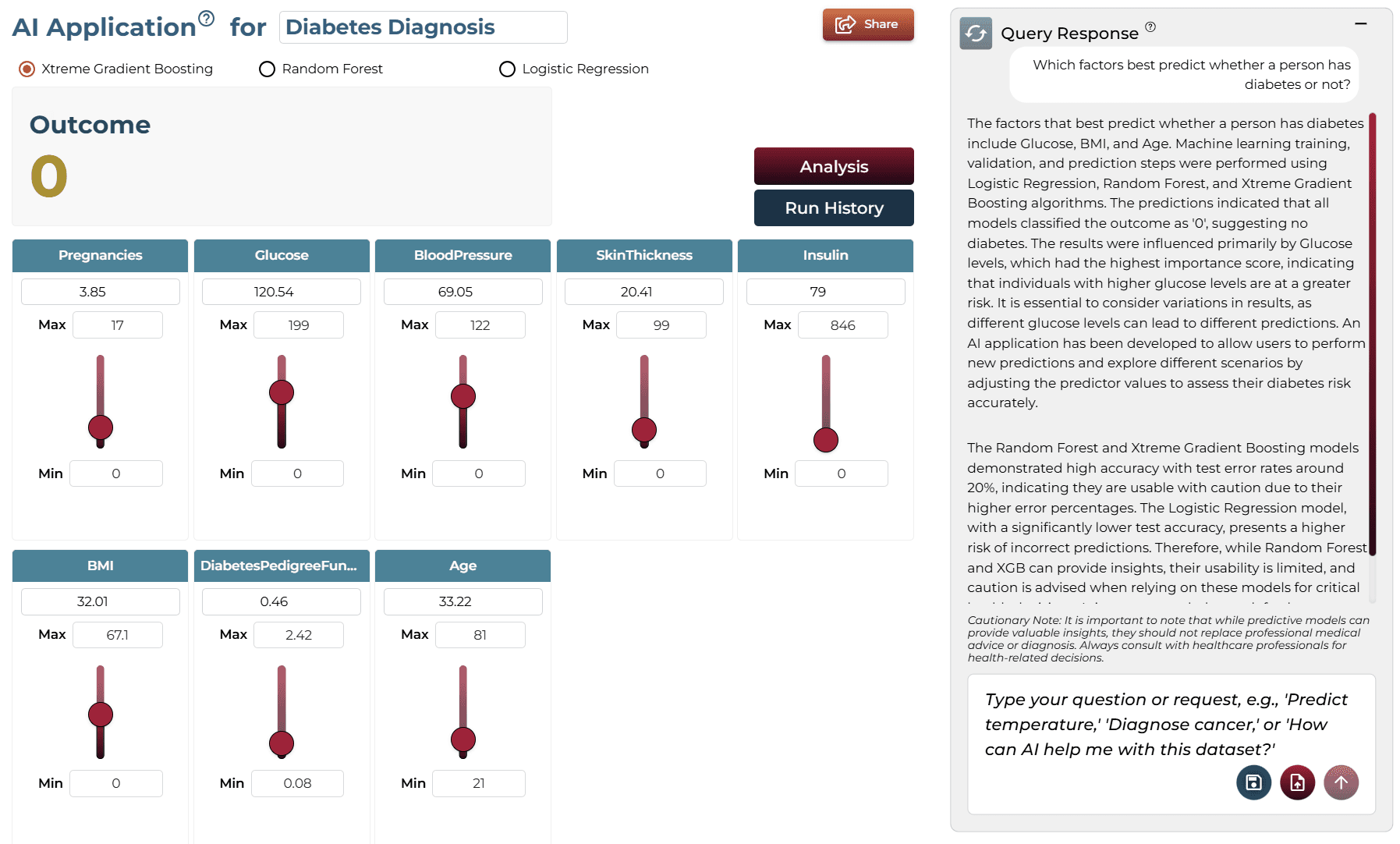
- Which factors best predict whether a person has diabetes or not?
- What are the most significant factors that influence the likelihood of developing diabetes?
Operation Using Autonomous Guided Mode
AQuery Response
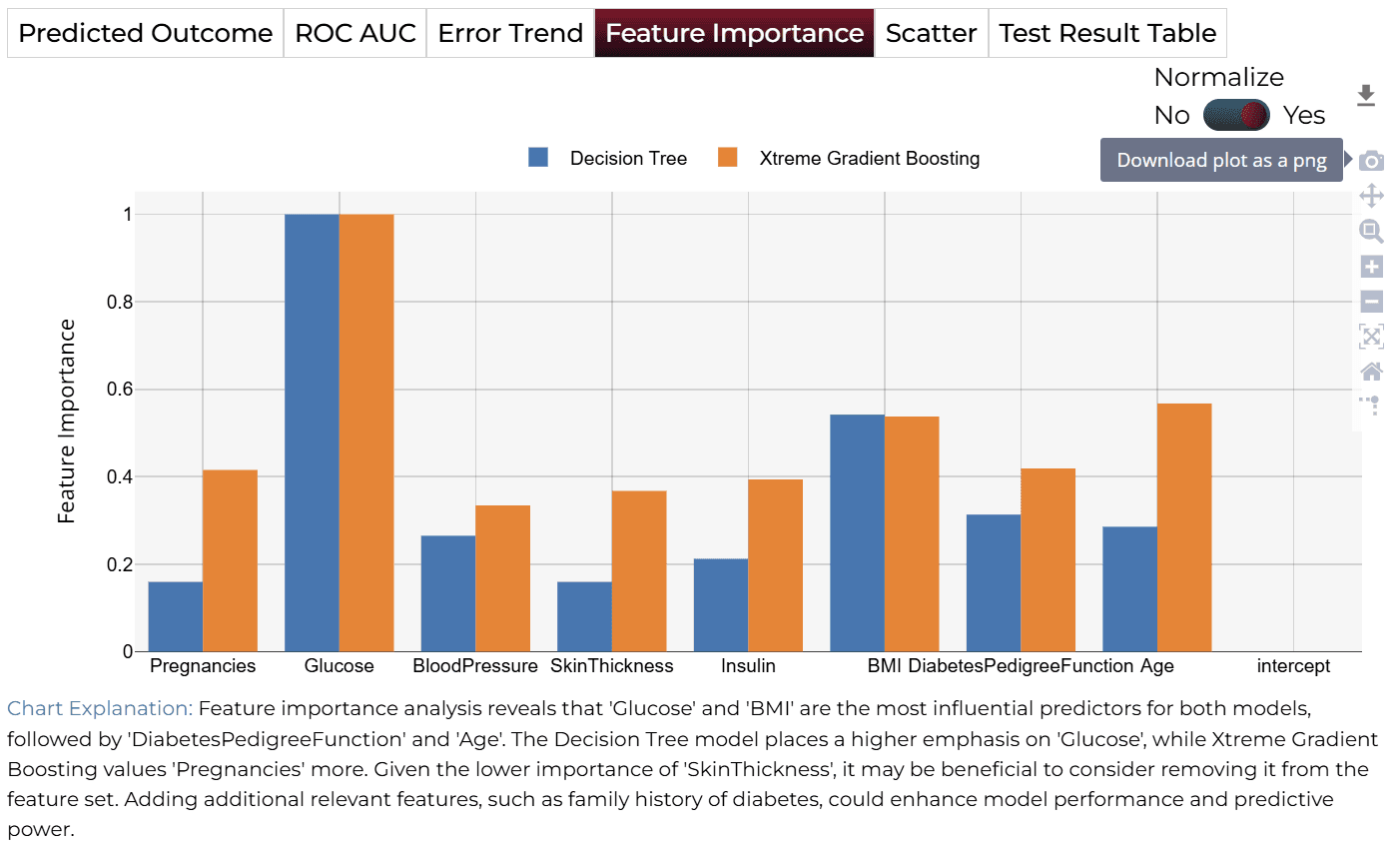
The factors that best predict whether a person has diabetes include 'Glucose', 'BMI', and 'Age'. 'Glucose' levels are critical, as they directly relate to blood sugar management. The analysis involves Logistic Regression, Random Forest, and Xtreme Gradient Boosting.
BAI Application
In automated mode, running the query generates an AI application on-demand. Users can adjust sliders to test different scenarios and see real-time updates to predictions.
Model Fine-Tuning/Manual Model Building
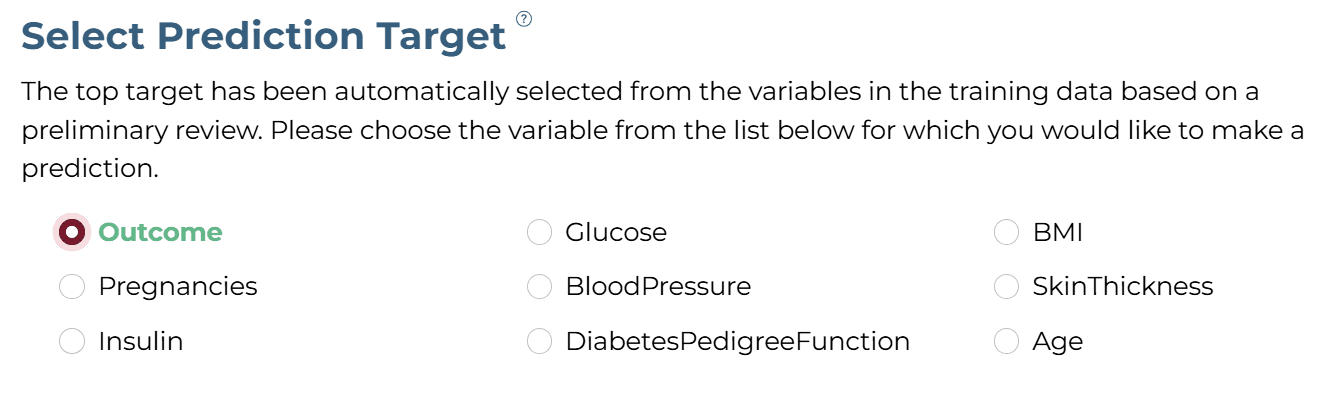
ASelecting Prediction Target
'Outcome' was selected as the target column.
BSelecting Analysis Type
Since the target is categorical (0 or 1), 'Classification' is selected.

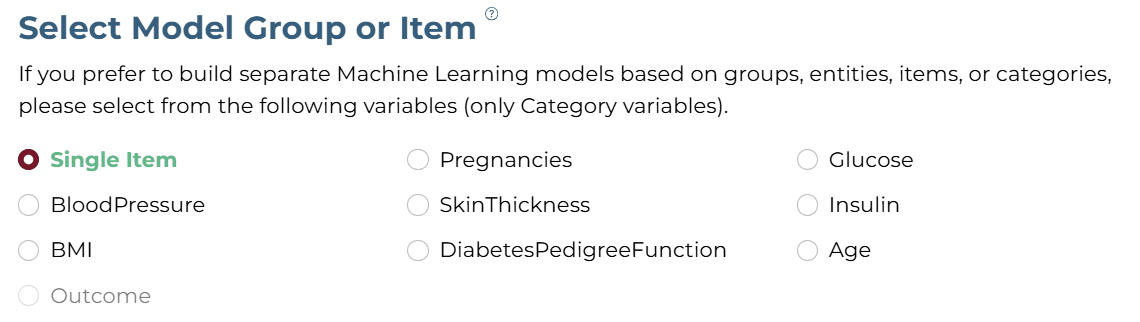
CSelecting Model Group/Item
DSelecting Features
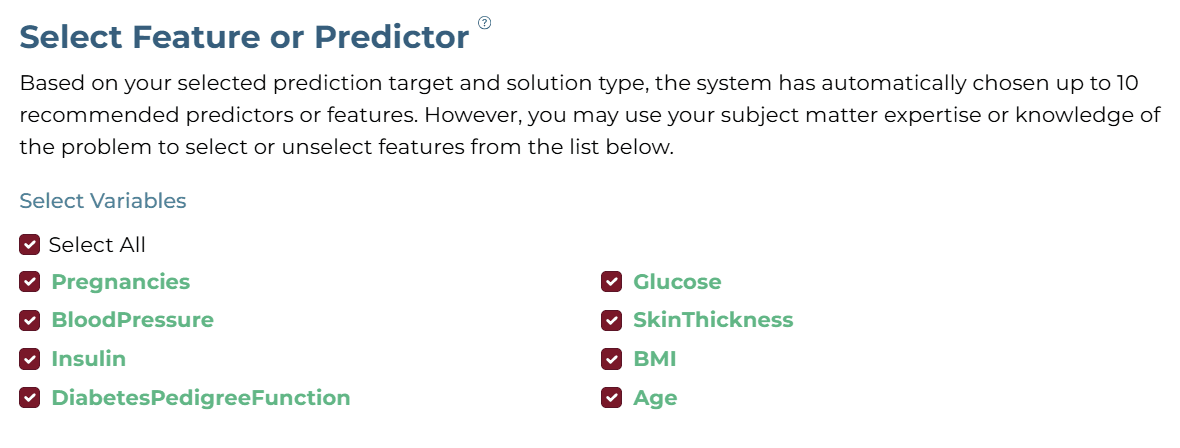
The system recommends up to 10 features based on the selected target. You can refine the analysis by selecting the most relevant features using your domain knowledge.
ESelecting Training Level

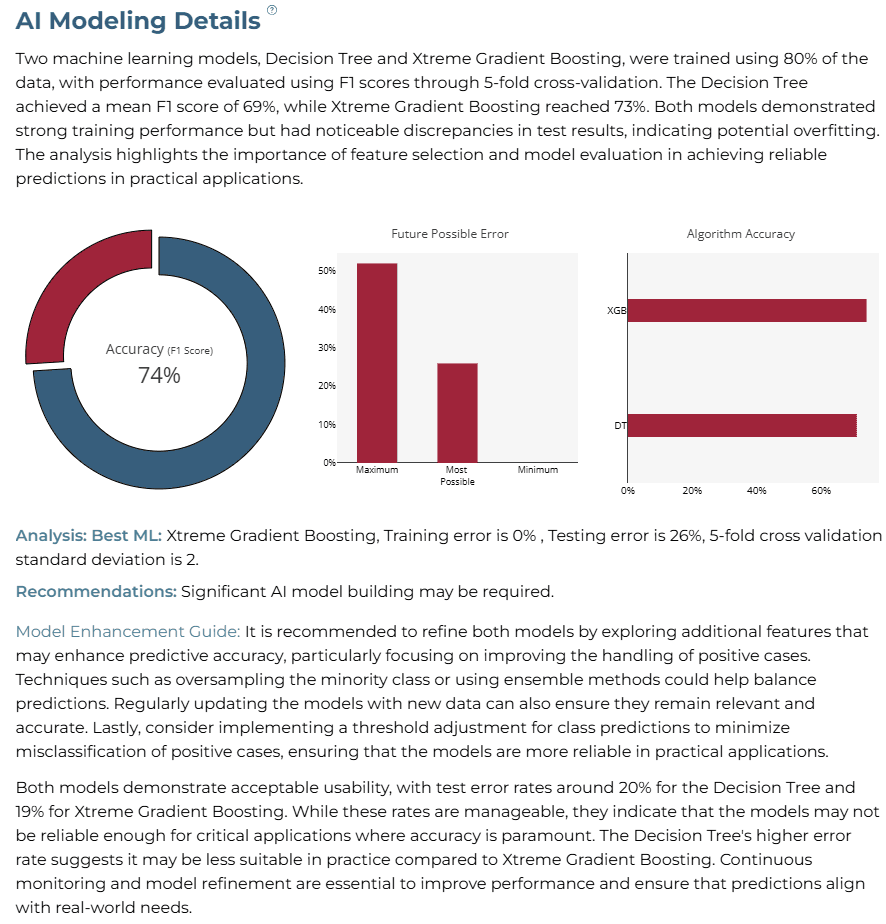
AI Modeling Details
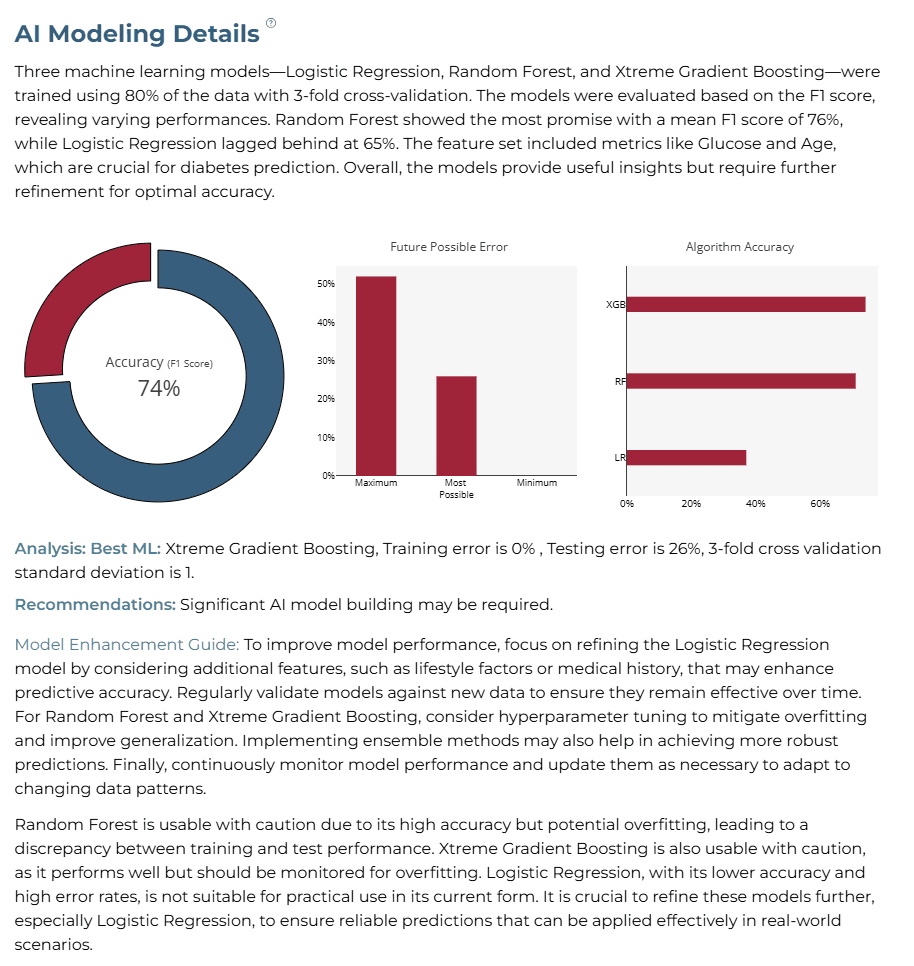
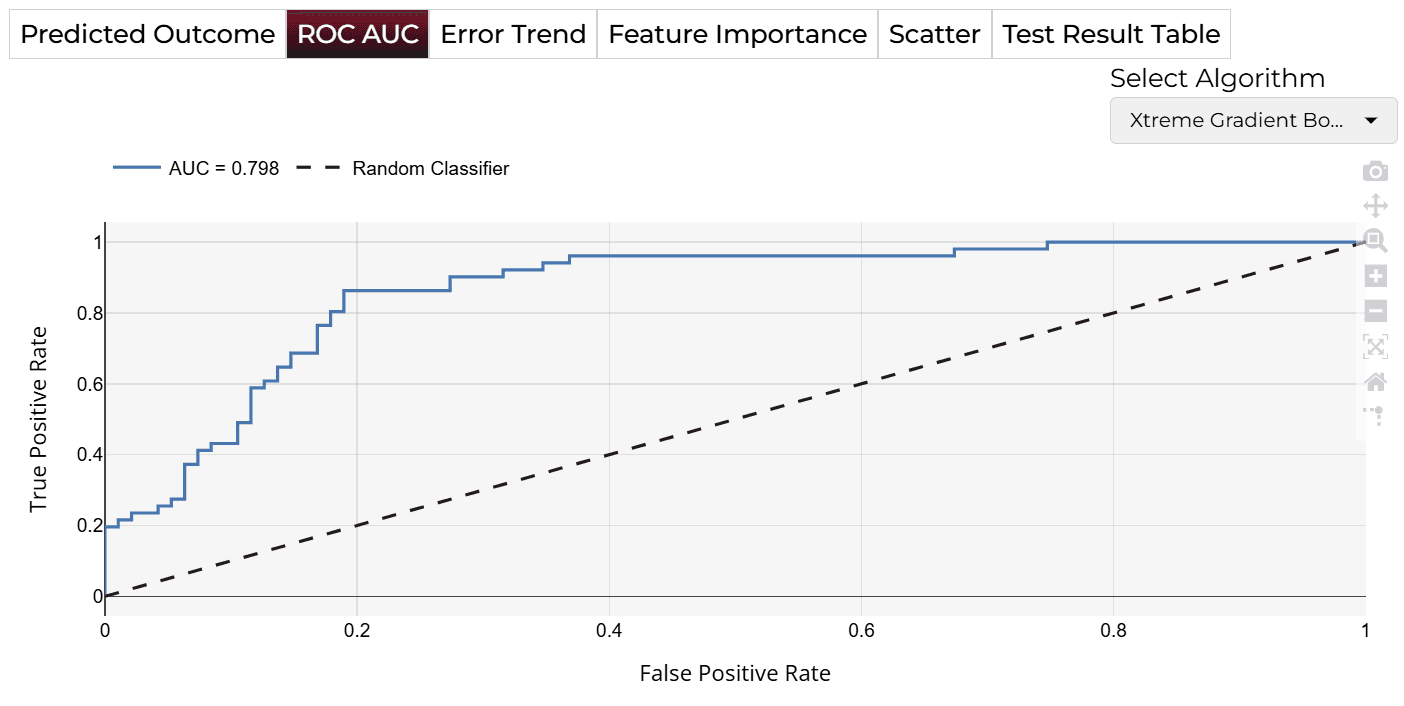
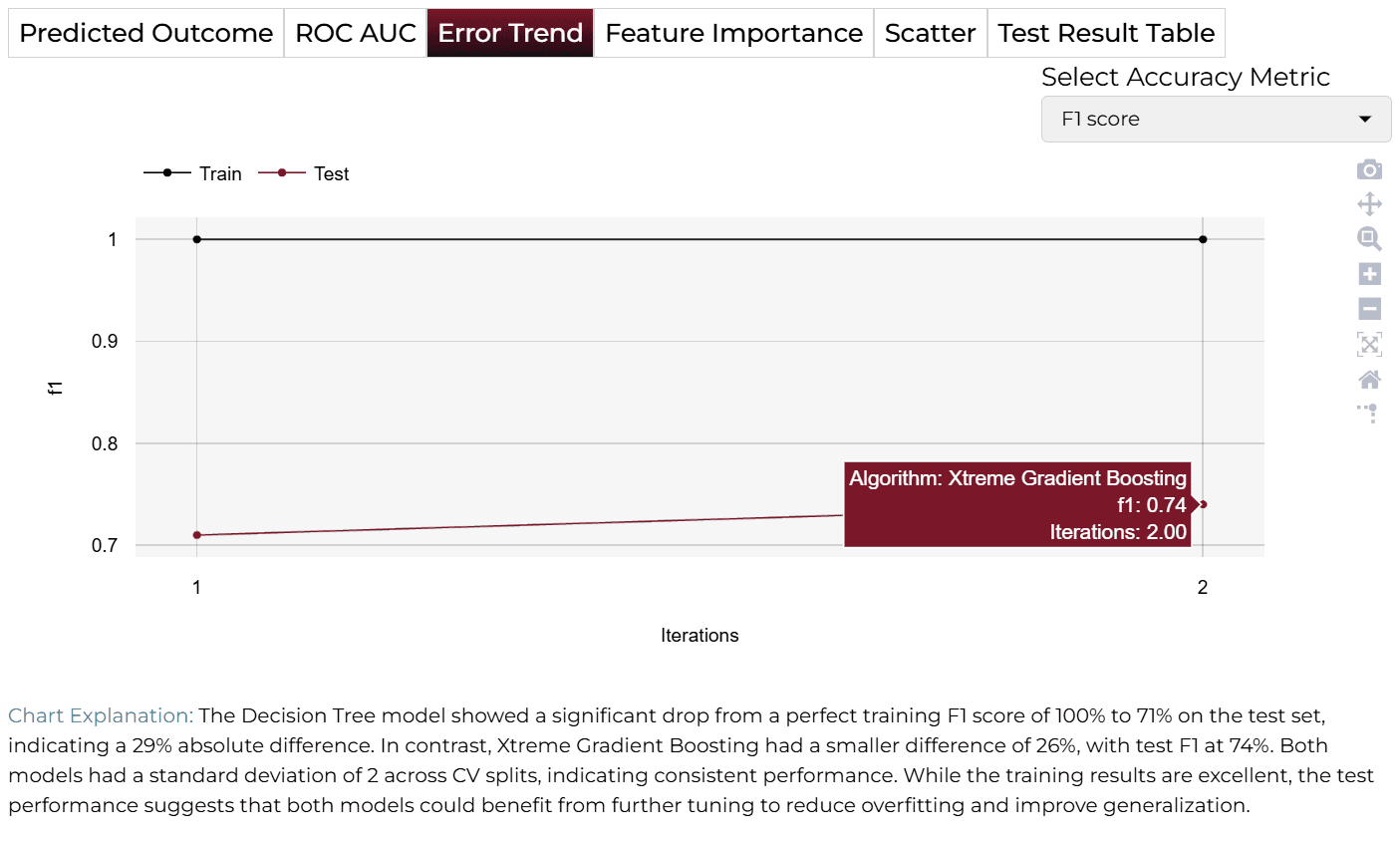
Xtreme Gradient Boosting demonstrated the best performance with a training error of 0% and a testing error of 26%. The overall model accuracy reached 74%.
Training Analysis Details
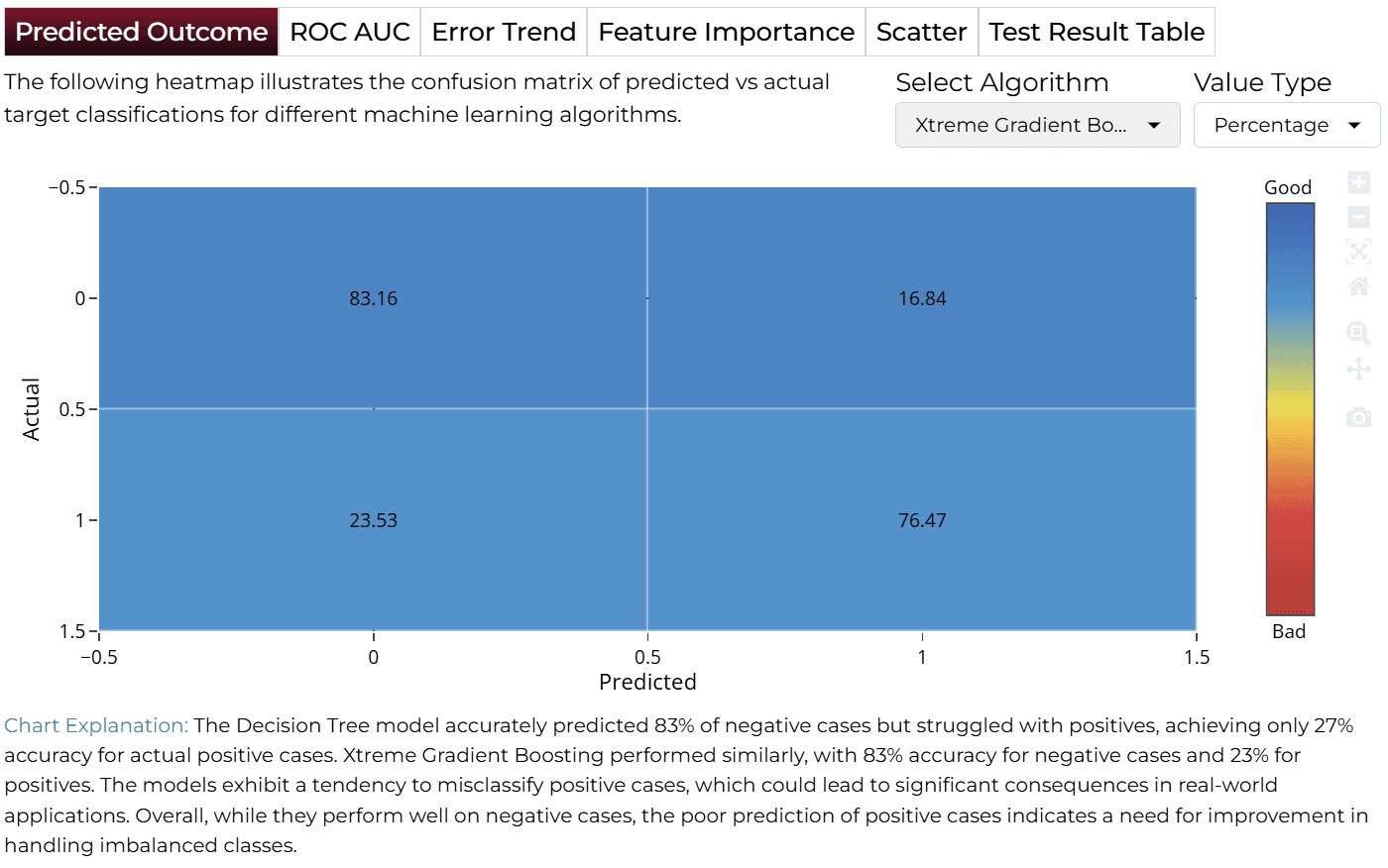
APredicted Outcome
BPredicted Trend
CError Trend
DFeature Importance
Improving Model Accuracy
ACustom Variable Creation
To improve performance, custom variables such as interaction terms and ratios are created. Here are the suggested formulas:
B2/H2B2*E2B2*F2AVERAGE(C2:C4)(G2-AVERAGE(G:G))/STDEV(G:G)D2/E2IF(F2<18.5,"Underweight",IF(F2<25,"Normal",IF(F2<30,"Overweight","Obese")))IF(H2<30,"Young",IF(H2<50,"Middle-Aged","Old"))IF(B2<100,"Normal",IF(B2<126,"Prediabetes","Diabetes"))IF(C2<80,"Normal",IF(C2<90,"Elevated","Hypertension"))Steps to create these variables:
- Save the dataset to your computer and open in Excel.
- Insert new columns at the end and name them after the custom variables.
- Enter the relevant formulas and drag down to fill all rows.
- Save the updated dataset as a CSV file.
BManual Feature Engineering
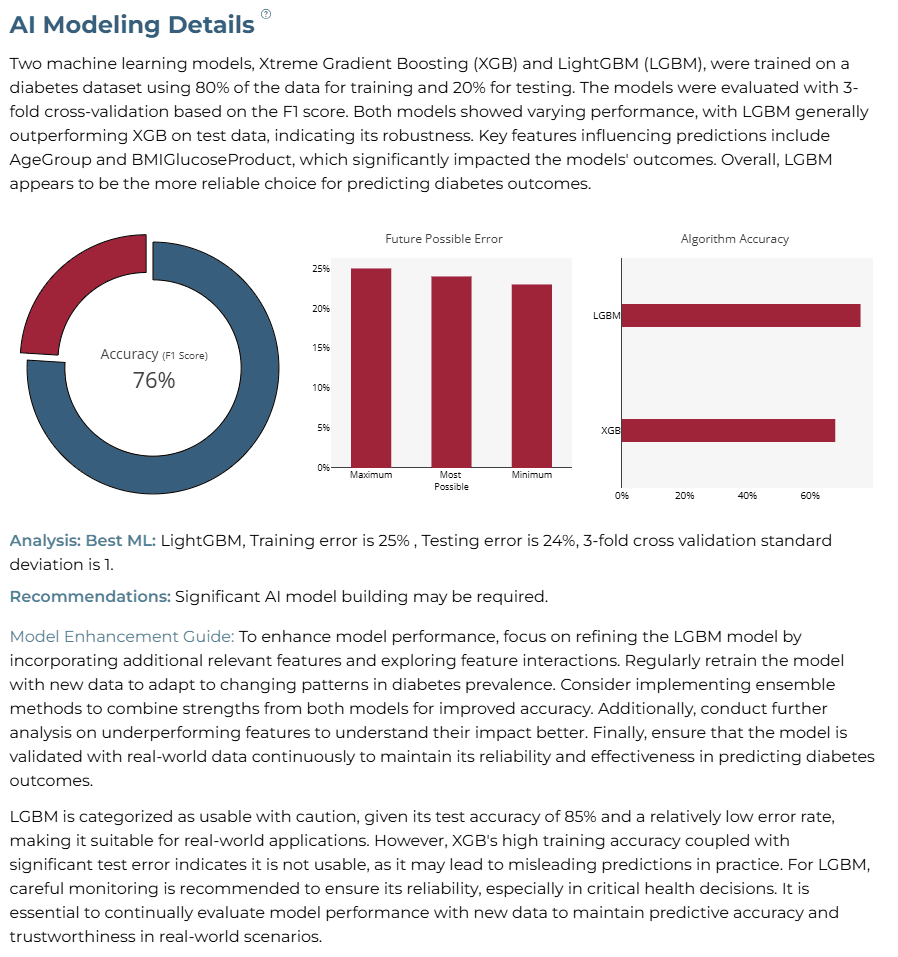
Upload the new dataset, select 'Manual Model Building', and choose specific variables: Pregnancies, Glucose, SkinThickness, BMI, Age, GlucoseAgeRatio, BMIGlucoseProduct, MeanBloodPressure, AgeGroup, and DiabetesPedigreeFunction.
CAnalysis Details
The model achieved an F1-Score of 76% (previously 74%), with LightGBM outperforming Xtreme Gradient Boosting.
Finalize Models
Once satisfied with performance, click 'Deploy'. The system saves and deploys models for future demand analysis or production environment.

4AI APPLICATION
Manual Model Building
In Manual Training Mode, users can modify sliders for health metrics such as Glucose, BMI, Insulin, and Blood Pressure. Clicking ‘Get Response’ triggers an updated analysis.
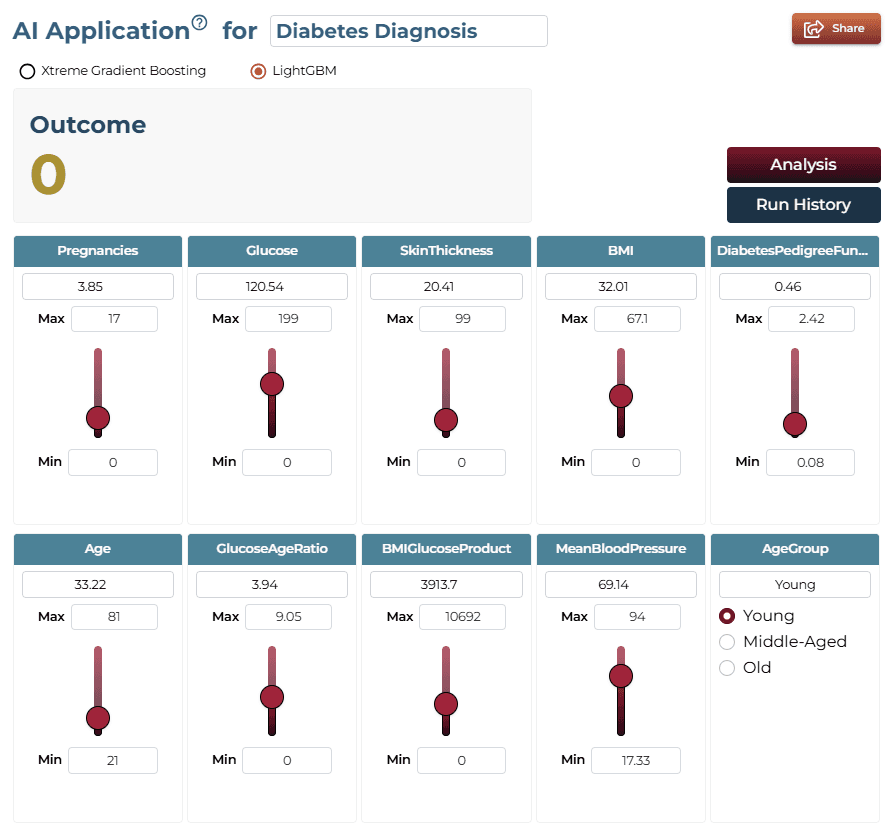
AI Application Demo
- The default values result in a prediction of '0' (no diabetes).
- Increase the ‘Glucose’ feature using the slider.
- The prediction updates to '1', signaling a high likelihood of diabetes.
Saving the Project
Save your project by clicking the icon at the bottom left corner of the textbox.

Sharing the Project
Share the application for single on-demand predictions once the analysis is saved.

Interested in similar AI solutions?
Explore our full suite of AI capabilities designed to transform your business operations.