


Predicting Customer Conversion in Digital Marketing Campaigns
Predicting customer conversion rates to optimize digital marketing strategies.
1Overview & Strategic Importance

Problem Statement
Digital marketing campaigns are pivotal in driving customer engagement and conversions. However, identifying which factors lead to successful conversions can be challenging due to the diversity of customer profiles and marketing strategies. This dataset provides customer demographics, engagement metrics, and campaign details, enabling predictive analytics to uncover patterns and optimize marketing strategies for higher ROI and customer engagement.
Required Solutions
- Analyzing customer and campaign data to identify factors influencing conversion rates.
- Building a machine learning model to predict customer conversion likelihood.
- Recommending data-driven strategies to improve campaign outcomes and optimize ad spend.
Solution Objectives
- Perform exploratory data analysis (EDA) to understand trends in customer behavior and campaign effectiveness.
- Build a binary classification model to predict customer conversion.
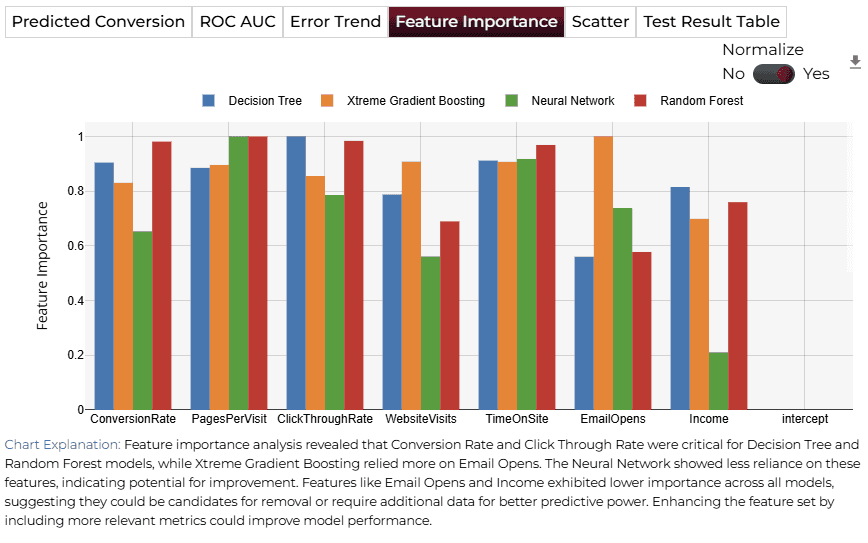
- Evaluate feature importance to identify key drivers of conversion.
- Provide actionable insights for improving marketing ROI and engagement strategies.
Understanding the Problem
Customer conversions are influenced by a combination of demographic, behavioral, and campaign-specific factors. Optimizing campaigns to cater to customer preferences and behaviors can significantly boost engagement and sales.
This dataset enables marketers to better understand their audience, optimize campaigns, and allocate budgets effectively for maximum ROI.
2About the Data
Data Collection
The dataset consists of records representing customer interactions with digital marketing campaigns. Data collection sources likely include customer management systems, website analytics tools, and marketing platforms.
Major Parameters Description
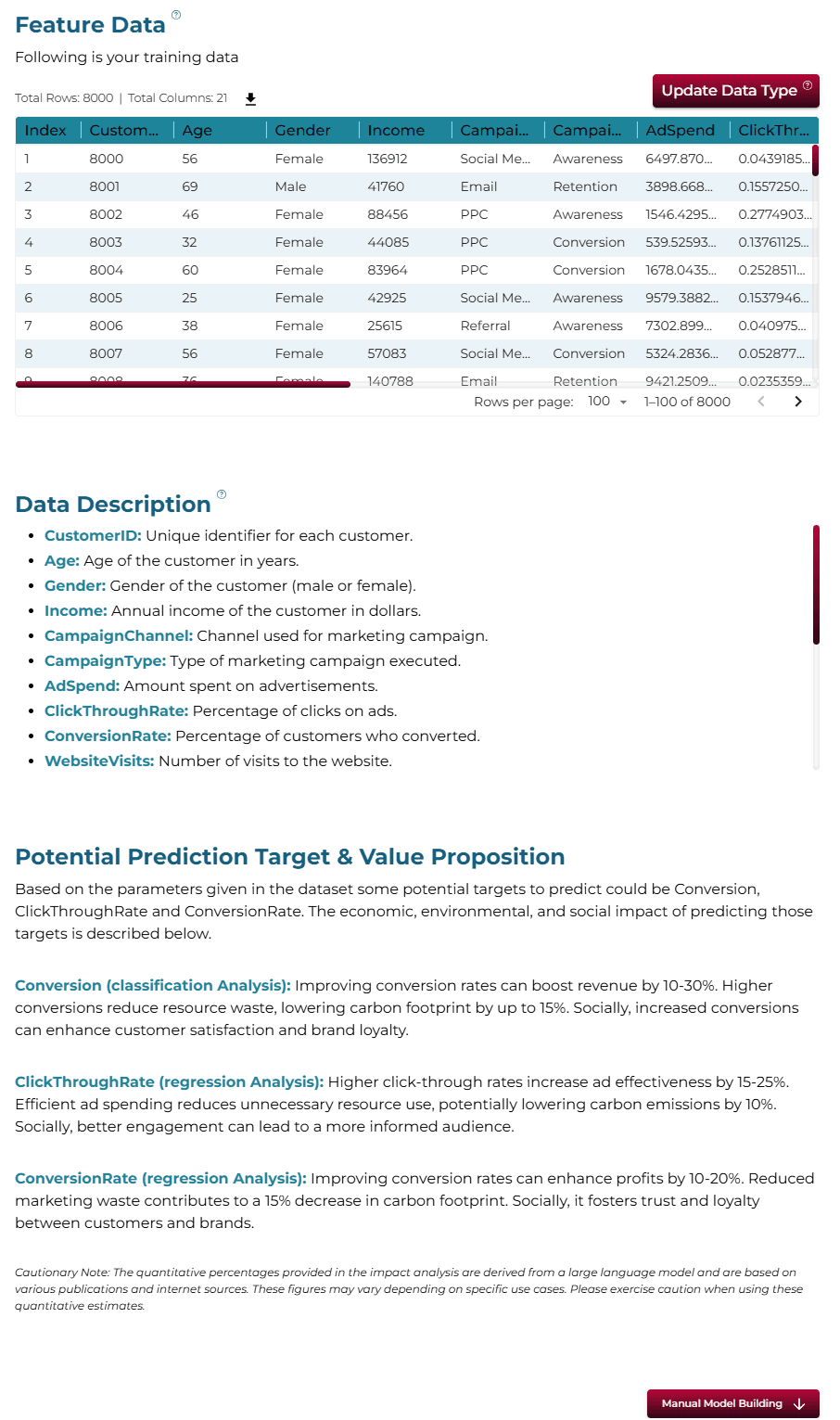
Download Training DataCustomerIDUnique identifier for each customer.
AgeAge of the customer.
GenderGender of the customer (Male/Female).
IncomeAnnual income in USD.
CampaignChannelMarketing channel used (Email, Social Media, SEO, PPC, Referral).
CampaignTypeType of campaign (Awareness, Consideration, Conversion, Retention).
AdSpendAmount spent on the campaign in USD.
ClickThroughRatePercentage of customers who clicked on the marketing content.
ConversionRatePercentage of clicks that converted into desired actions.
3Using iDareAI
Guided Mode Initialization
AUploading Dataset
Click on the **'Upload CSV or Excel Data'** button → Select a source for the dataset → Upload `customer_conversion_train.csv`. The system automatically analyzes the file, extracts column descriptions, and identifies the top value-adding targets for prediction.
BChoosing Analysis Mode
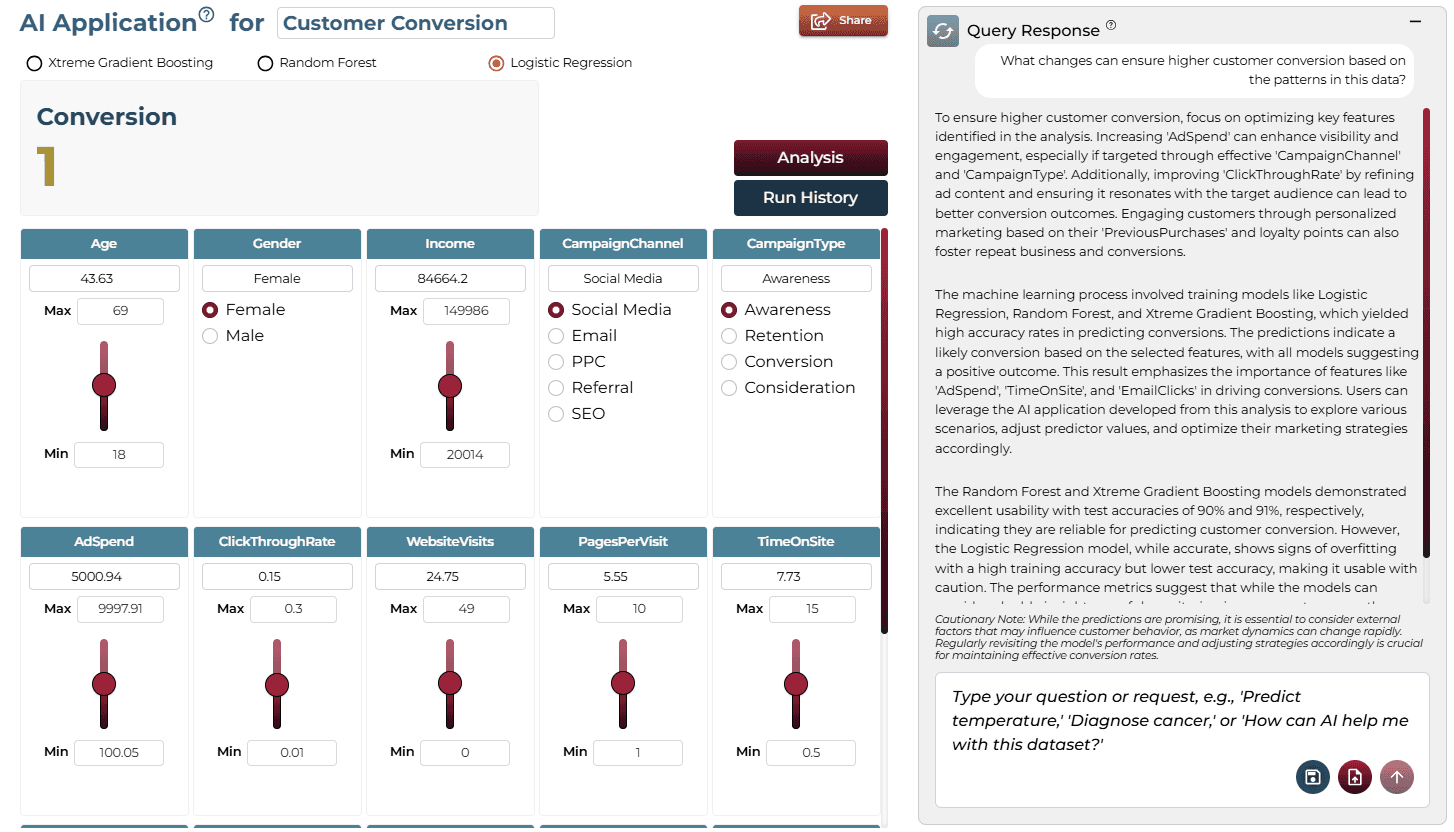
- What changes can ensure higher customer conversion based on the patterns in this data?
- Which factors in the data have the biggest impact on low conversions?
Operation Using Autonomous Guided Mode
AQuery Response
Focus on optimizing key features like 'AdSpend' and 'ClickThroughRate' to enhance visibility and engagement. The machine learning process involved training models like Random Forest and XGBoost, yielding high accuracy rates in predicting conversions.
BAI Application
Running the query generates an on-demand AI application. Users can adjust sliders for key variables like AdSpend and TimeOnSite to test different scenarios and see real-time impact on predicted outcomes.
Model Fine-Tuning/Manual Model Building
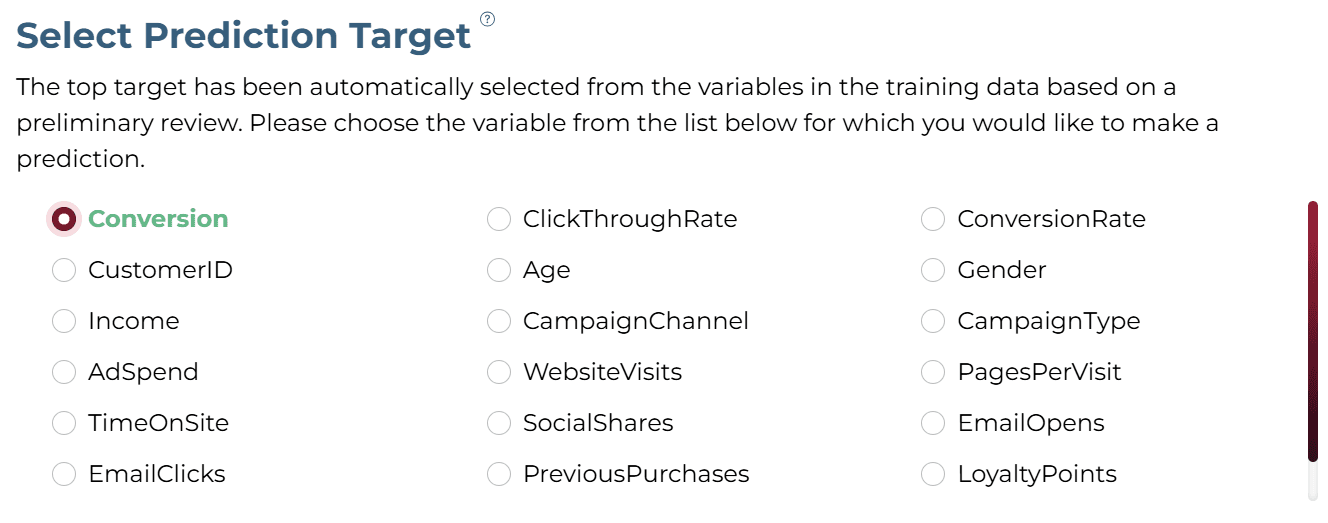
ASelecting Prediction Target
'Conversion' column was selected as the target.
BSelecting Analysis Type
The analysis target is a categorical column. Hence, the 'Classification' analysis type is selected.

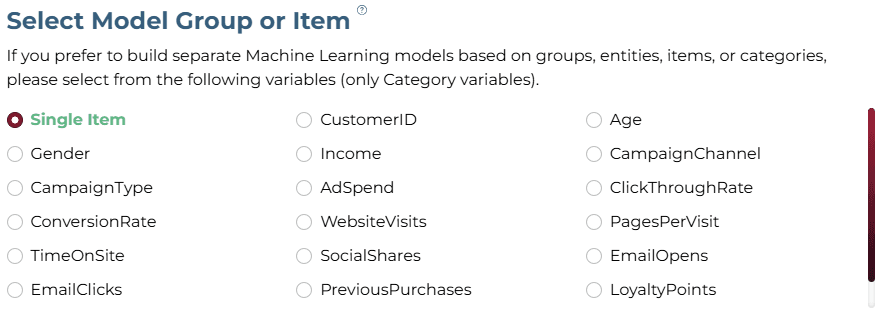
CSelecting Model Group/Item
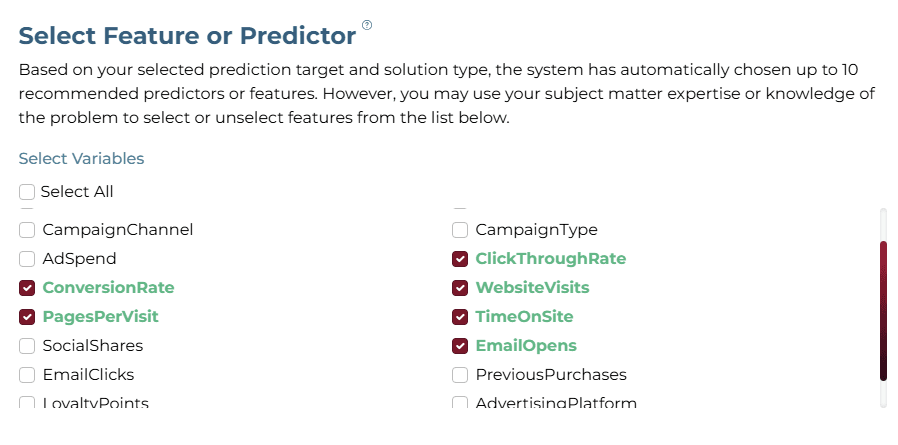
DSelecting Features
Select all relevant marketing engagement and demographic features.
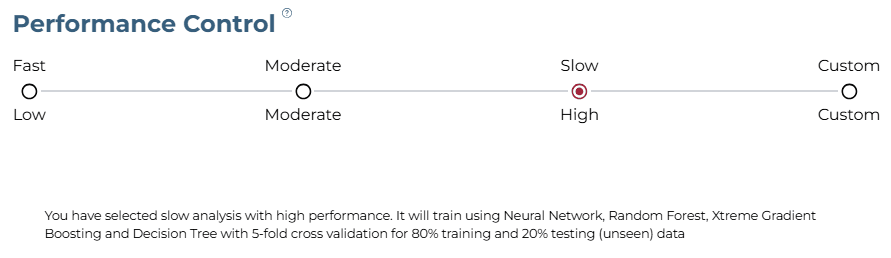
ESelecting Training Level
The "Slow" training level with "High Performance" configuration was selected for thorough analysis.
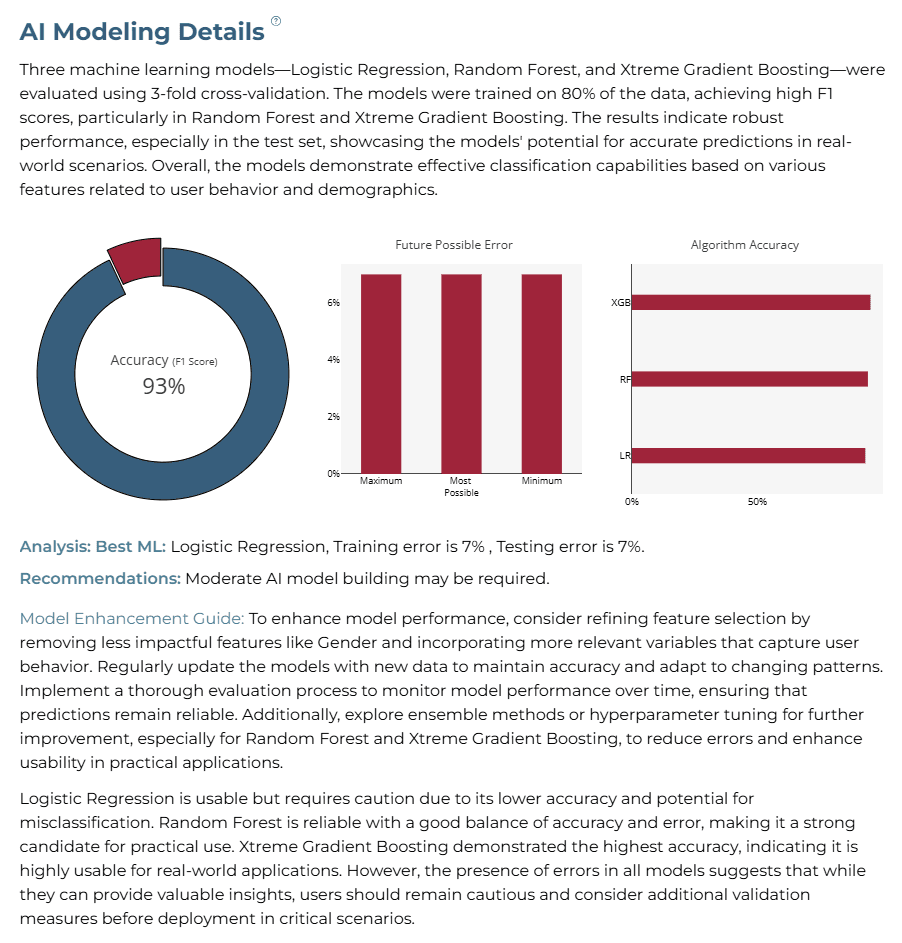
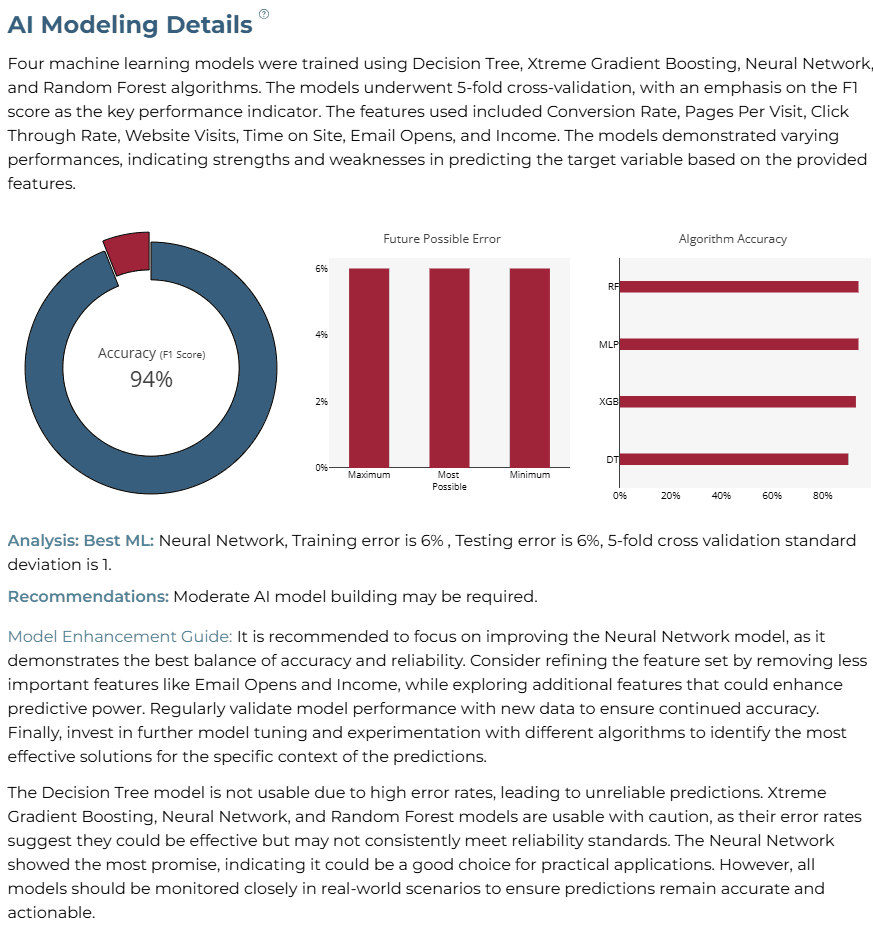
AI Modeling Details
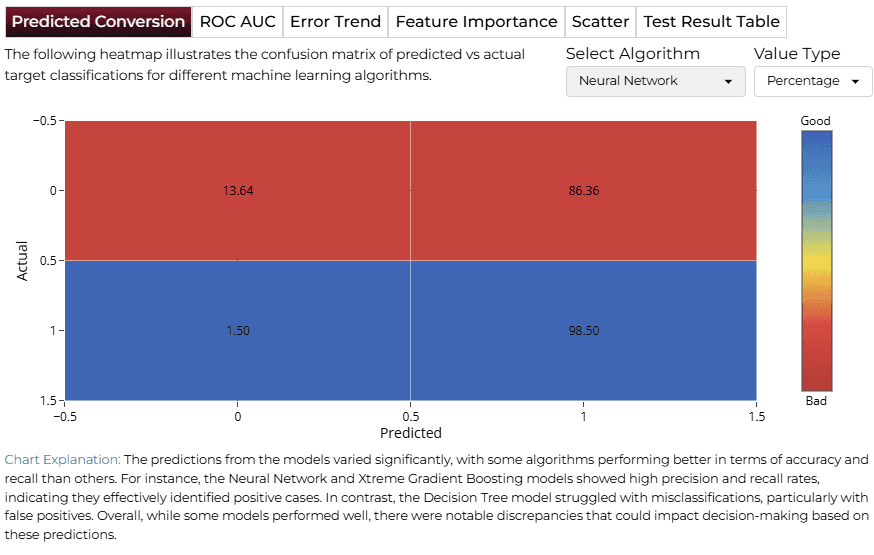
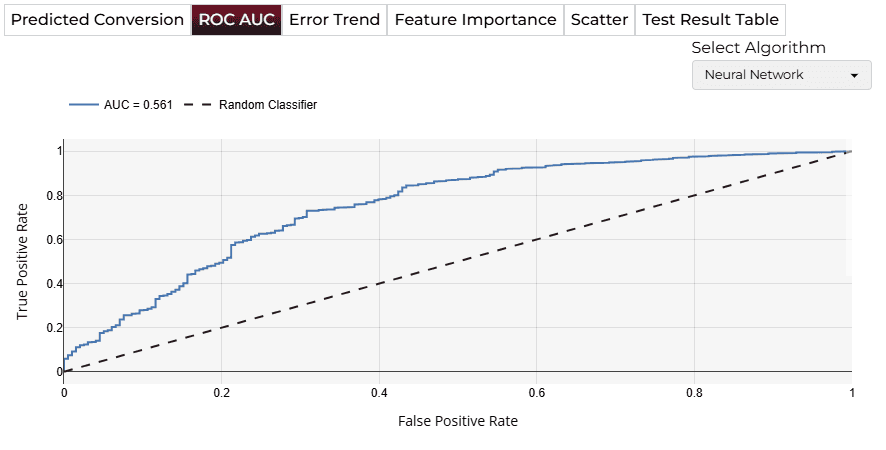
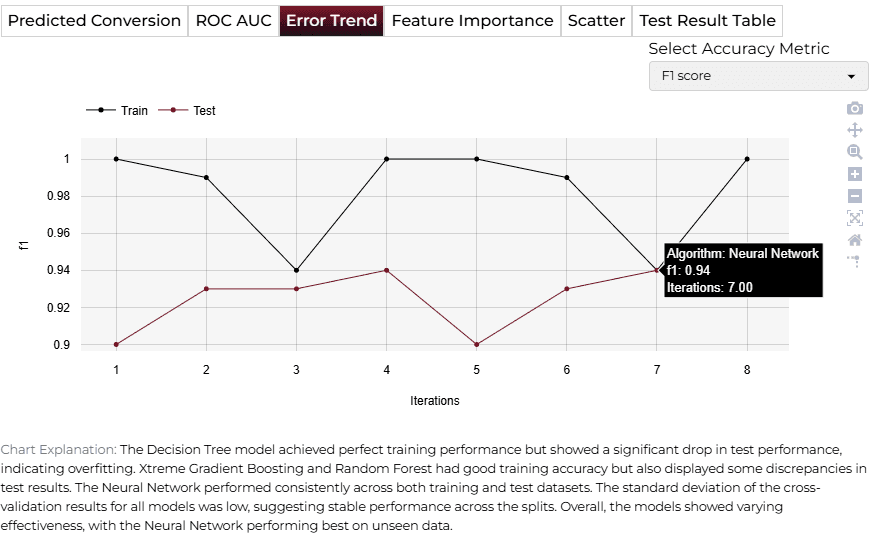
Neural Network is considered the best ML model for this use case, having the highest accuracy and lowest possible error percentages among the trained algorithms.
Training Analysis Details
APredicted Target
BROC AUC
CError Trend
DFeature Importance
Finalize Models
Once satisfied with performance, click 'Deploy'. The system saves and deploys models for future demand analysis or production environment.

4AI APPLICATION
Manual Model Building
In Manual Training Mode, users can modify sliders for variables like EmailOpens, TimeOnSite, WebsiteVisits, and ClickThroughRate. Clicking ‘Get Response’ triggers a tailored output that directly corresponds to the selected feature values.
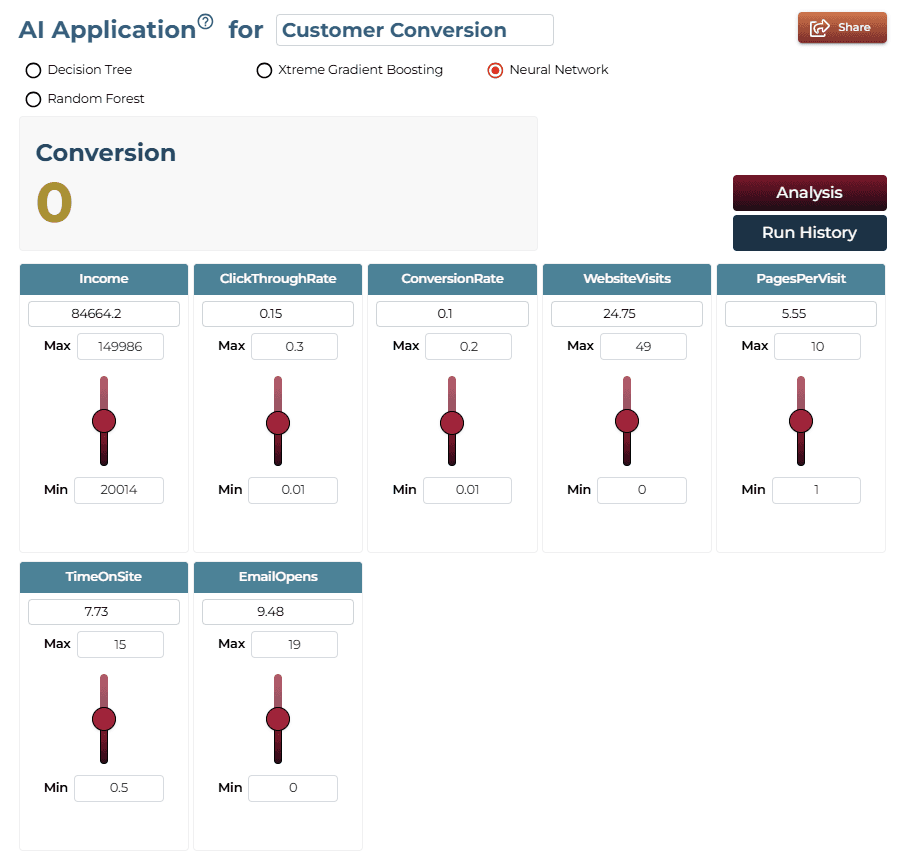
AI Application Demo
In this application, variables like EmailOpens, TimeOnSite, and ClickThroughRate affect the result significantly. High values of these metrics generally yield higher conversion probabilities.
Saving the Project
Save your project by clicking the icon at the bottom left corner of the textbox.

Sharing the Project
Share the application for single on-demand predictions once the analysis is saved.

Interested in similar AI solutions?
Explore our full suite of AI capabilities designed to transform your business operations.