


Predicting Employee Productivity in RMG Factory
Predicting employee productivity in the RMG industry to enhance operational efficiency.
1Overview & Strategic Importance

Problem Statement
Productivity is the ratio of output to input. It shows how effectively an organization is using its resources (inputs). In the case of a garment factory, the output can be considered as the number of pieces produced, while the inputs are the employees, machines, and time. Variations in worker performance result in lower output and lower productivity. Predicting productivity accurately is essential to identify key performance drivers and to optimize allocation of resources, minimize idle time, and enhance overall efficiency.
Required Solutions
- Developing an automated system that can accurately forecast worker productivity based on historical operational and performance data.
- Analyzing factors such as standard minute value (SMV), work in progress (WIP), overtime, incentive, idle times, and number of style changes.
- Providing actionable insights to optimize resource utilization, reduce idle times, and enhance productivity.
Solution Objectives
- Conduct exploratory data analysis.
- Build ML prediction model for worker productivity.
- Create an AI application to enable scenario-based analysis and optimization.
Understanding the Problem
Maintaining and improving productivity in the garment industry presents significant challenges due to variability and complexity. Factors such as worker skill levels, machine efficiency, and work-in-progress management impact production efficiency. Style changes cause disruptions, while incentive systems and overtime are critical but complex to manage effectively.
2About the Data
Data Collection
This dataset includes important attributes of the garment manufacturing process and the productivity of the employees which had been collected manually and validated by industry experts. It helps track, analyze, and predict the productivity performance of working teams.
Major Parameters Description
Download Training DatadateThe date of the recorded data.
quarterThe quarter of the year when the data was recorded.
departmentThe department within the company where the data was collected.
dayThe day of the week when the data was recorded.
teamThe identifier for the team.
targeted_productivityThe productivity target set for the team.
smvThe Standard Minute Value, representing time allocated for a specific task.
wipThe Work in Progress, indicating the number of unfinished goods or tasks.
over_timeThe total hours of overtime worked by the team.
3Using iDareAI
Guided Mode Initialization
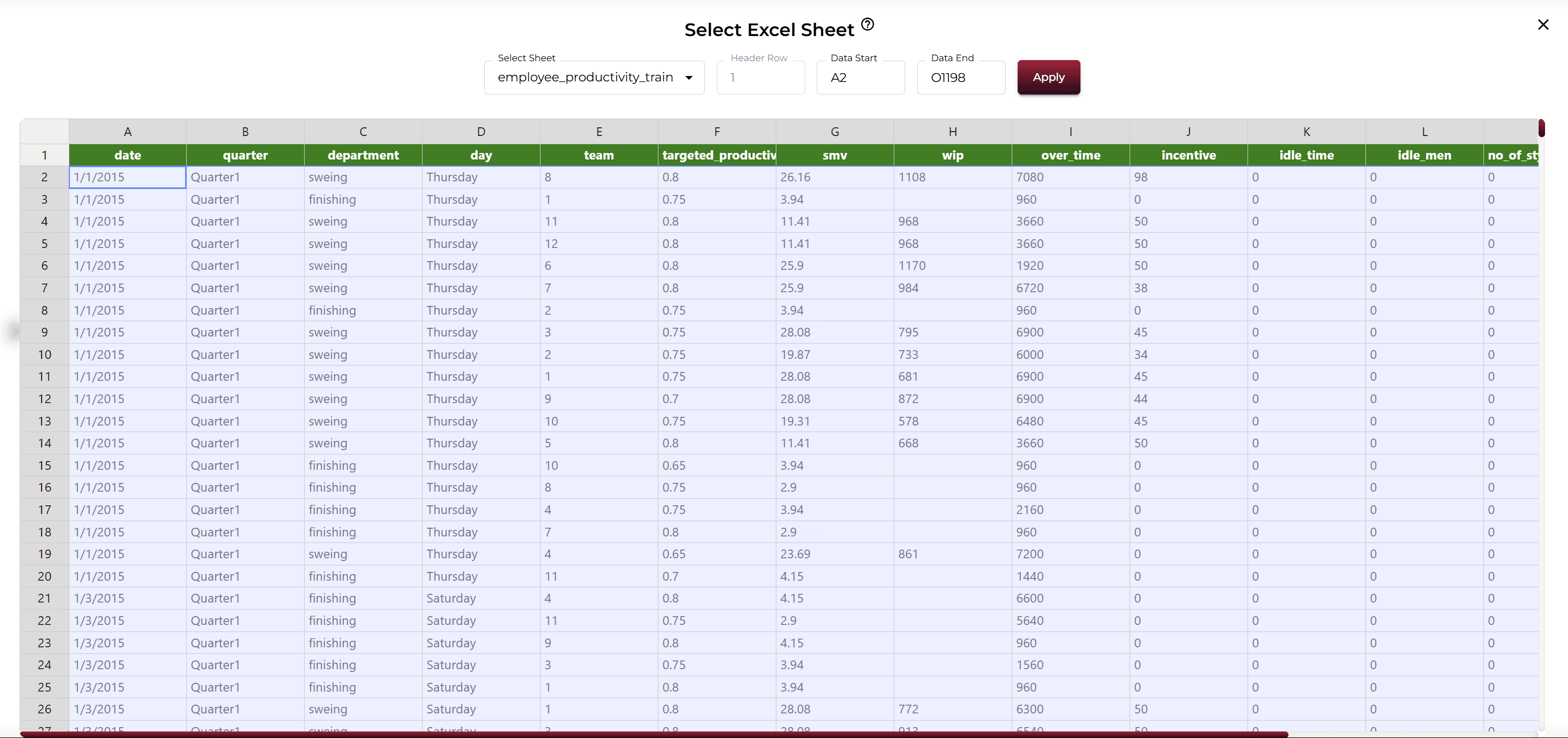
AUploading Dataset
Click on the **'Upload CSV or Excel Data'** button → Select a source for the dataset → Upload `employee_productivity_train.xlsx`. Note: Although the original dataset is a CSV file, the training file was converted to Excel format to show how the system handles Excel files.
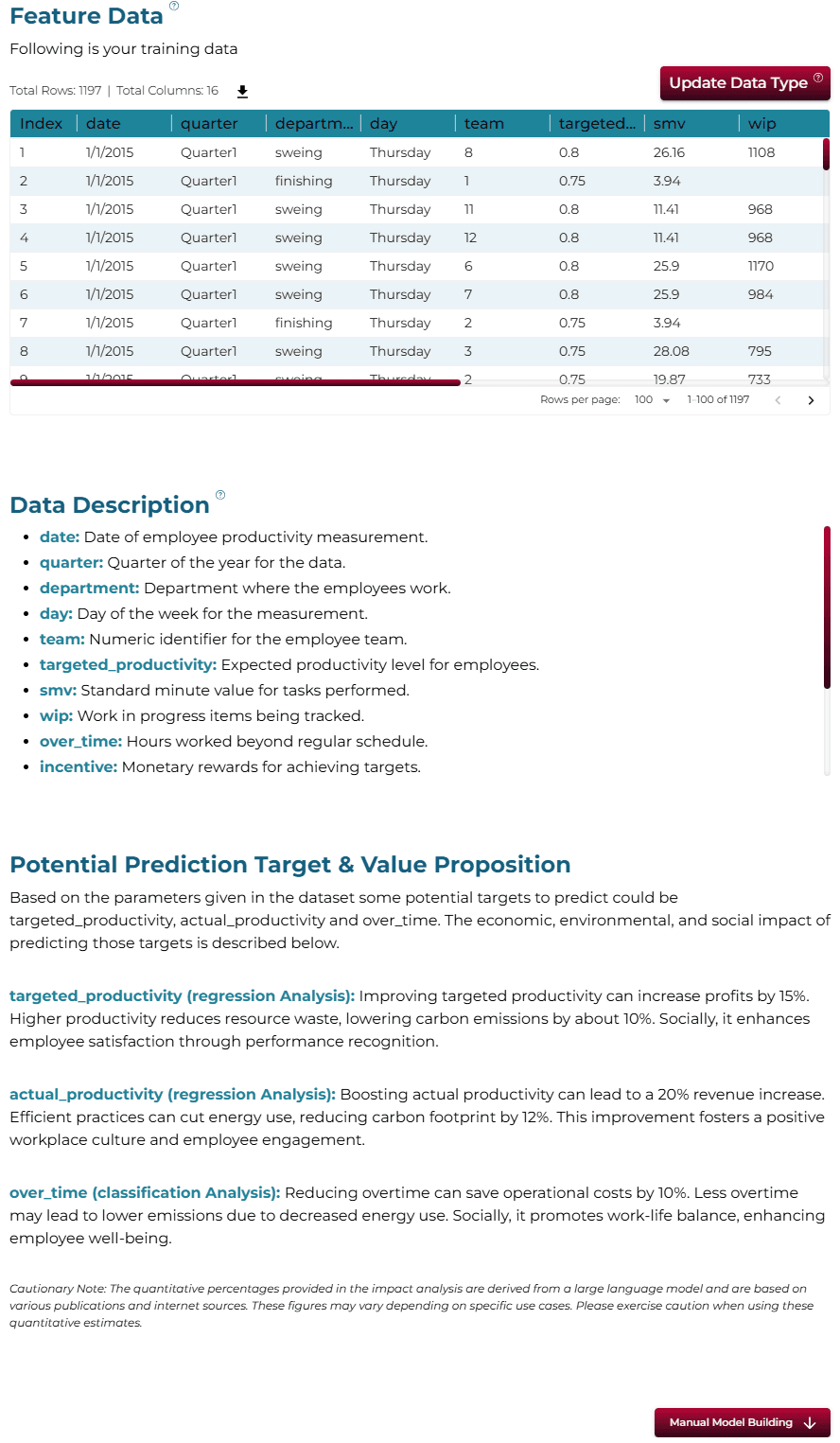
The system automatically analyzes the uploaded file, converting it into feature data. It then extracts the most likely descriptions of the columns and identifies the top three value-adding targets for prediction.
BChoosing Analysis Mode
- What changes can improve employee productivity based on the patterns in this data?
- Which factors in the data have the biggest impact on employee productivity?
- What factors affect how productive employees are on the factory floor?
Operation Using Autonomous Guided Mode
AQuery Response
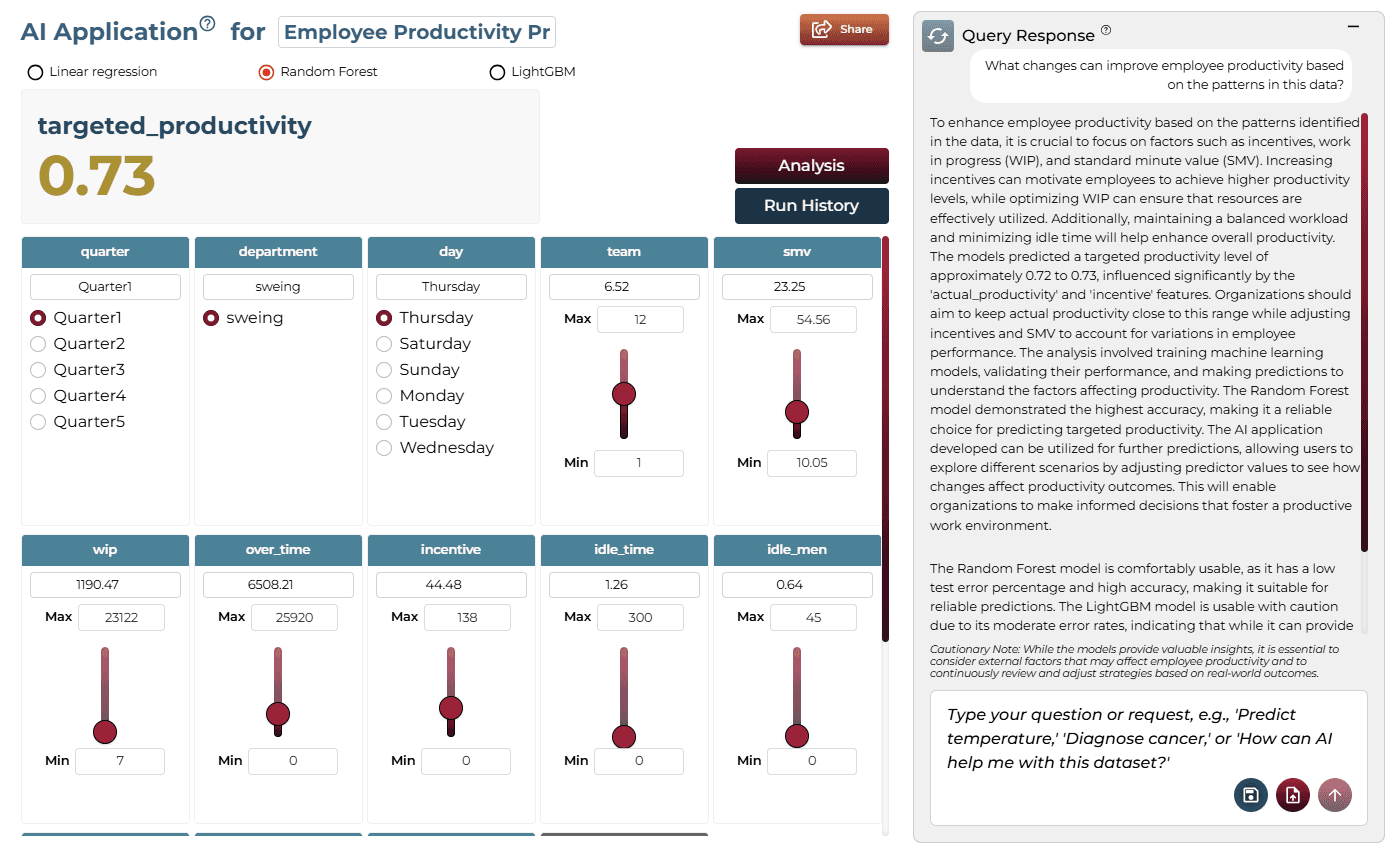
To enhance employee productivity, it is crucial to focus on factors such as incentives, work in progress (WIP), and standard minute value (SMV). The analysis involved training machine learning models, validating their performance, and making predictions. The Random Forest model demonstrated the highest accuracy.
BAI Application
Running the query generates an on-demand AI application. Users can adjust sliders for various inputs to see how changes impact the predicted outcome, allowing for scenario-based analysis without technical knowledge.
Model Fine-Tuning/Manual Model Building
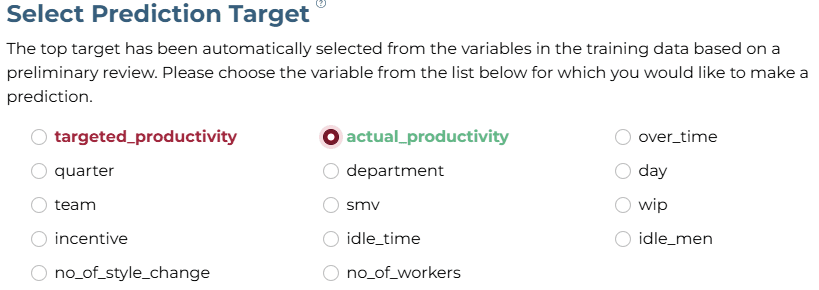
ASelecting Prediction Target
'actual_productivity' was selected as the target column.
BSelecting Analysis Type
Since the target is numeric, 'Regression' is selected.

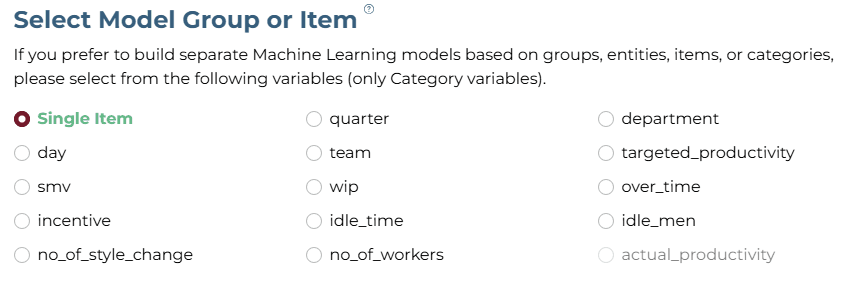
CSelecting Model Group/Item
No item/group is required for this dataset.
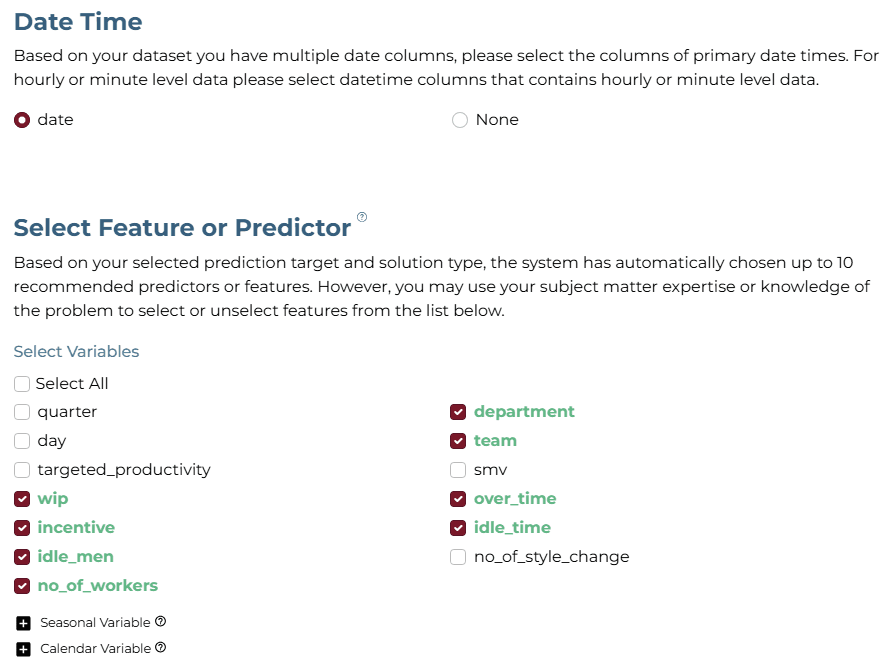
DSelecting Features
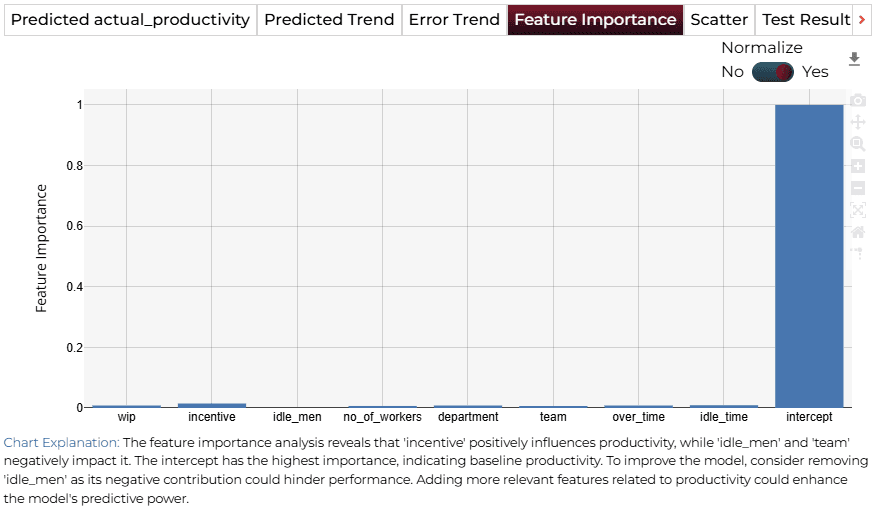
Uncheck ‘target_productivity', as this value will not be available during prediction. Select wip, incentive, idle_men, no_of_workers, department, team, over_time, and idle_time.
ESelecting Training Level
The Slow Training Level and Performance configuration was selected for this example.

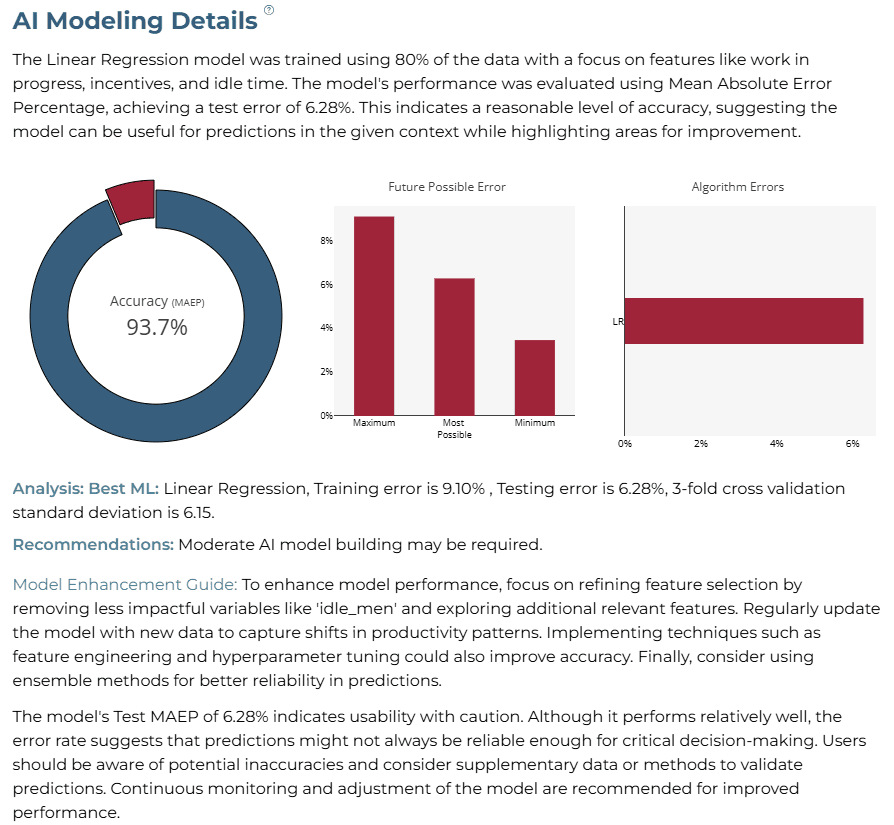
AI Modeling Details
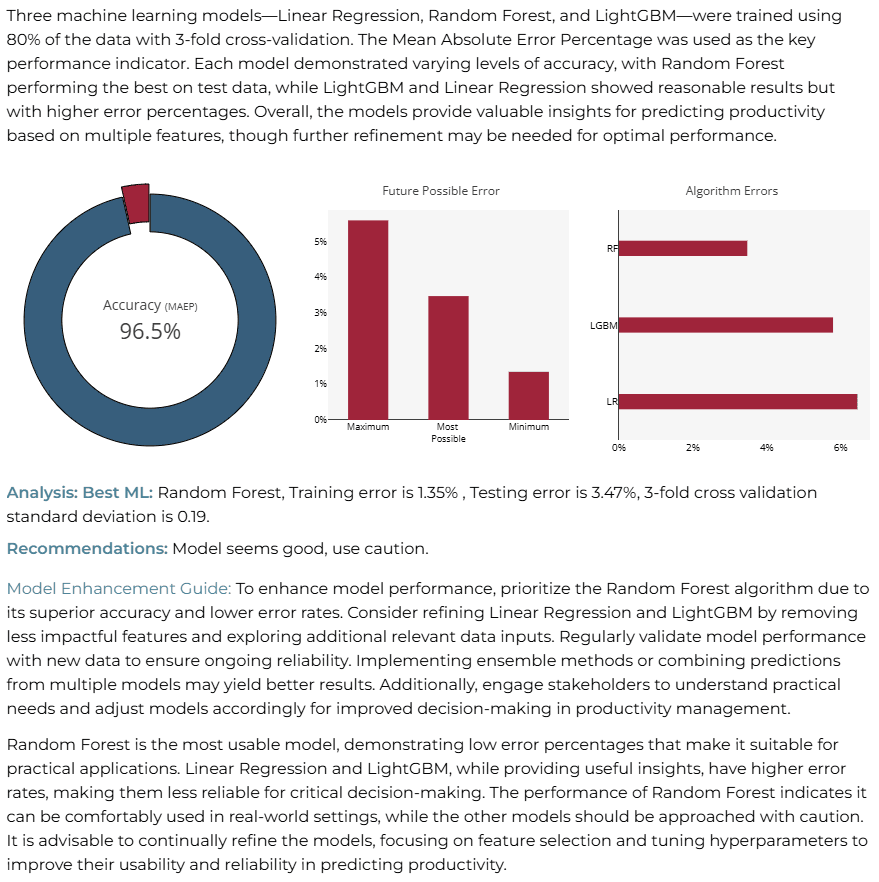
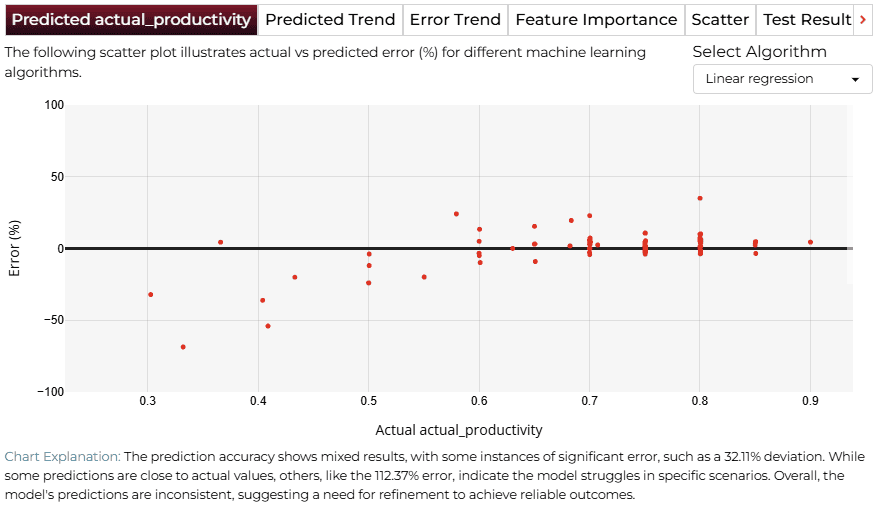
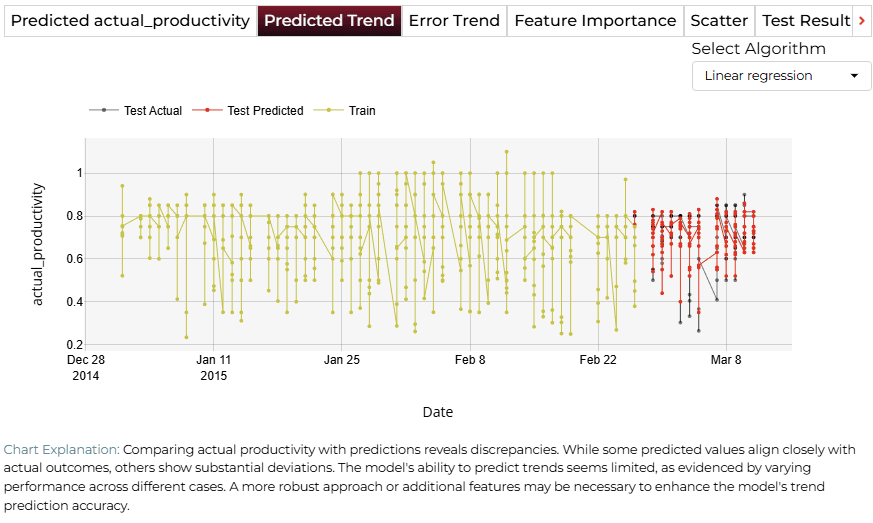
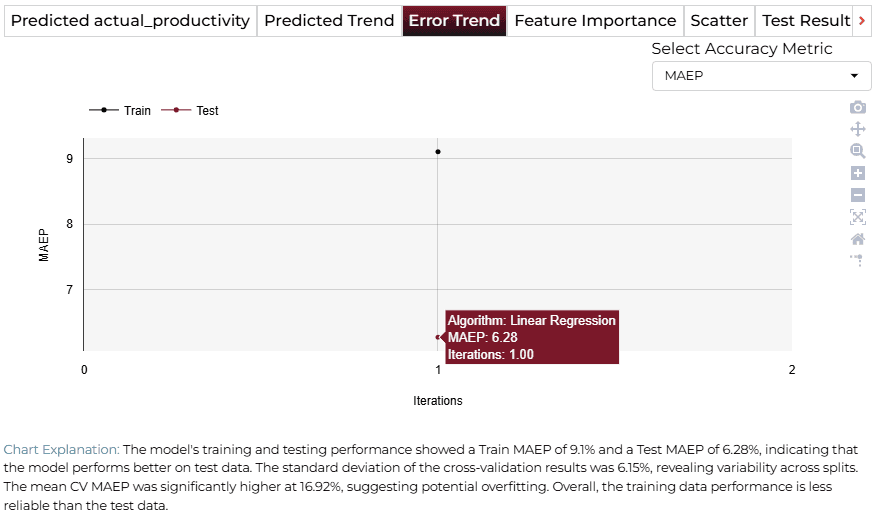
A Linear Regression model was developed, undergoing 3-fold cross-validation with 80% training and 20% testing data. Linear Regression achieved superior performance, with a training error of 8.92% and a testing error of 5.76%.
Training Analysis Details
APredicted Productivity
BPredicted Trend
CError Trend
DFeature Importance
Finalize Models
Once satisfied with performance, click 'Deploy'. The system saves and deploys models for future demand analysis or production environment.

4AI APPLICATION
Manual Model Building
In Manual Training Mode, users can interactively modify input variables such as "work in progress (WIP)", "overtime", "incentive", and "idle time". Clicking "Get Response" generates an updated analysis.
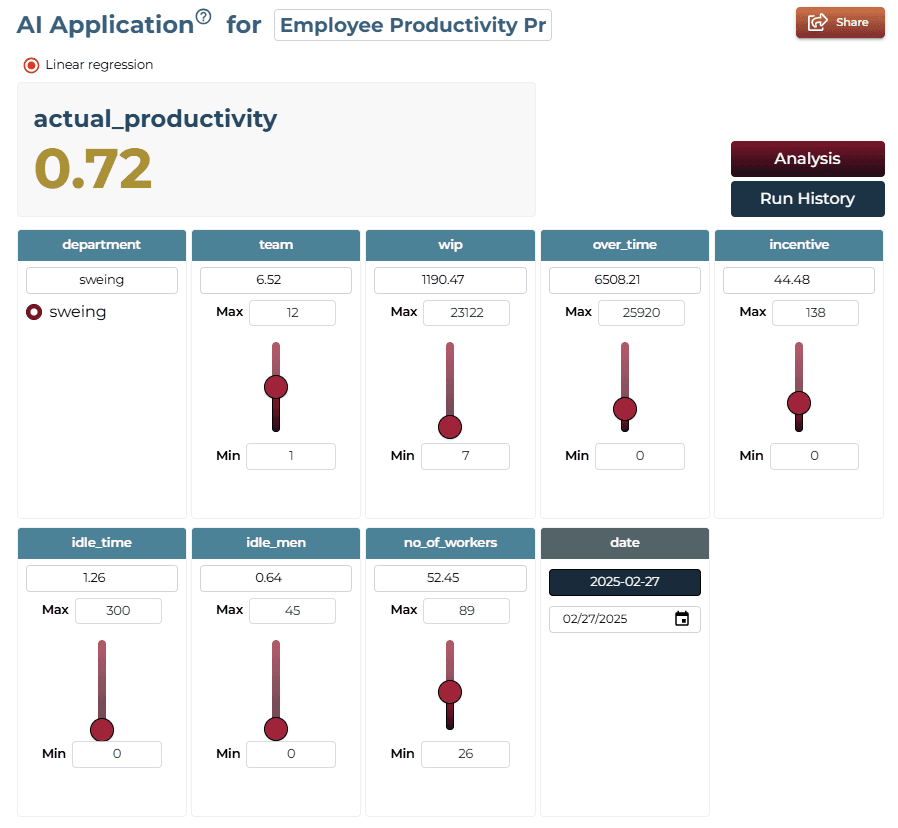
AI Application Demo
- The initial feature values establish a baseline productivity prediction.
- Adjusting the "Overtime" slider increases the allocated work hours.
- The predicted productivity score updates accordingly, highlighting efficiency relationship.
Saving the Project
Save your project by clicking the icon at the bottom left corner of the textbox.

Sharing the Project
Share the application for single on-demand predictions once the analysis is saved.

Interested in similar AI solutions?
Explore our full suite of AI capabilities designed to transform your business operations.