


Predicting Energy Consumption for Buildings
Increasing energy efficiency by predicting energy consumption.
1Overview & Strategic Importance

Problem Statement
The growing demand for energy-efficient building designs in cooler climates necessitates a precise understanding of factors influencing heating load. Accurately predicting and managing the heating load is therefore crucial. If buildings are designed with optimal characteristics for reducing the heating load, operational costs can be reduced and indoor comfort can be enhanced, addressing both environmental and economic challenges in such climates.
Required Solutions
- Developing an automated system that can accurately estimate heating load based on building parameters.
- Identifying key variables that significantly influence the heating load for optimization.
- Designing energy-efficient buildings by adjusting building features to minimize heating load.
Solution Objectives
- Conduct exploratory data analysis on building shapes and orientations.
- Build ML prediction models to predict heating load for various parameters.
- Create an AI application for scenario-based analysis and operational optimization.
Understanding the Problem
The development of the energy consumption prediction model is an integral part of the management and improvement of building energy efficiency. Characteristics such as orientation, insulation, and layout are critical factors.
Predicting heating and cooling loads helps architects determine the specifications of equipment needed to maintain comfortable indoor conditions while reducing operational costs and environmental impact.
2About the Data
Data Collection
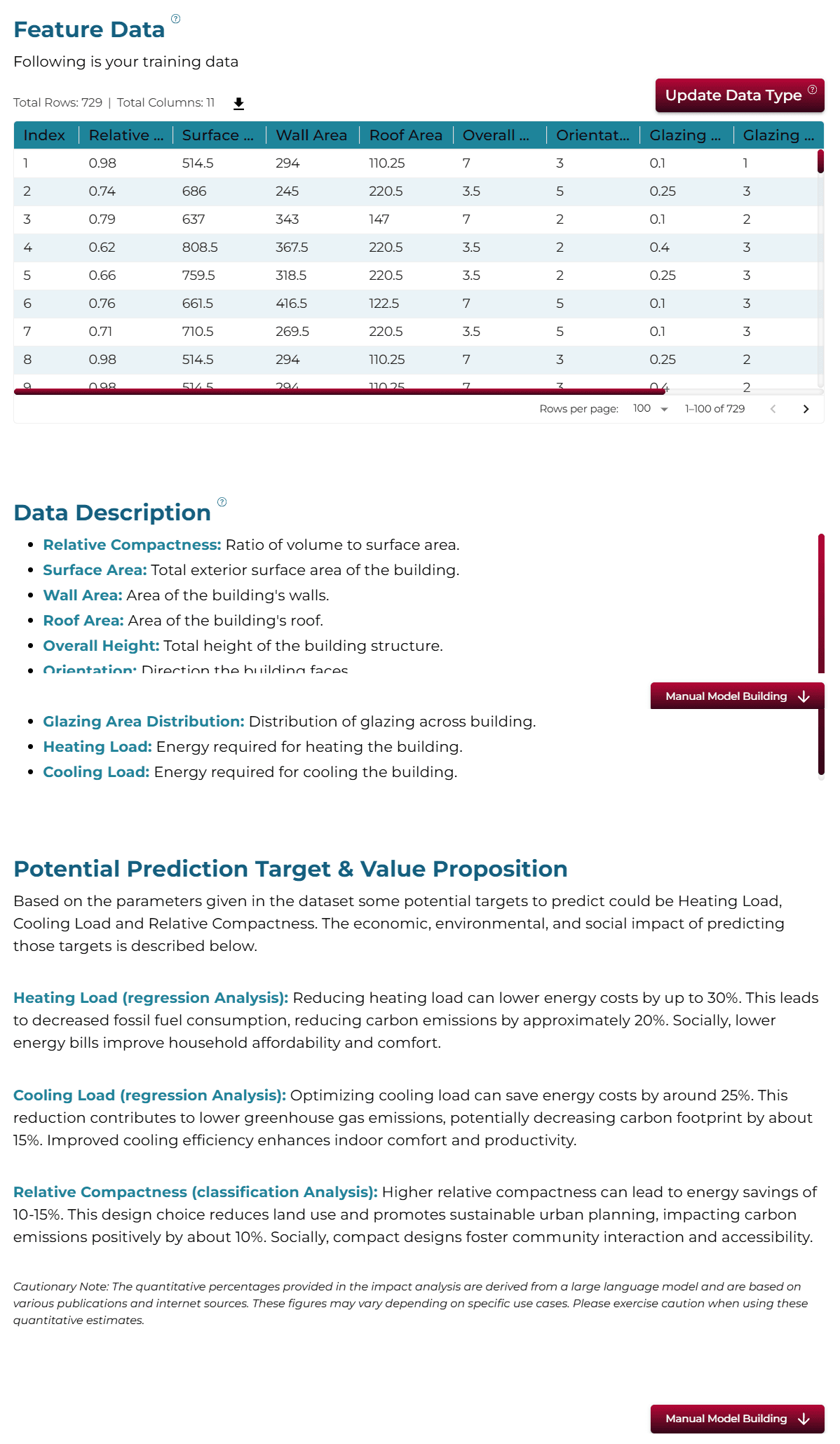
The dataset was created by Angeliki Xifara and processed by Athanasios Tsanas. It consists of energy analysis using 12 different building shapes simulated in Ecotect, differing with respect to glazing area, distribution, and orientation. The dataset comprises 768 samples and 8 features.
Major Parameters Description
Download Training DataRelative CompactnessA dimensionless value representing the ratio of the building's volume to its surface area.
Surface AreaThe total exterior surface area of the building, measured in sq. m.
Wall AreaThe total area of the exterior walls, measured in sq. m.
Roof AreaThe total area of the roof, measured in sq. m.
Overall HeightThe height of the building from the ground to the roof, measured in meters.
OrientationThe direction that the building faces, typically categorized into numerical values.
Glazing AreaThe total area of windows and other glazed surfaces, measured in sq. m.
Glazing Area DistributionThe distribution pattern of the glazing area across the building's facades.
Heating LoadThe amount of energy required to maintain a comfortable indoor temperature during the heating season, measured in kWh/m².
3Using iDareAI
Guided Mode Initialization
AUploading Dataset
Click on the **'Upload CSV or Excel Data'** button → Select a source for the dataset → Upload `energy_efficiency_train.csv`. The system automatically analyzes the file, extracts column descriptions, and identifies the top value-adding targets for prediction.
BChoosing Analysis Mode
- How can we predict the heating load of a building based on the given data?
- Which building design factors have the greatest impact on heating requirements?
Operation Using Autonomous Guided Mode
AQuery Response
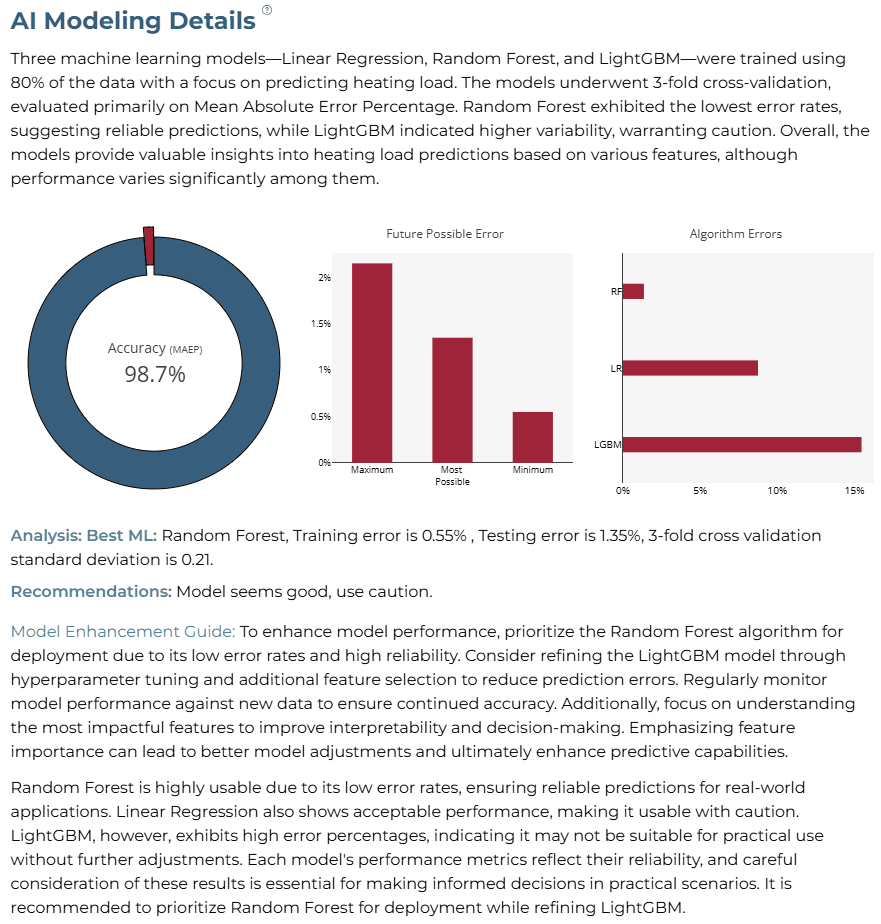
To predict heating load, we utilize techniques like Linear Regression, Random Forest, and LightGBM. Each model is validated and tested. The predictions depend heavily on features such as Wall Area and Glazing Area. Random Forest demonstrated exceptional accuracy, while others showed varying usability.
BAI Application
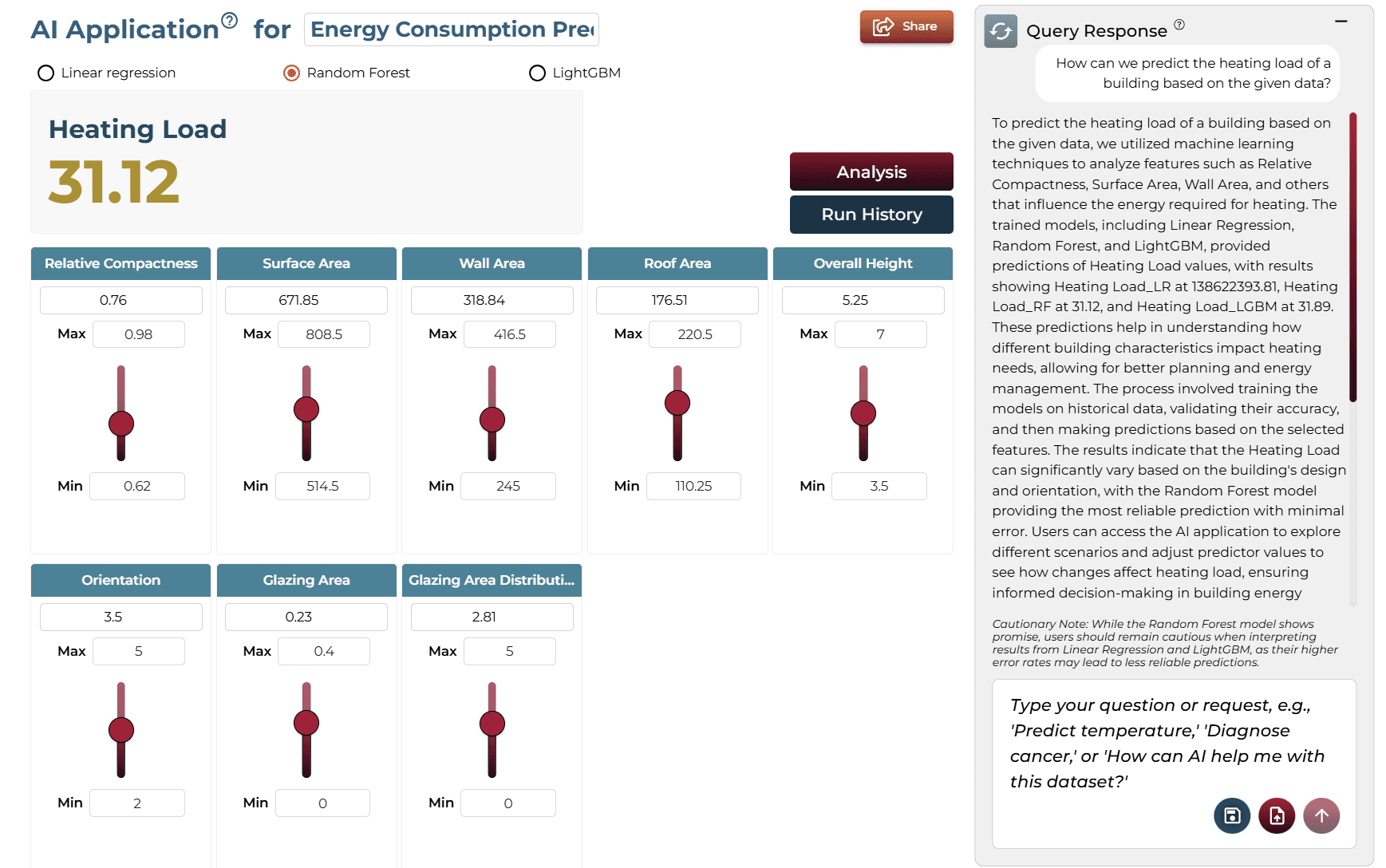
Running the query generates an on-demand AI application. Users can adjust sliders to test different scenarios and see real-time updates to predictions without technical knowledge.
Model Fine-Tuning/Manual Model Building
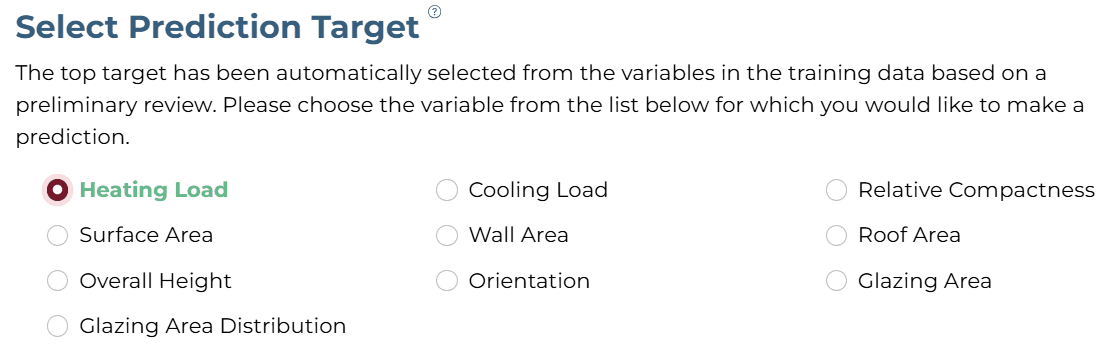
ASelecting Prediction Target
'Heating Load' was selected as the target column.
BSelecting Analysis Type
Since the target is numeric, 'Regression' is suggested and selected.

CSelecting Model Group/Item

DSelecting Features
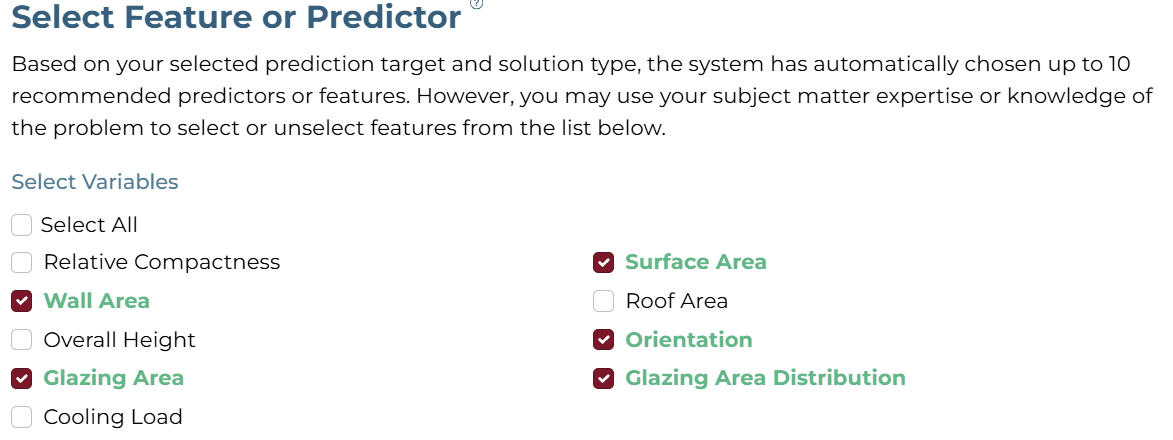
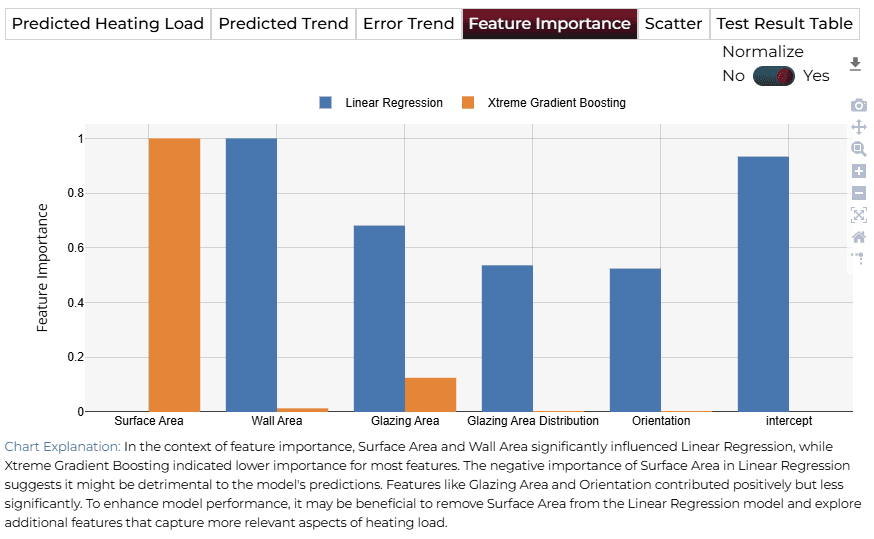
Uncheck ‘Cooling Load', as this value will not be available during prediction. Select Surface Area, Wall Area, Orientation, Glazing Area, and Glazing Area Distribution.
ESelecting Training Level

AI Modeling Details
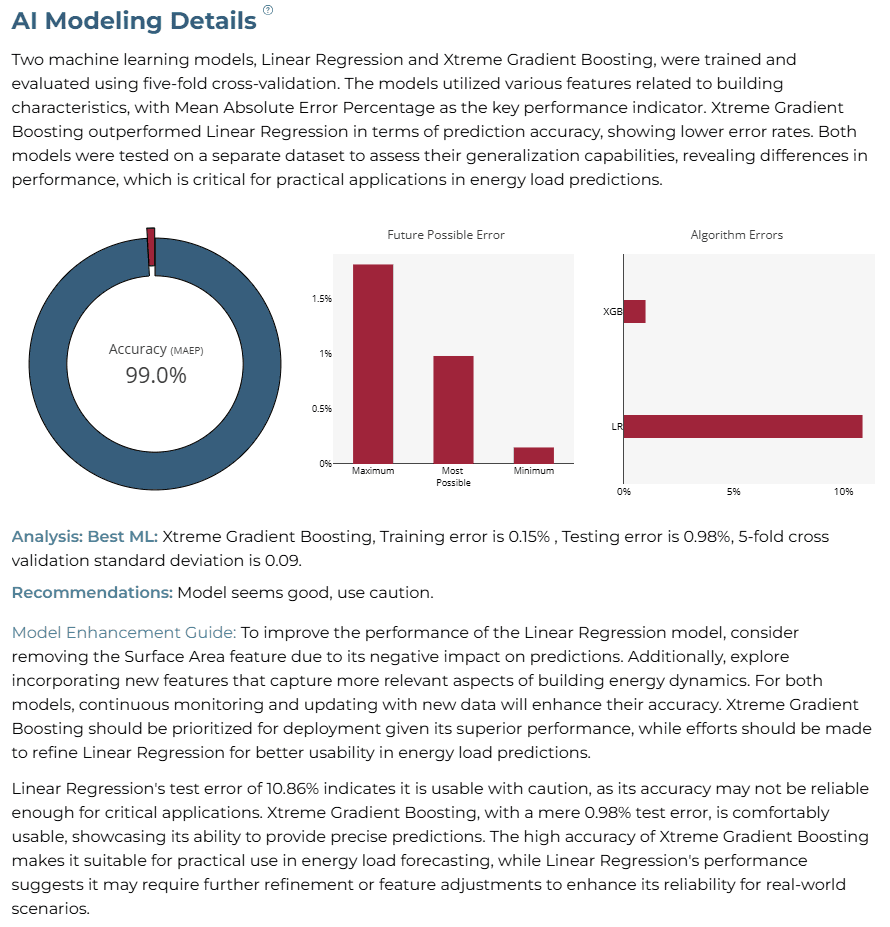
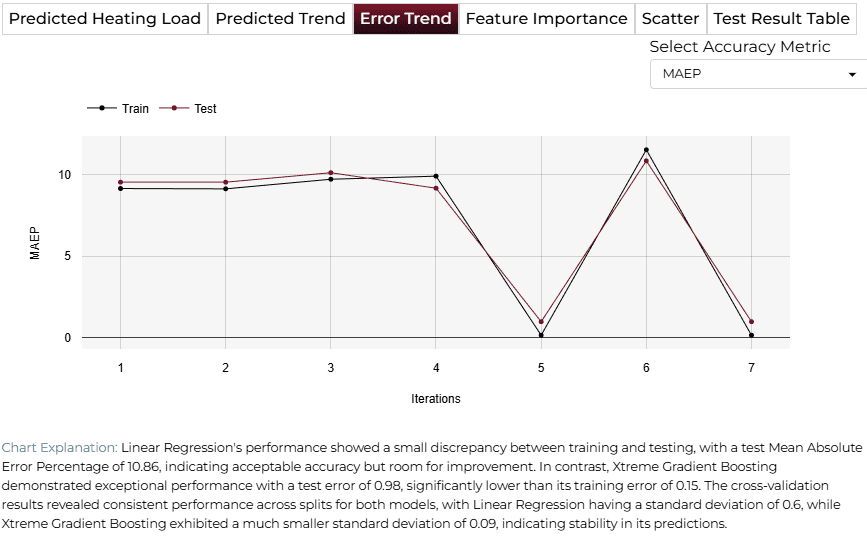
The analysis highlights that while the Xtreme Gradient Boosting model achieves the best performance with relatively low error rates, there is still room for improvement through refined feature selection and model optimization.
Training Analysis Details
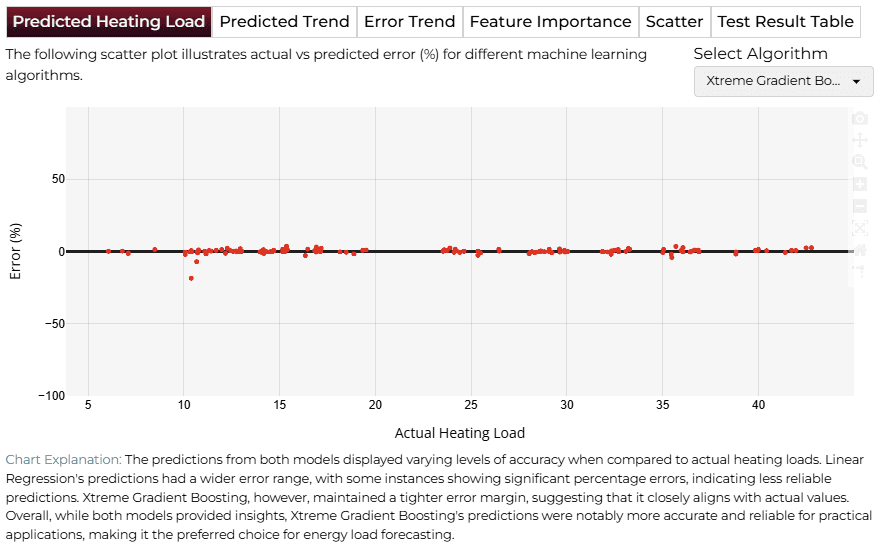
APredicted Heating Load
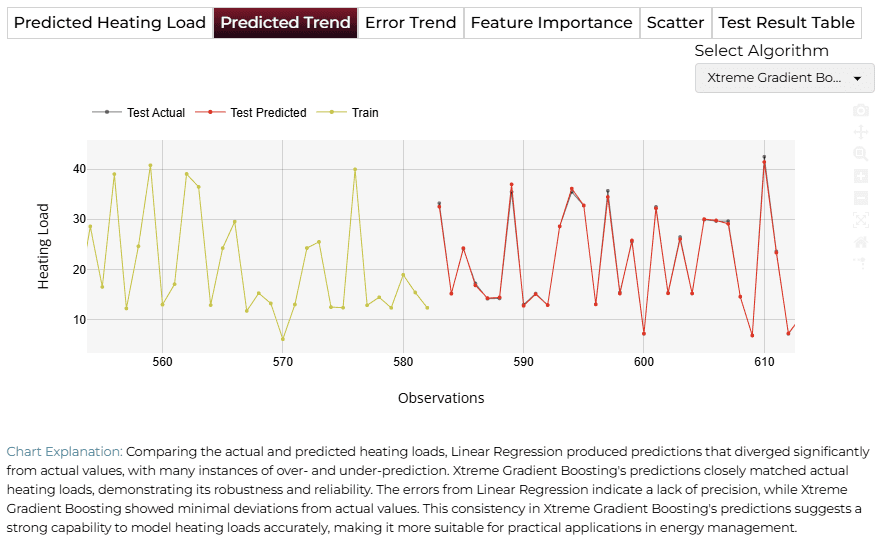
BPredicted Trend
CError Trend
DFeature Importance
Finalize Models
Once satisfied with performance, click 'Deploy'. The system saves and deploys models for future demand analysis or production environment.

4AI APPLICATION
Manual Model Building
In Manual Training Mode, users can modify sliders for variables like Surface Area, Wall Area, Orientation, and Glazing Area. Clicking ‘Get Response’ triggers an updated analysis.
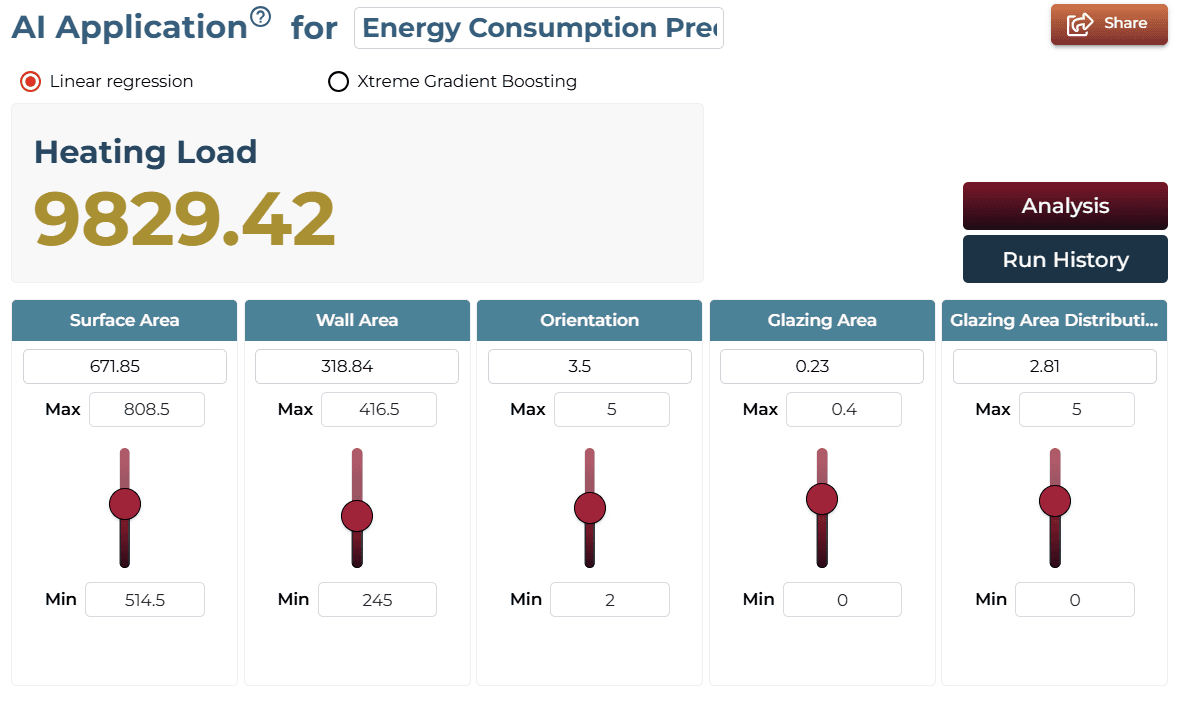
AI Application Demo
- The initial state shows baseline values for heating load.
- Using the slider, increase the ‘Surface Area’ feature.
- The heating load value will increase, reflecting higher requirements.
Saving the Project
Save your project by clicking the icon at the bottom left corner of the textbox.

Sharing the Project
Share the application for single on-demand predictions once the analysis is saved.

Interested in similar AI solutions?
Explore our full suite of AI capabilities designed to transform your business operations.