


Predicting User Engagement in Online Courses
Analyzing factors driving course engagement to improve student outcomes and learning experiences.
1Overview & Strategic Importance

Problem Statement
E-learning platforms face significant challenges in understanding and improving course completion rates. Many users begin courses but fail to complete them, leading to dissatisfaction and lower platform credibility. Key factors like time spent, engagement with videos and quizzes, and user demographics play a critical role. This issue is pivotal for platforms aiming to improve learner outcomes and maintain a competitive edge in the education technology industry.
Required Solutions
- Analyzing relationships between engagement metrics and completion rates.
- Identifying high-risk users and factors contributing to non-completion.
- Generating insights to optimize course design and support strategies.
Solution Objectives
- Perform exploratory data analysis to uncover trends impacting completion.
- Build a classification model to predict `CourseCompletion`.
- Identify optimal engagement strategies for improving completion rates.
- Provide recommendations for personalized learning pathways.
Understanding the Problem
Online course completion is influenced by content, user engagement, and accessibility.
Understanding these dynamics can help platforms develop personalized interventions, such as timely reminders and engaging content, to enhance satisfaction and long-term loyalty.
2About the Data
Data Collection
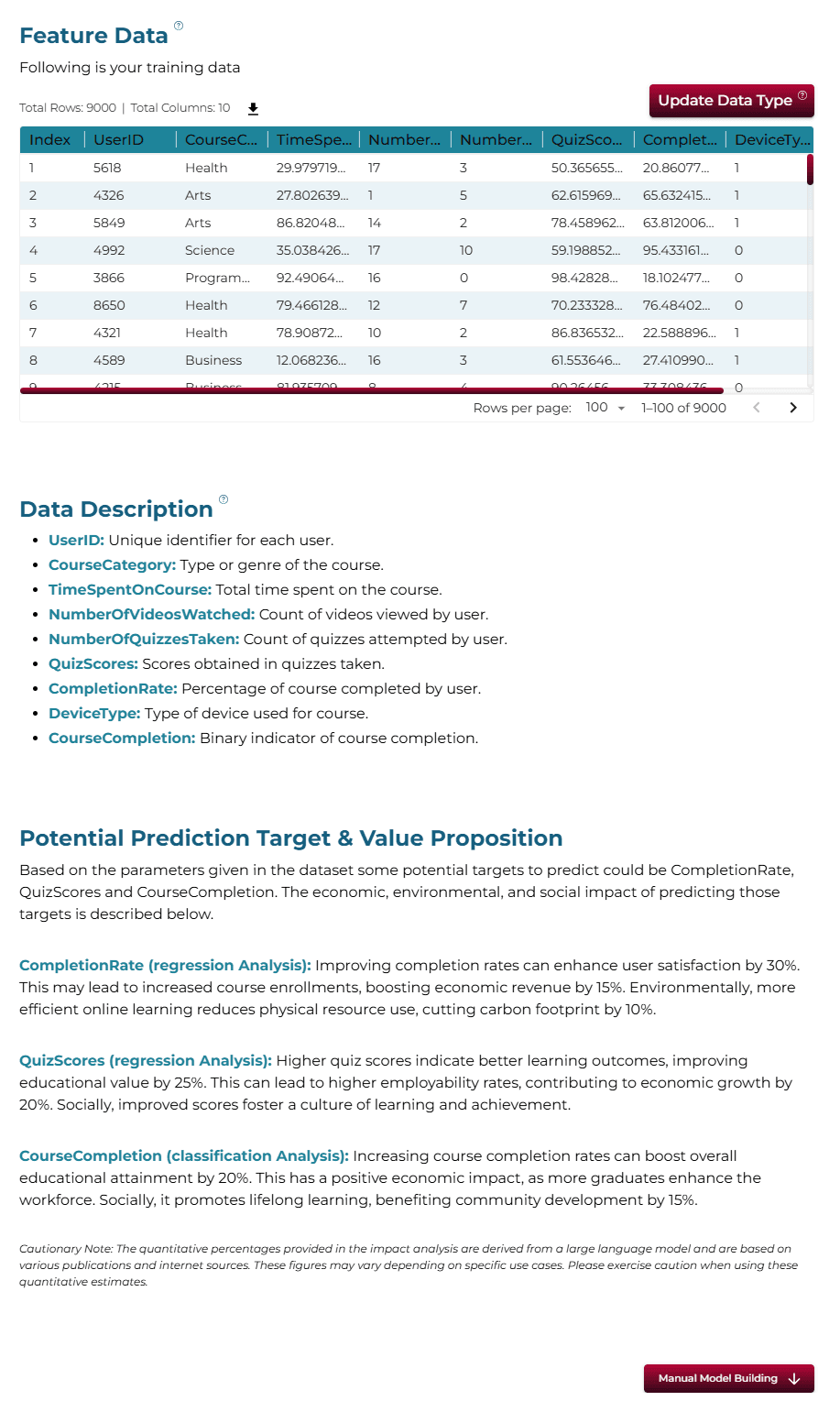
The dataset originates from an online course platform, capturing user activity, engagement patterns, and completion statuses. Methods include tracking interactions, quiz scores, and time spent.
Major Parameters Description
Download Training DataUserIDUnique identifier for each user.
CourseCategoryCategory of the course (e.g., Programming, Business, Arts).
TimeSpentOnCourseTotal time spent by the user on the course in hours.
NumberOfVideosWatchedTotal number of videos watched by the user.
NumberOfQuizzesTakenTotal number of quizzes taken by the user.
QuizScoresAverage scores achieved by the user in quizzes (percentage).
CompletionRatePercentage of course content completed by the user.
DeviceTypeType of device used (Desktop = 0, Mobile = 1).
CourseCompletionTarget variable indicating course completion status (0 = Not Completed, 1 = Completed).
3Using iDareAI
Guided Mode Initialization
AUploading Dataset
Click on the **'Upload CSV or Excel Data'** button → Select a source for the dataset → Upload `course_engagement_train.csv`. The system automatically analyzes the file, extracts column descriptions, and identifies the top value-adding targets for prediction.
BChoosing Analysis Mode
- What changes can improve course completion based on the patterns in this data?
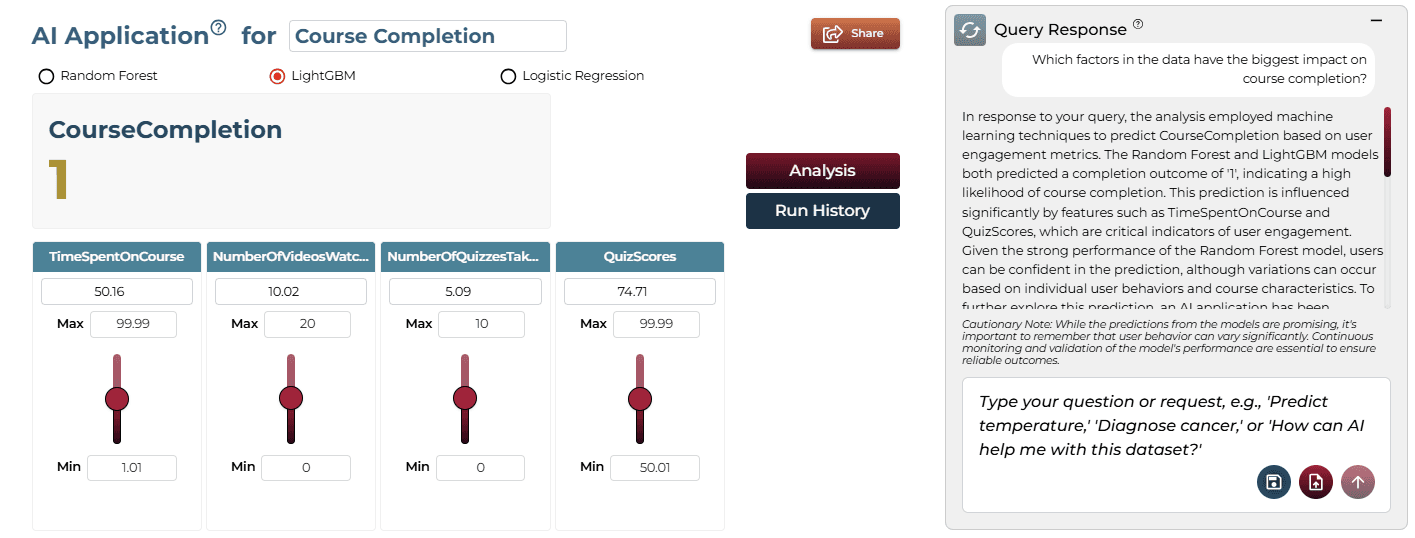
- Which factors in the data have the biggest impact on course completion?
Operation Using Autonomous Guided Mode
AQuery Response
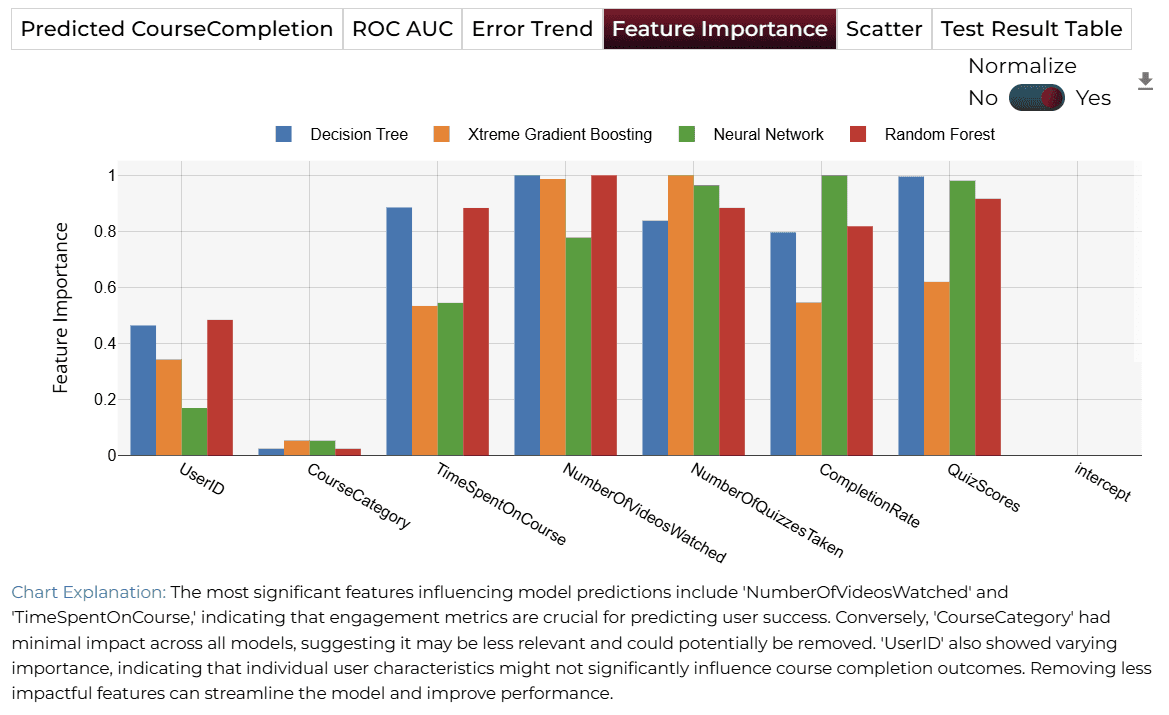
The most significant factors are 'NumberOfQuizzesTaken', 'NumberOfVideosWatched', and 'TimeSpentOnCourse'. Students who engage more with quizzes are more likely to complete courses.
BAI Application
The AI application allows users to explore different scenarios by adjusting predictor values, enabling them to understand how changes in engagement affect completion.
Model Fine-Tuning/Manual Model Building
ASelecting Prediction Target
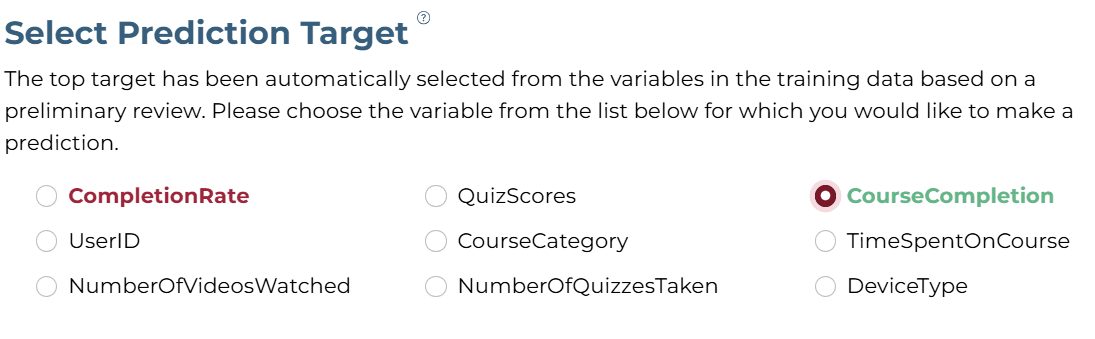
'CourseCompletion' column was selected as the target.
BSelecting Analysis Type
The analysis target is a categorical column. Hence, the 'Classification' analysis type is selected.

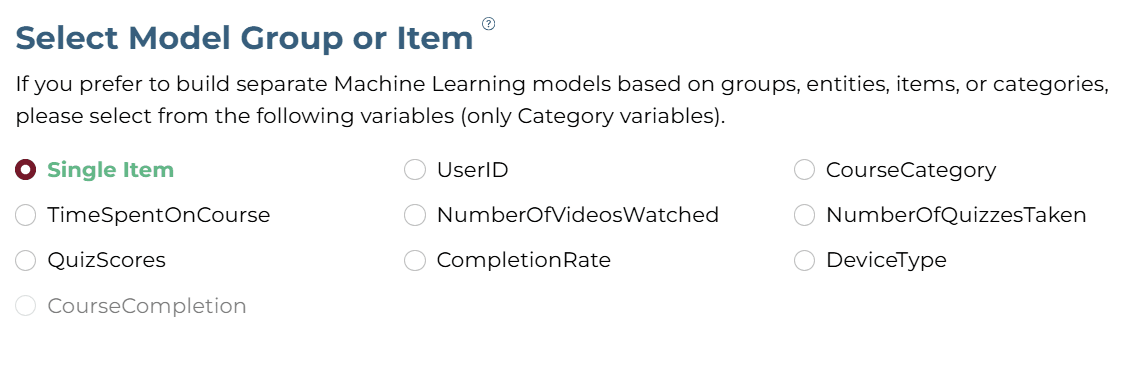
CSelecting Model Group/Item
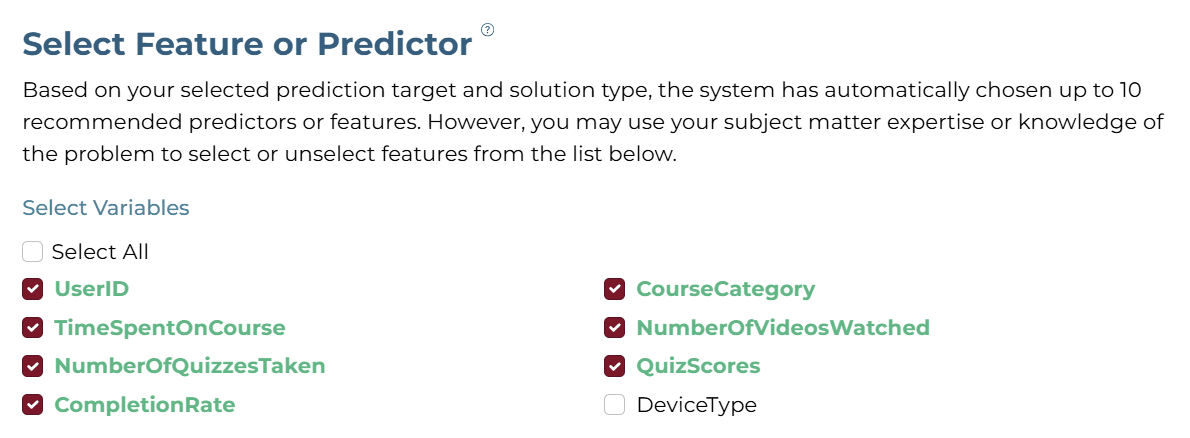
DSelecting Features
Select all relevant engagement and demographic features.
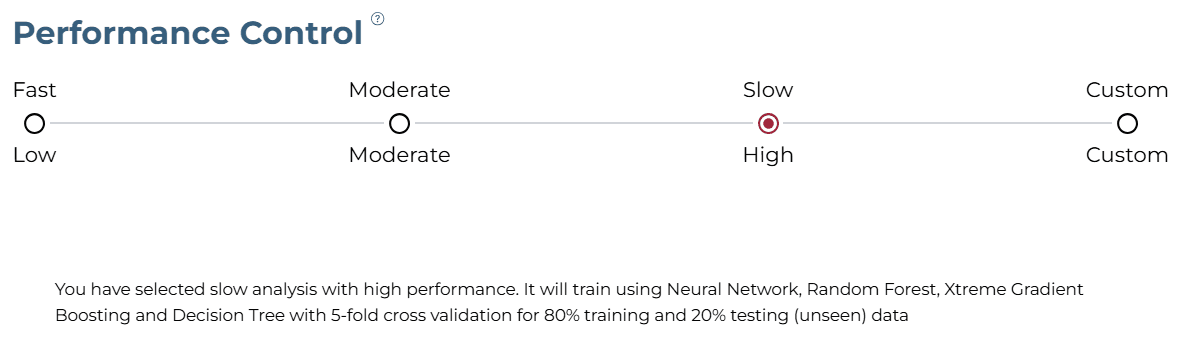
ESelecting Training Level
The "Slow" training level with "High Performance" configuration was selected for thorough analysis.
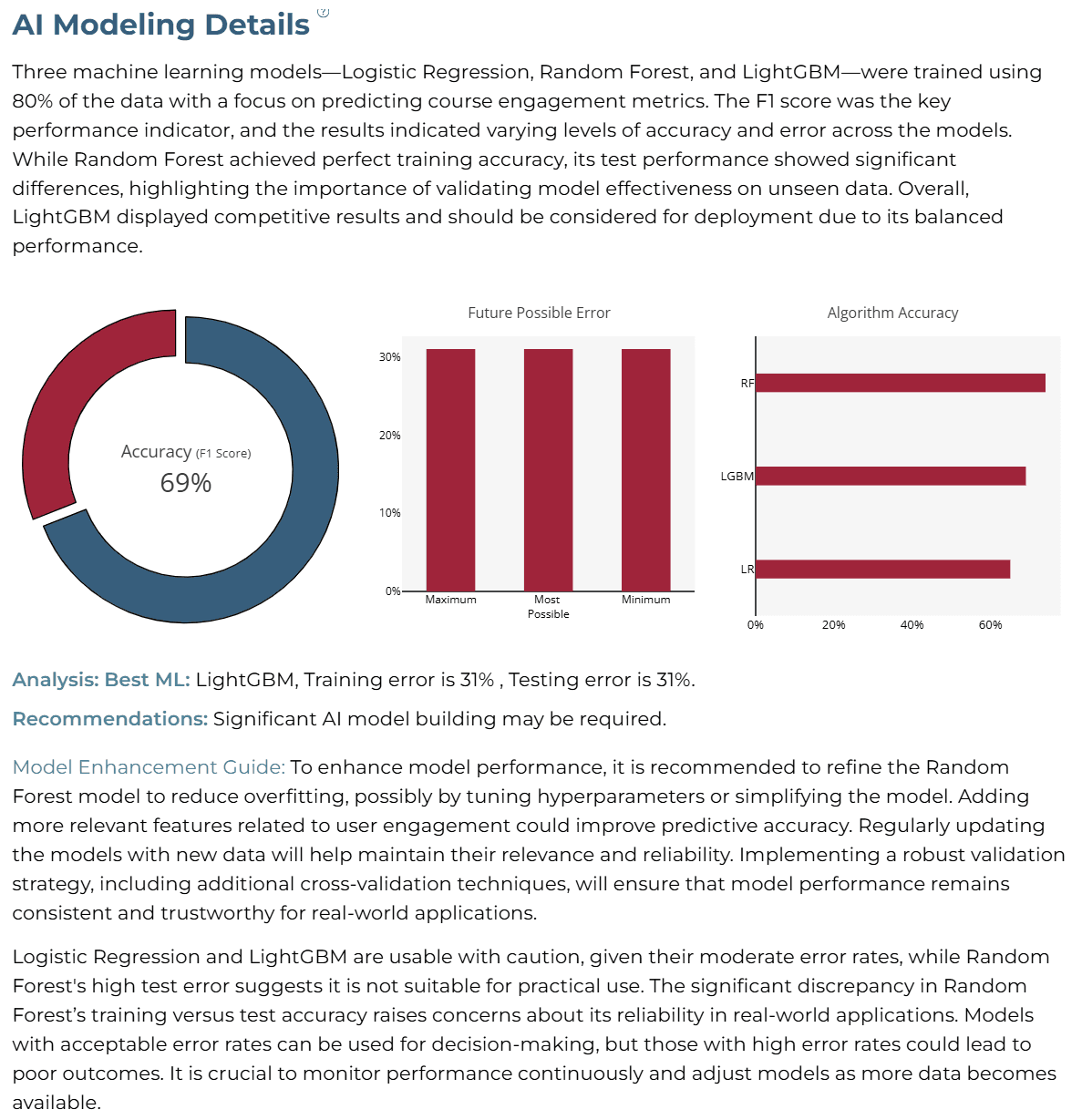
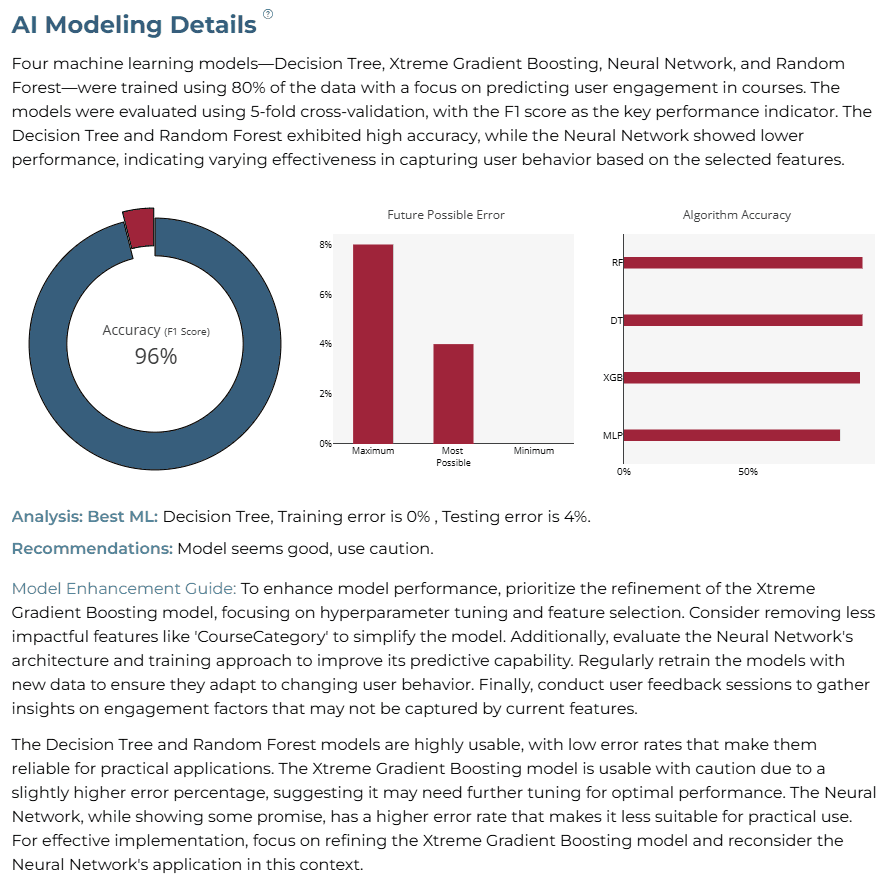
AI Modeling Details
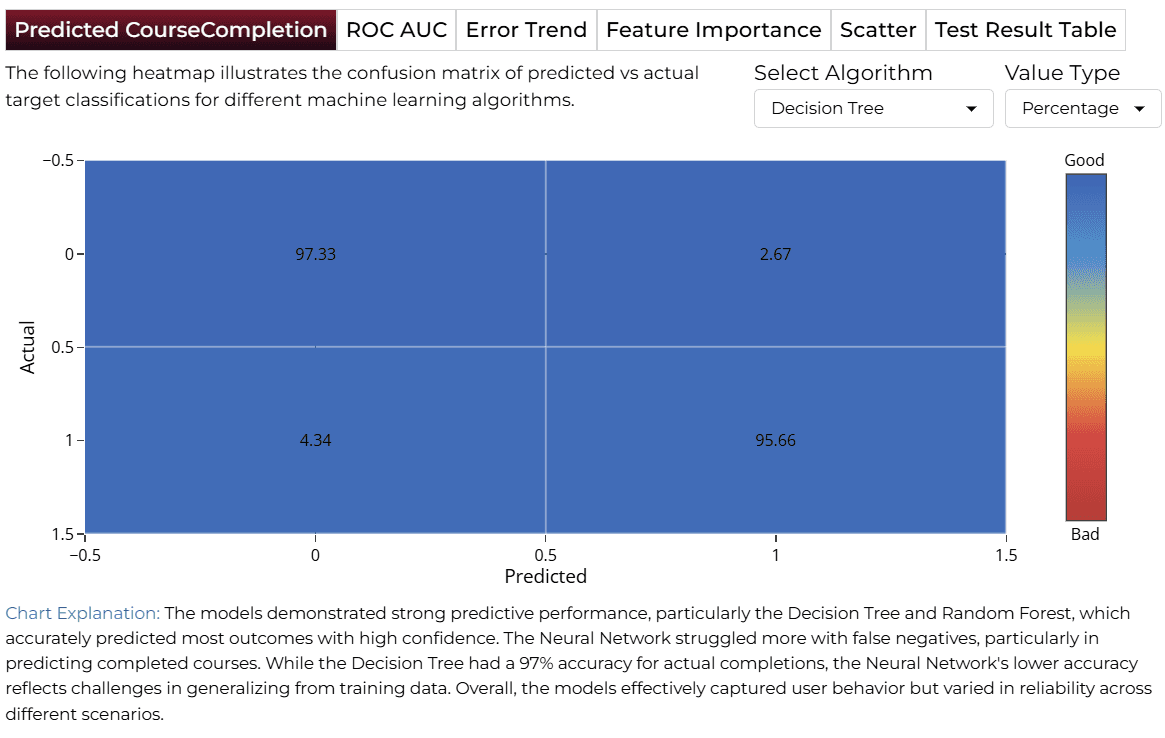
XGB is considered the best ML model for course engagement, offering the highest accuracy and lowest possible error percentages.
Training Analysis Details
APredicted Target
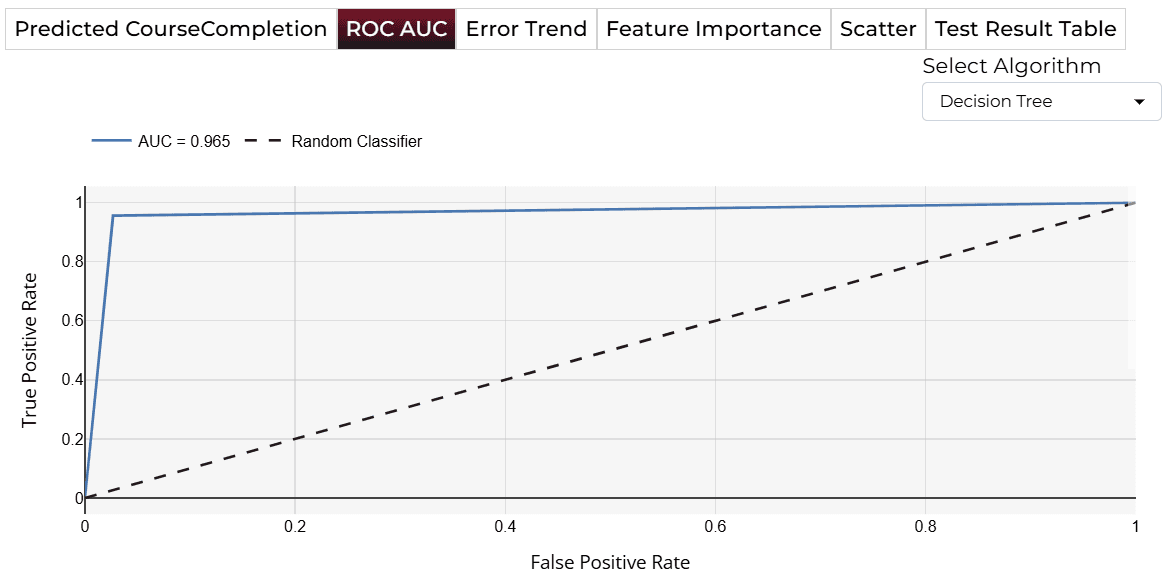
BROC AUC
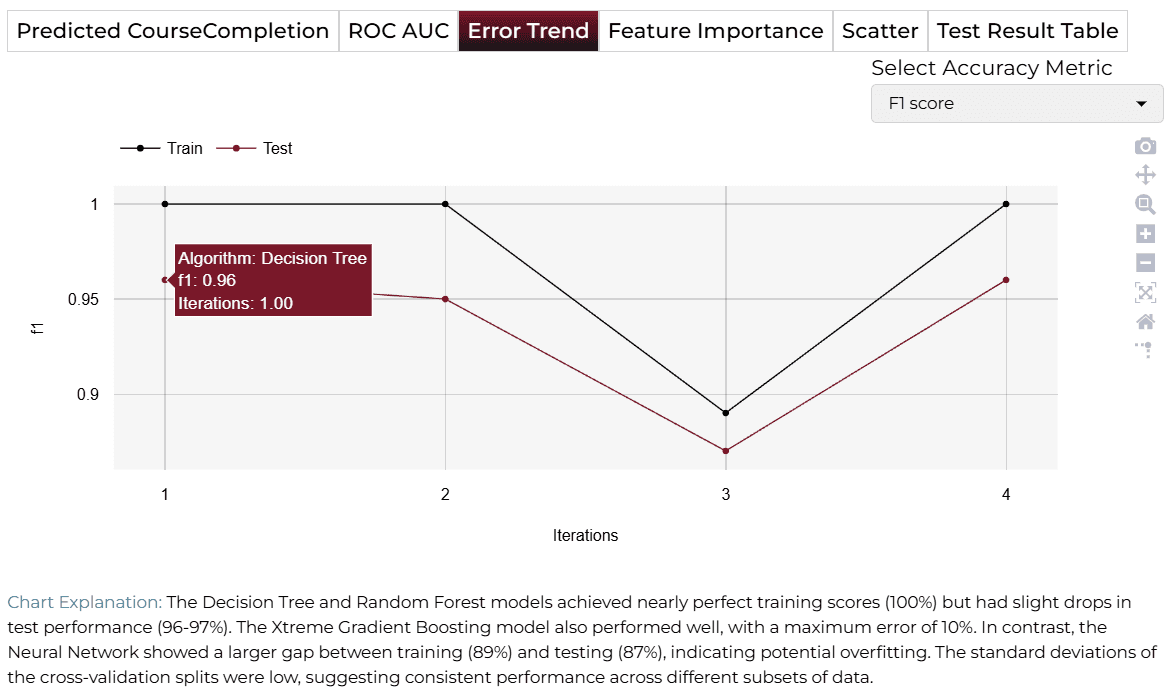
CError Trend
DFeature Importance
Finalize Models
Once satisfied with performance, click 'Deploy'. The system saves and deploys models for real-time engagement monitoring.

4AI APPLICATION
Manual Model Building
In Manual Training Mode, users can modify sliders for variables like TimeSpentOnCourse, CompletionRate, and NumberOfQuizzesTaken. The output directly corresponds to the selected feature values.
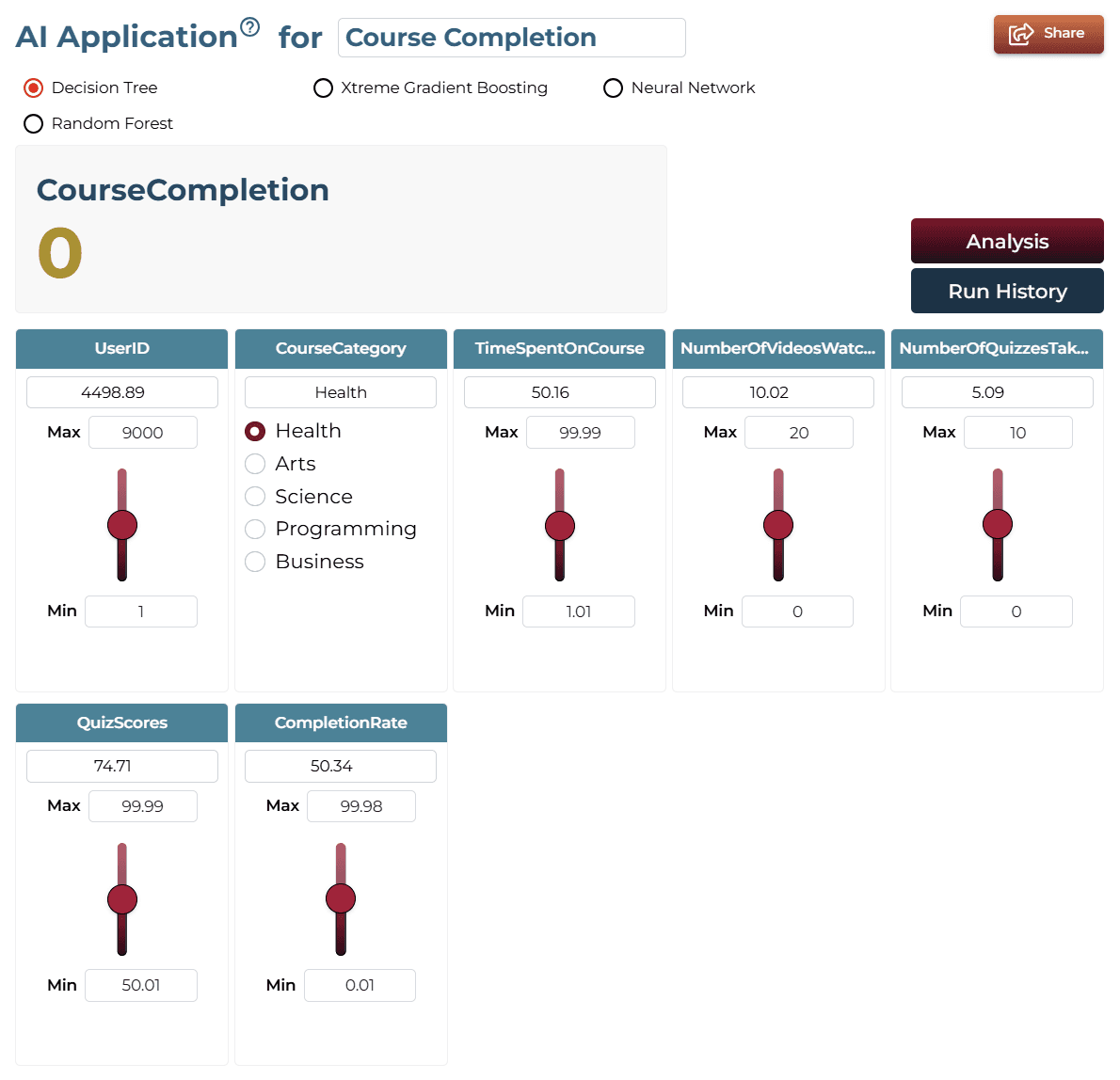
AI Application Demo
High values of TimeSpentOnCourse, CompletionRate, and NumberOfQuizzesTaken yield to positive course completion predictions.
Saving the Project
Save your project by clicking the icon at the bottom left corner of the textbox.

Sharing the Project
Share the application for single on-demand predictions once the analysis is saved.

Interested in similar AI solutions?
Explore our full suite of AI capabilities designed to transform your business operations.