


Predicting Solar Power Generated in a Plant
Forecasting the total production of solar energy in a plant is essential to meet demand and supply.
1Overview & Strategic Importance

Problem Statement
Predicting solar energy production is essential for optimizing renewable energy utilization, improving grid stability, and ensuring efficient energy planning. Forecasting is challenging due to environmental factors such as cloud cover, temperature, humidity, and wind speed. Addressing this enhances energy efficiency and supports sustainable management.
Required Solutions
- Developing ML models for energy output forecasting.
- Identifying key influences like cloud cover and pressure.
- Optimizing resource allocation for grid stability.
Solution Objectives
- Identify patterns in production data via EDA.
- Develop accurate regression models for weather conditions.
- Conduct scenario analysis for generation efficiency.
- Support real-world forecasting and sustainable planning.
Understanding the Problem
Energy output is determined by radiation, cloud cover, and humidity.
AI models analyze historical patterns to predict output accurately, enabling data-driven decisions to maximize renewable energy utilization.
2About the Data
Data Collection
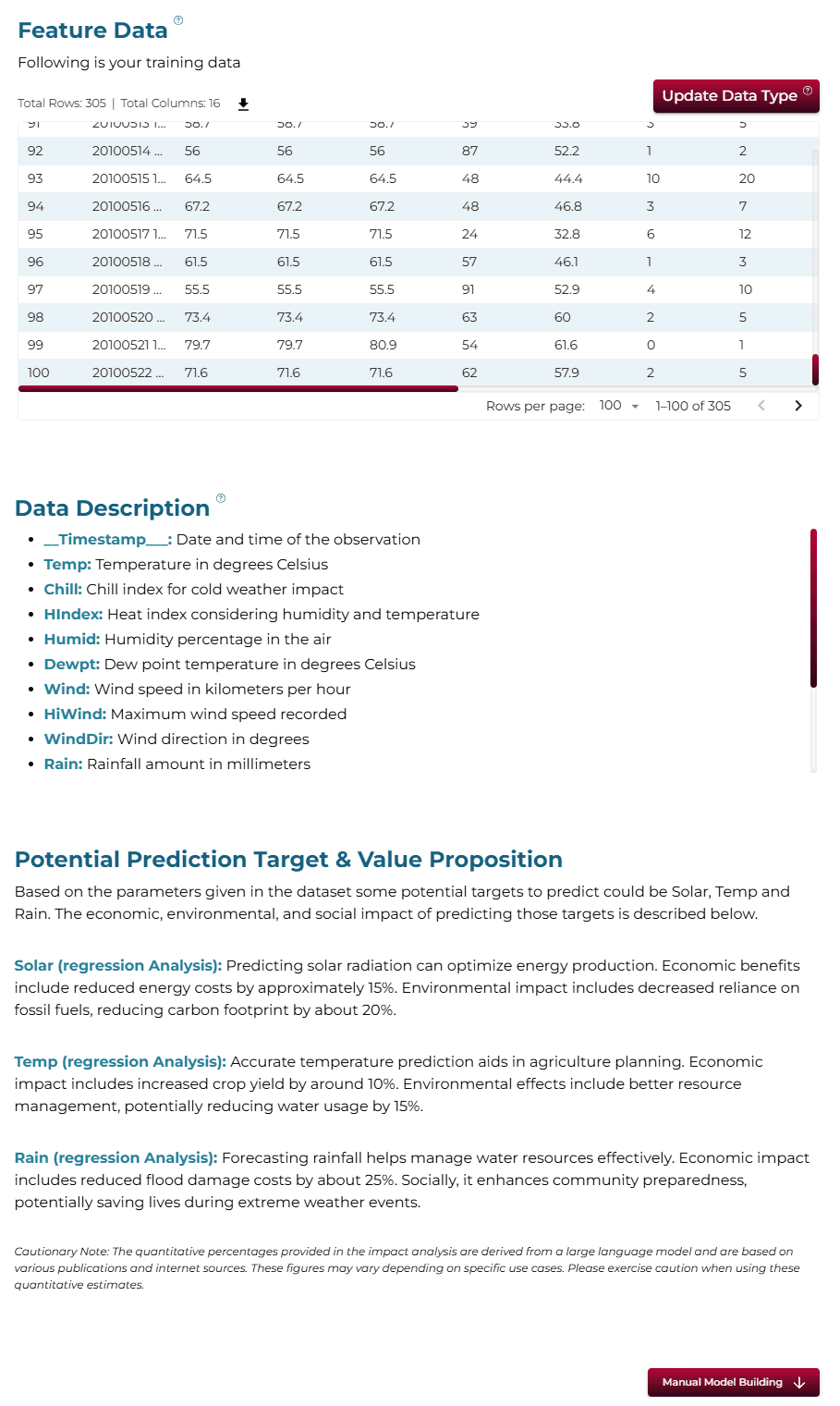
The analysis uses the Solar Prediction Dataset, including features such as temperature, humidity, and solar radiation intensity.
Major Parameters Description
Download Training DataTimestampRecorded date and time of the observation.
TempTemperature in degrees Celsius or Fahrenheit.
ChillWind chill temperature.
HIndexHeat index considering temperature and humidity.
HumidRelative humidity percentage.
DewptDew point temperature.
WindWind speed recorded.
HiWindHighest recorded wind speed.
WindDirWind direction in degrees (0-360°).
3Using iDareAI
Guided Mode Initialization
AUploading Dataset
Click on the **'Upload CSV or Excel Data'** button → Select a source for the dataset → Upload `solar_prediction_train.csv`. The system automatically analyzes the file, extracts column descriptions, and identifies the top value-adding targets for prediction.
BChoosing Analysis Mode
- What factors affect the amount of solar energy produced?
- Can the solar energy production be maximized using this data?
Operation Using Autonomous Guided Mode
AQuery Response
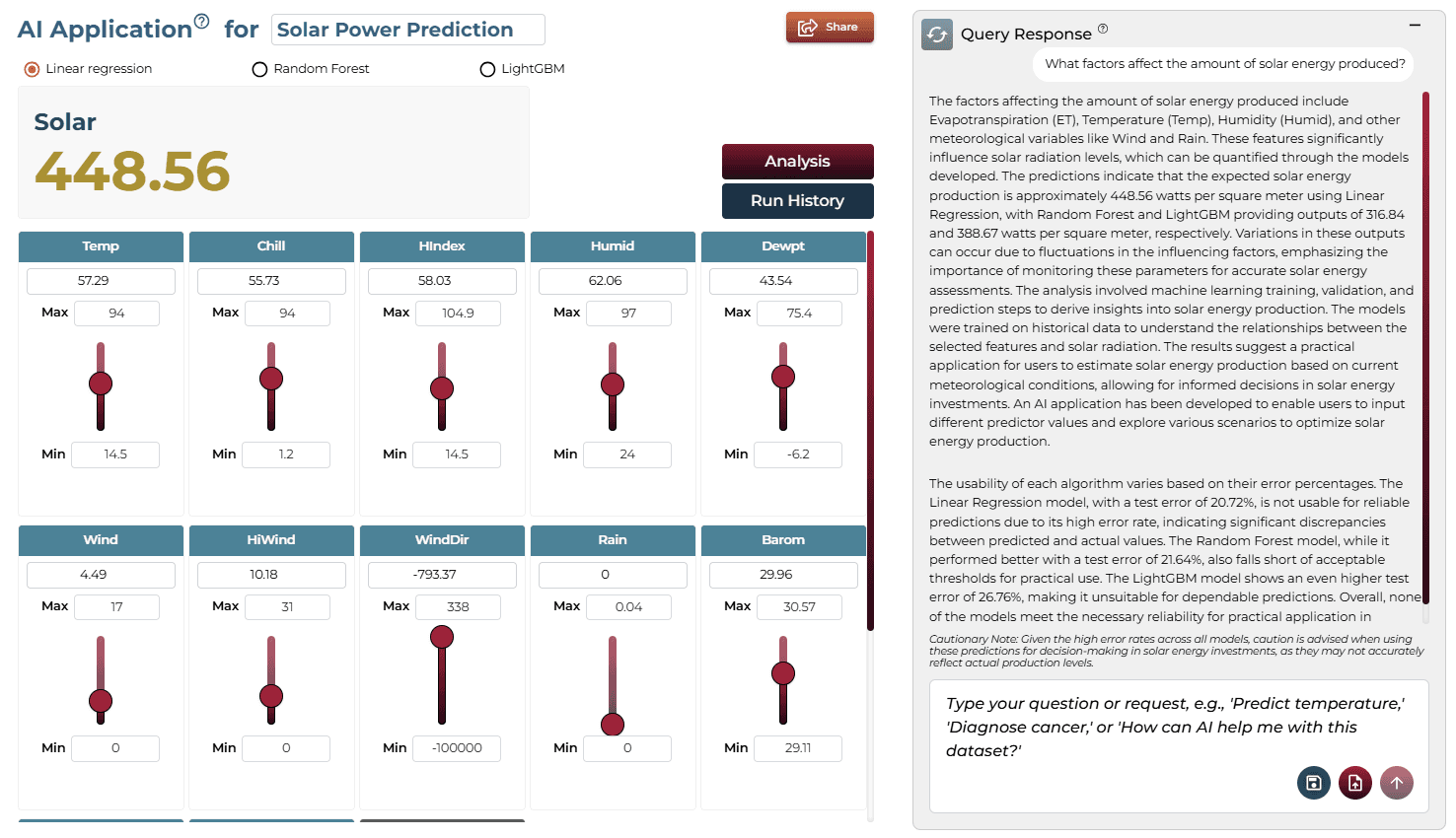
The factors include temperature, humidity, and cloud coverage. Random Forest produced the most reliable predictions (approx. 380.57 units). It is usable with caution for practical applications.
BAI Application
Model Fine-Tuning/Manual Model Building
ASelecting Prediction Target
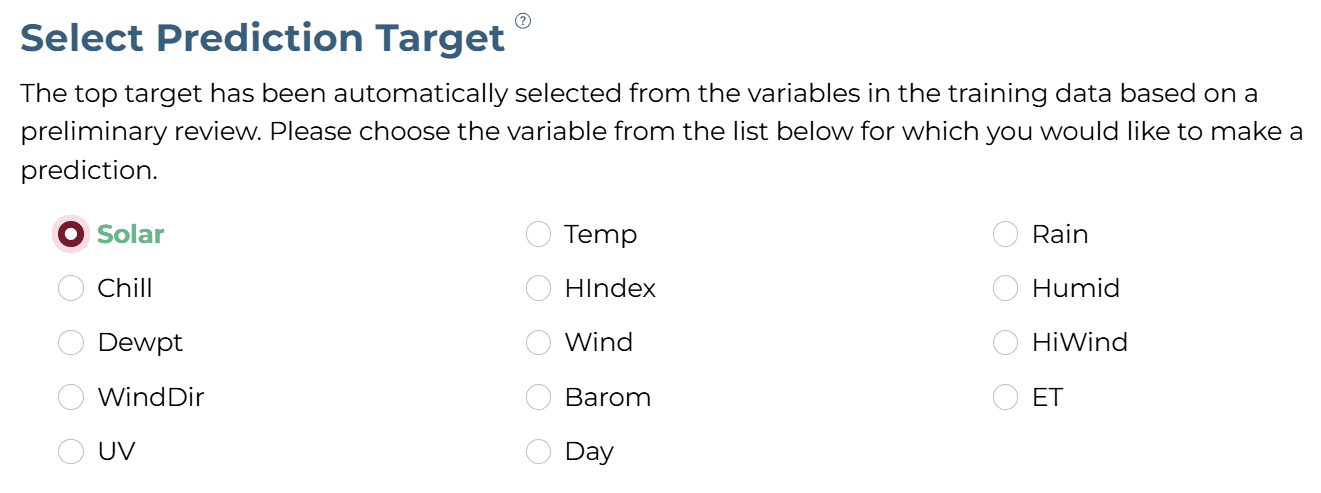
'Solar' column was selected as the target.
BSelecting Analysis Type
The analysis target is a numeric column. Hence, the 'Regression' analysis type is selected.

CSelecting Model Group/Item
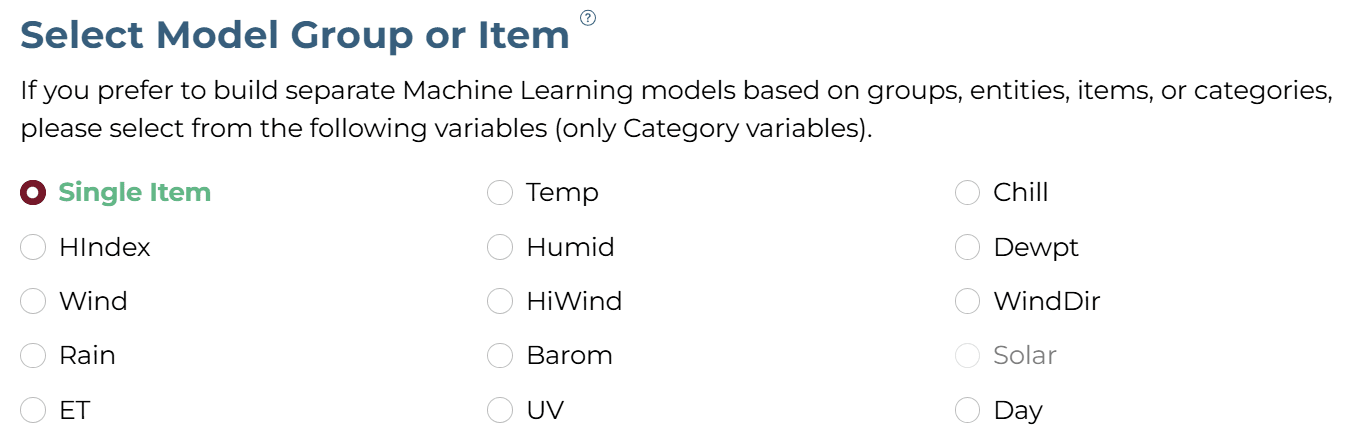
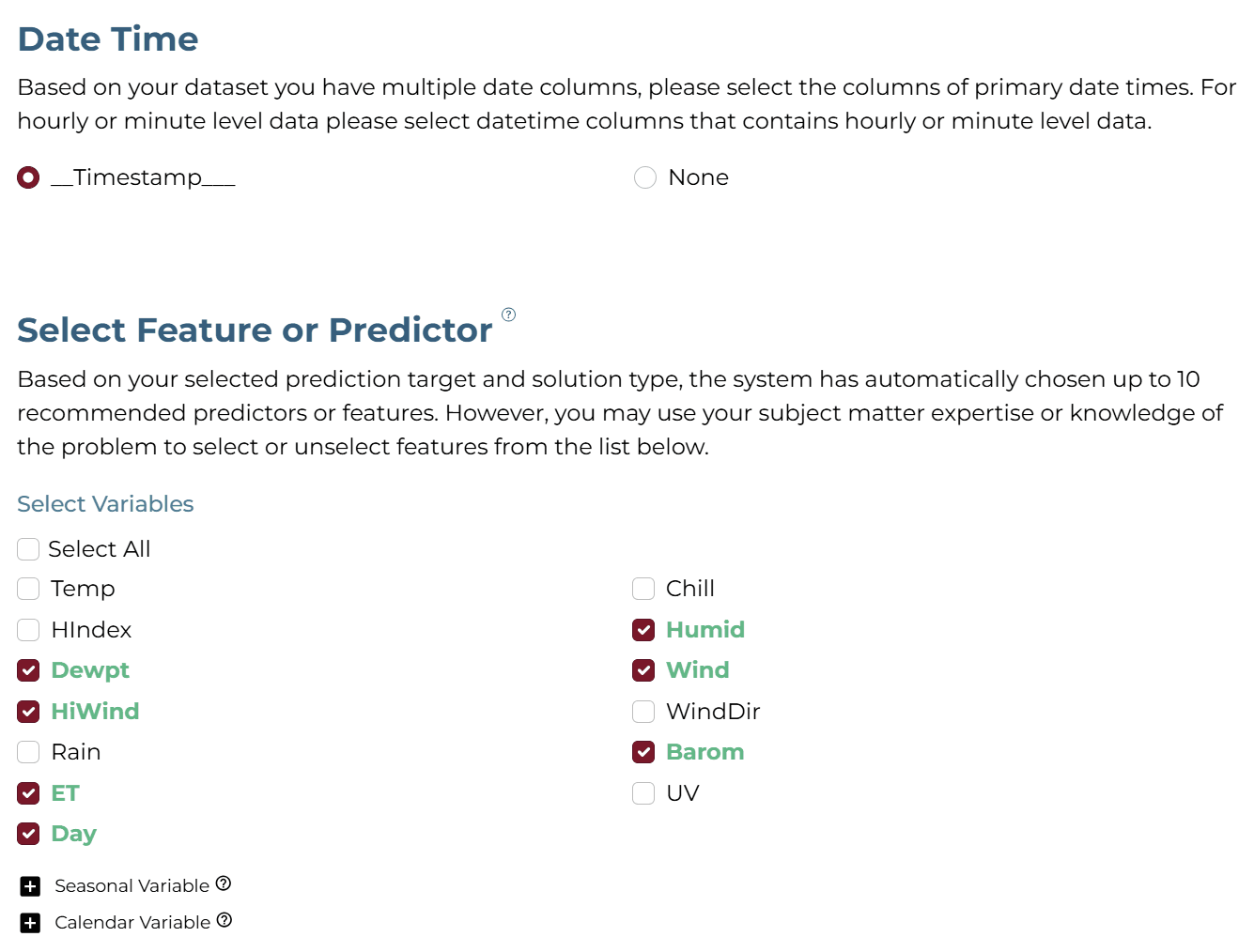
DSelecting Features
Selected Humid, Dewpt, Wind, HiWind, Barom, ET, and Day.
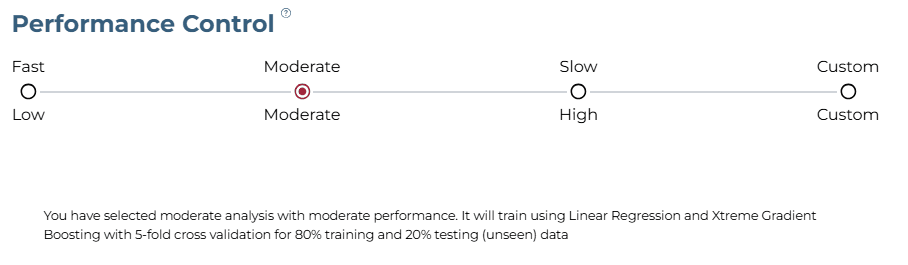
ESelecting Training Level
Moderate training level with 5-fold cross-validation.
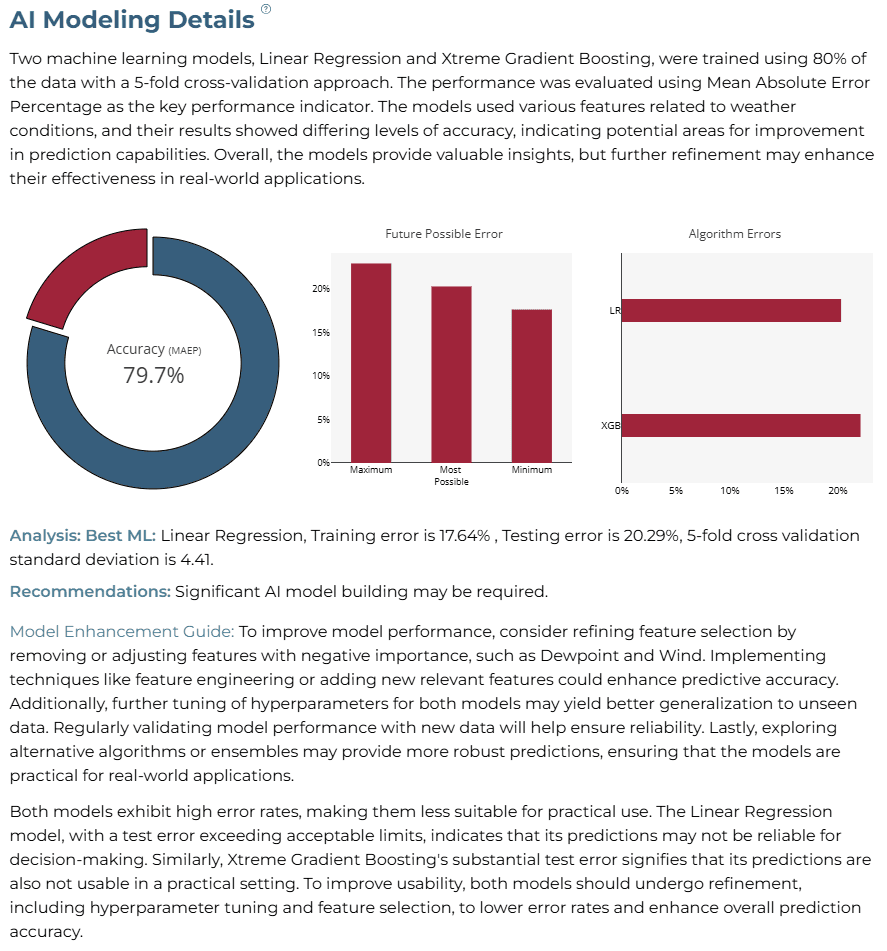
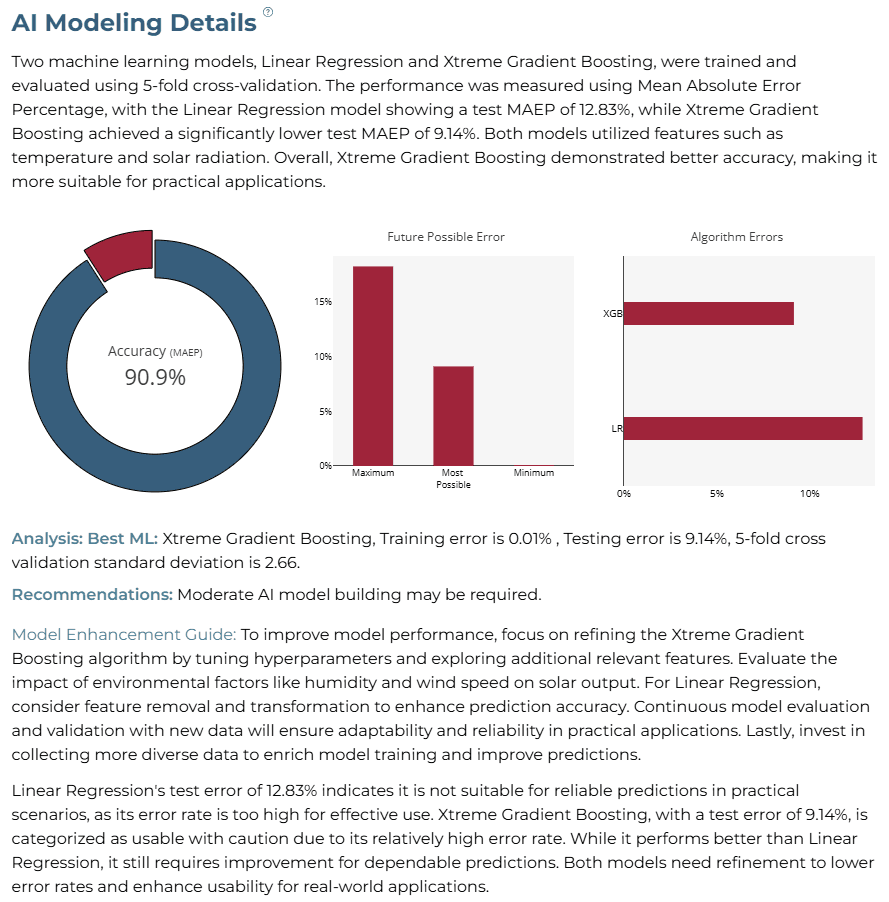
AI Modeling Details
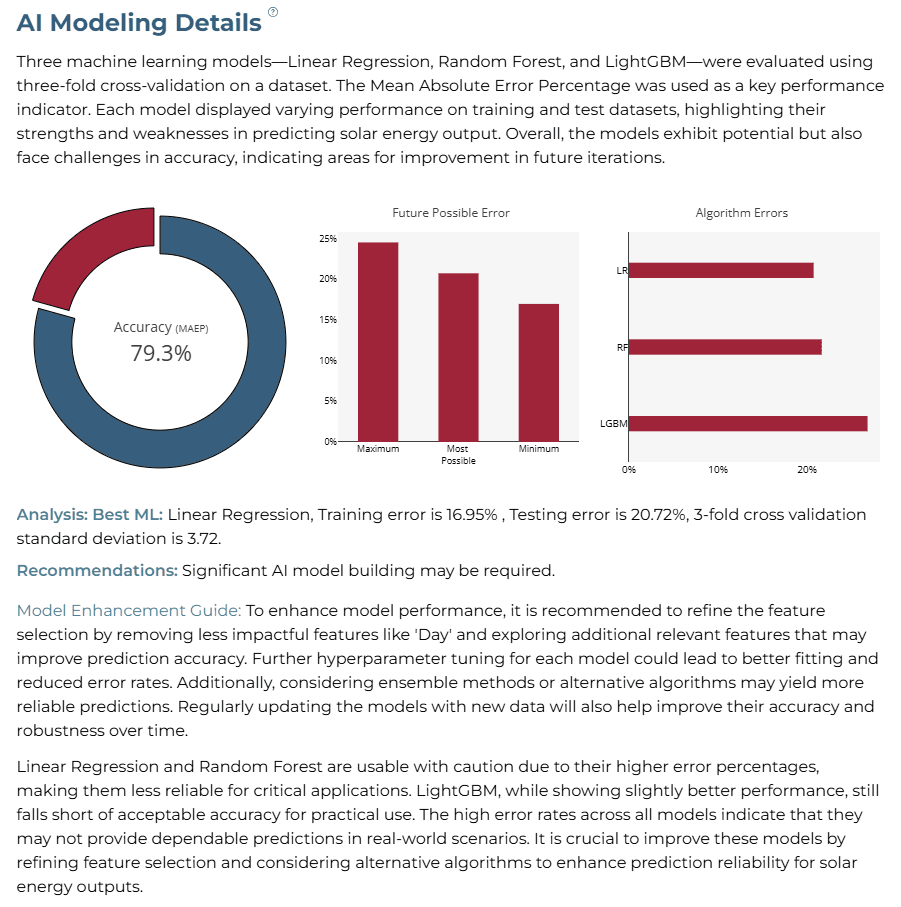
Linear Regression emerged as the best baseline model (20.29% test error).
Training Analysis Details
APredicted Solar
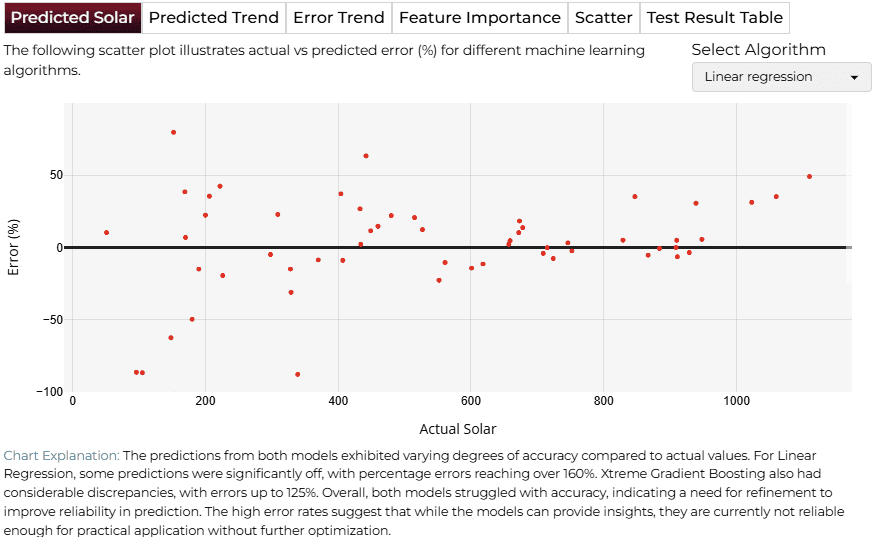
BPredicted Trend
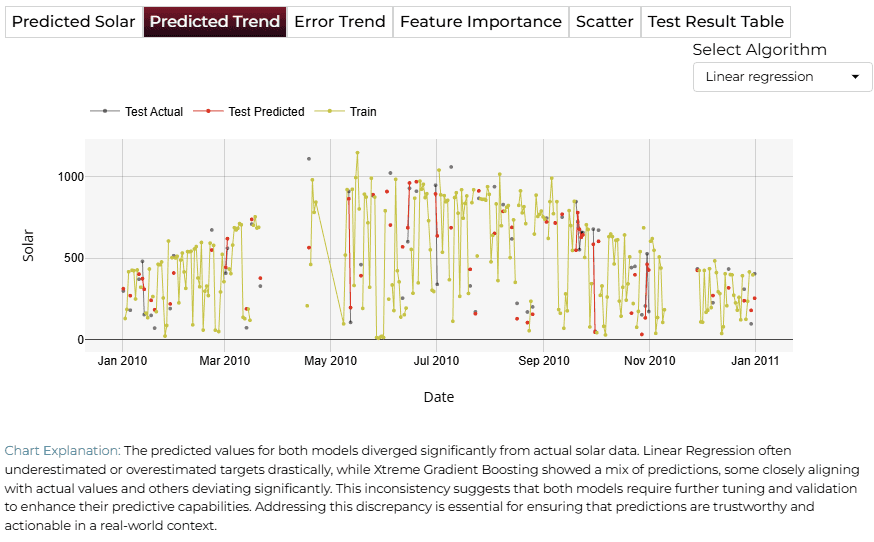
CError Trend
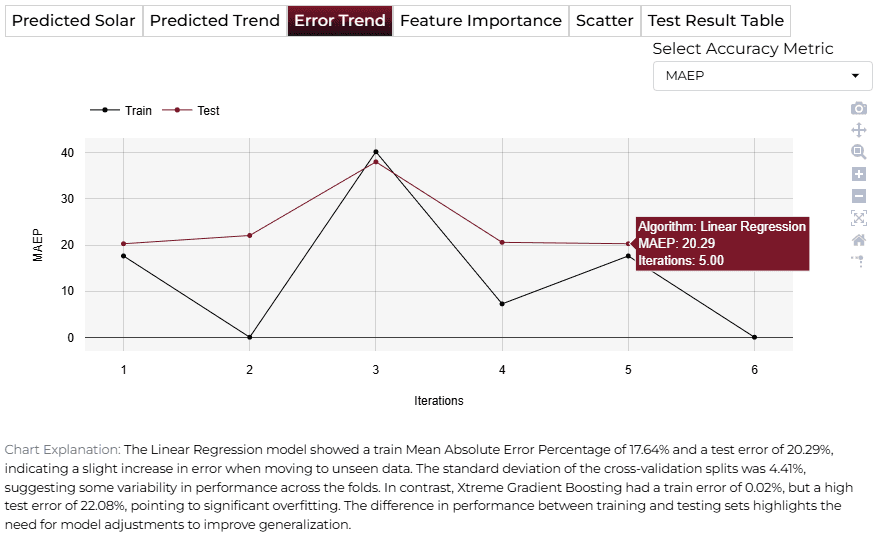
DFeature Importance
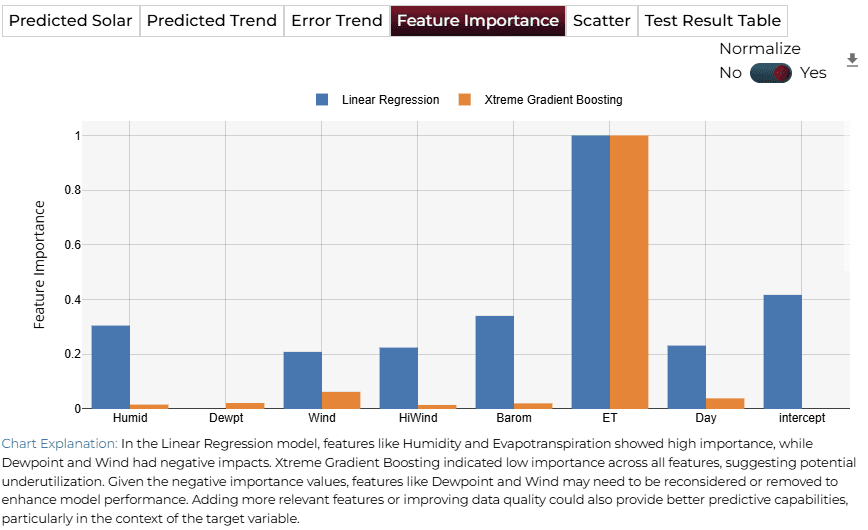
Improving Model Accuracy
ACustom Variable Creation
Derived features such as 'Day of Year' and 'Solar Radiation Index' capture complex environmental patterns.
| Variable Name | Formula |
|---|---|
| Day of the Year | TEXT(A2, "ddd") |
| Week of the Year | WEEKNUM(A2) |
| Month | MONTH(A2) |
| Season | IF(OR(MONTH(A2)=12, MONTH(A2)<=2), "Winter", ...) |
| Dew Point Depression | D2 - E2 |
BAnalysis Details (Improved)
Accuracy increased to 90.9% using targeted feature engineering.
4AI APPLICATION
Manual Model Building
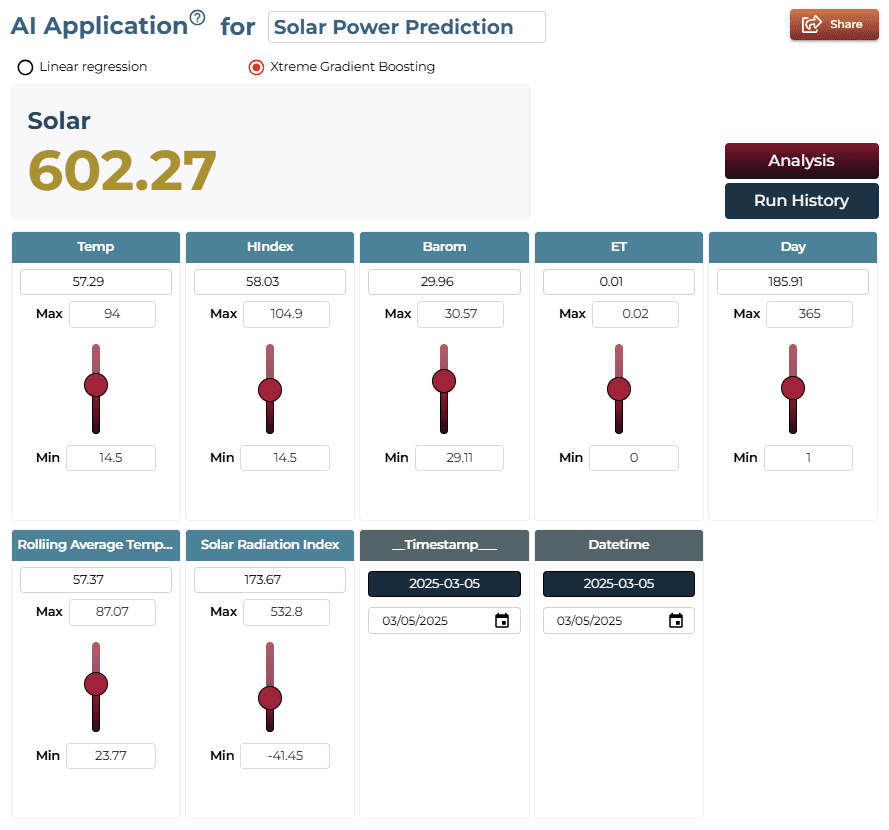
In manual mode, users can modify sliders for variables like Humidity, Dew Point, and Wind Speed to see real-time impact on solar radiation intensity.
AI Application Demo
Adjusting ET and Humidity sliders updates the query response to reflect their influence on solar energy output.
Saving the Project
Save your solar production analysis by clicking the icon at the bottom left corner of the interface.

Sharing the Project
Generate a shareable link once the project is saved for collaborative energy forecasting.

Interested in similar AI solutions?
Explore our full suite of AI capabilities designed to transform your business operations.