


Predicting Dropout and Success Rates of Students
Improving retention strategies in educational institutions by predicting student performance.
1Overview & Strategic Importance

Problem Statement
Institutions of higher education face a critical challenge in identifying and supporting students at risk of dropping out. Dropouts result in unfulfilled academic potential and wasted resources and impact the reputation and operational efficiency of the institution. Early intervention is key, but it requires actionable insights derived from data. To support students effectively, institutions must focus on key indicators such as financial status (e.g., 'Tuition fees up to date') and academic performance (e.g., 'Curricular units approved'). These factors can provide an early warning system, enabling proactive measures to improve retention and foster success.
Required Solutions
- Identify students at risk of dropping out early enough for intervention.
- Enable support strategies such as financial counseling, tutoring, and mentorship.
- Offer scenario analysis to help institutions assess the impact of interventions and refine support systems.
Solution Objectives
- Conduct exploratory data analysis to identify key predictors.
- Build a predictive model to forecast student outcomes.
- Create an AI application to facilitate scenario-based analysis and targeted interventions.
Understanding the Problem
Student dropout is a significant concern in higher education. Research indicates that factors such as financial difficulties and academic challenges play a major role. For example, students who keep tuition fees up-to-date and maintain strong academic progress (as indicated by approved curricular units) are more likely to succeed. An AI-powered system can simulate different interventions, such as increasing financial support or adjusting academic workloads, to predict their impact on student retention. This enables institutions to act decisively and support students before dropout becomes inevitable.
2About the Data
Data Collection
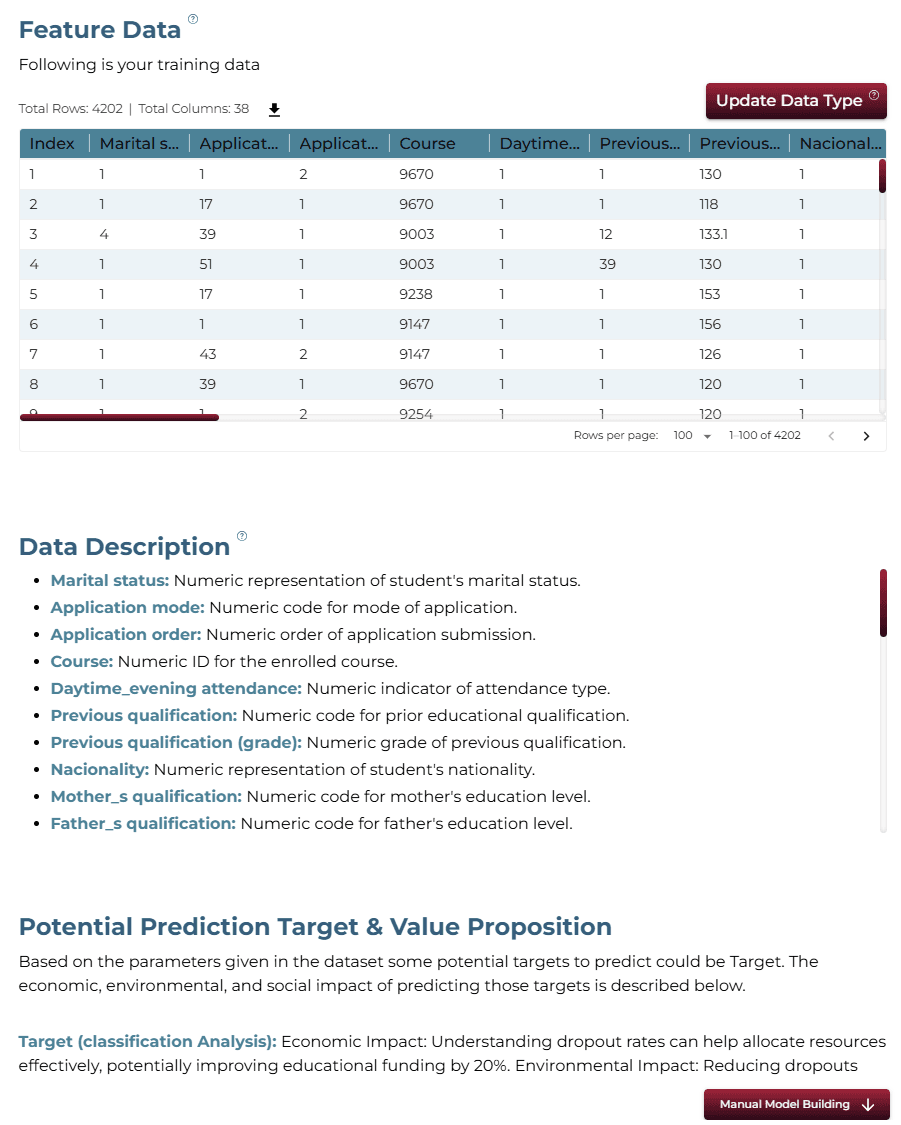
This dataset provides a comprehensive view of students enrolled in various undergraduate degrees offered at a higher education institution. It includes demographic data, social-economic factors and academic performance information that can be used to analyze the possible predictors of student dropout and academic success.
Major Parameters Description
Download Training DataMarital statusThe marital status of the student. (Categorical)
Application modeThe method of application used by the student. (Categorical)
Application orderThe order in which the student applied. (Numerical)
CourseThe course taken by the student. (Categorical)
Daytime/evening attendanceWhether the student attends classes during the day or in the evening. (Categorical)
Previous qualificationThe qualification obtained by the student before enrolling in higher education. (Categorical)
NationalityThe nationality of the student. (Categorical)
Mother's qualificationThe qualification of the student's mother. (Categorical)
Father's qualificationThe qualification of the student's father. (Categorical)
3Using iDareAI
Guided Mode Initialization
AUploading Dataset
Click on the **'Upload CSV or Excel Data'** button → Select a source for the dataset → Upload `student_dropout_train.csv`. The system automatically analyzes the file, extracts column descriptions, and identifies the top value-adding targets for prediction.
BChoosing Analysis Mode
- How can institutions act in time to support students who are at risk of dropping out?
- What factors have the strongest influence on whether a student graduates or drops out?
Operation Using Autonomous Guided Mode
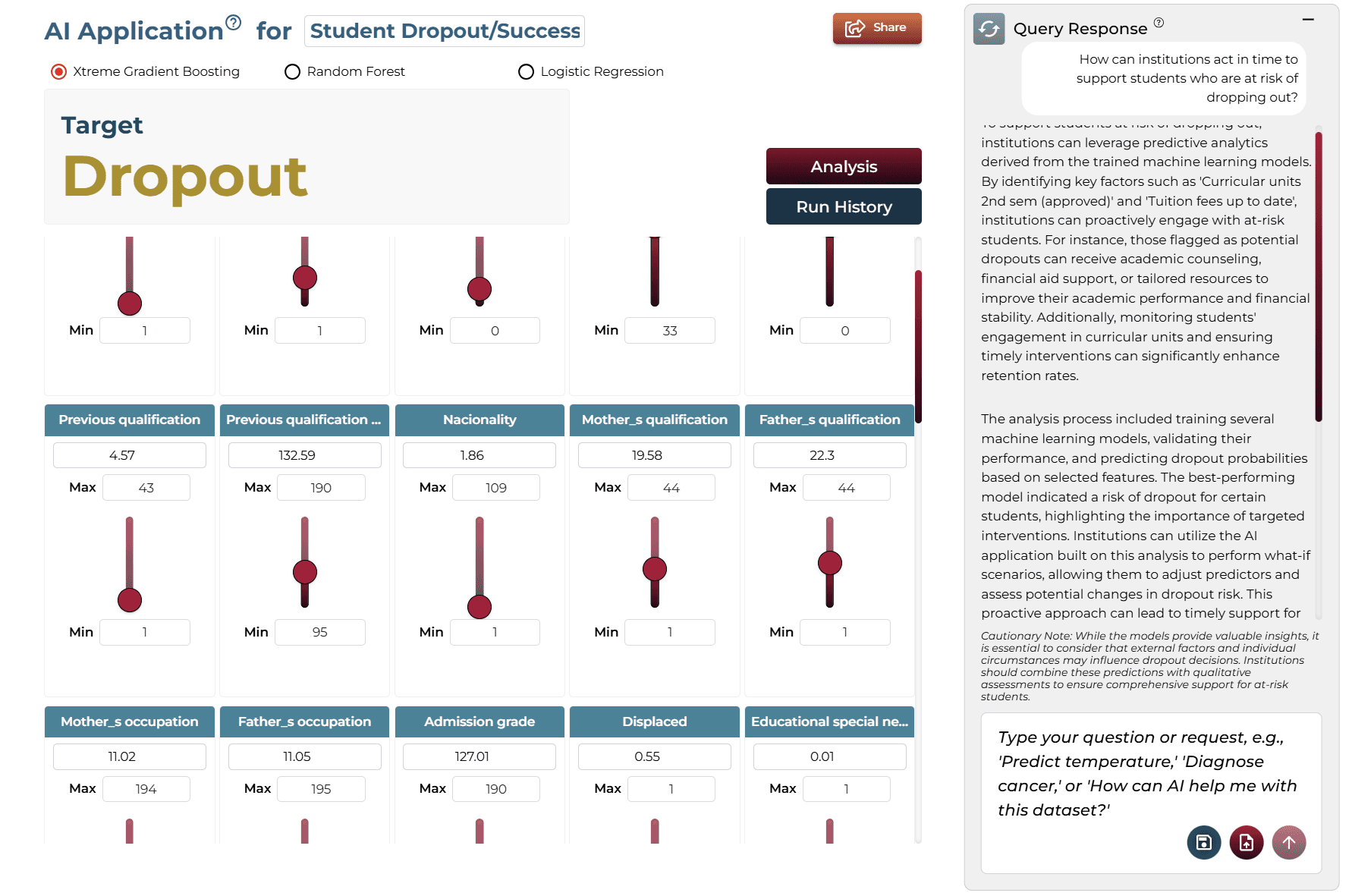
AQuery Response
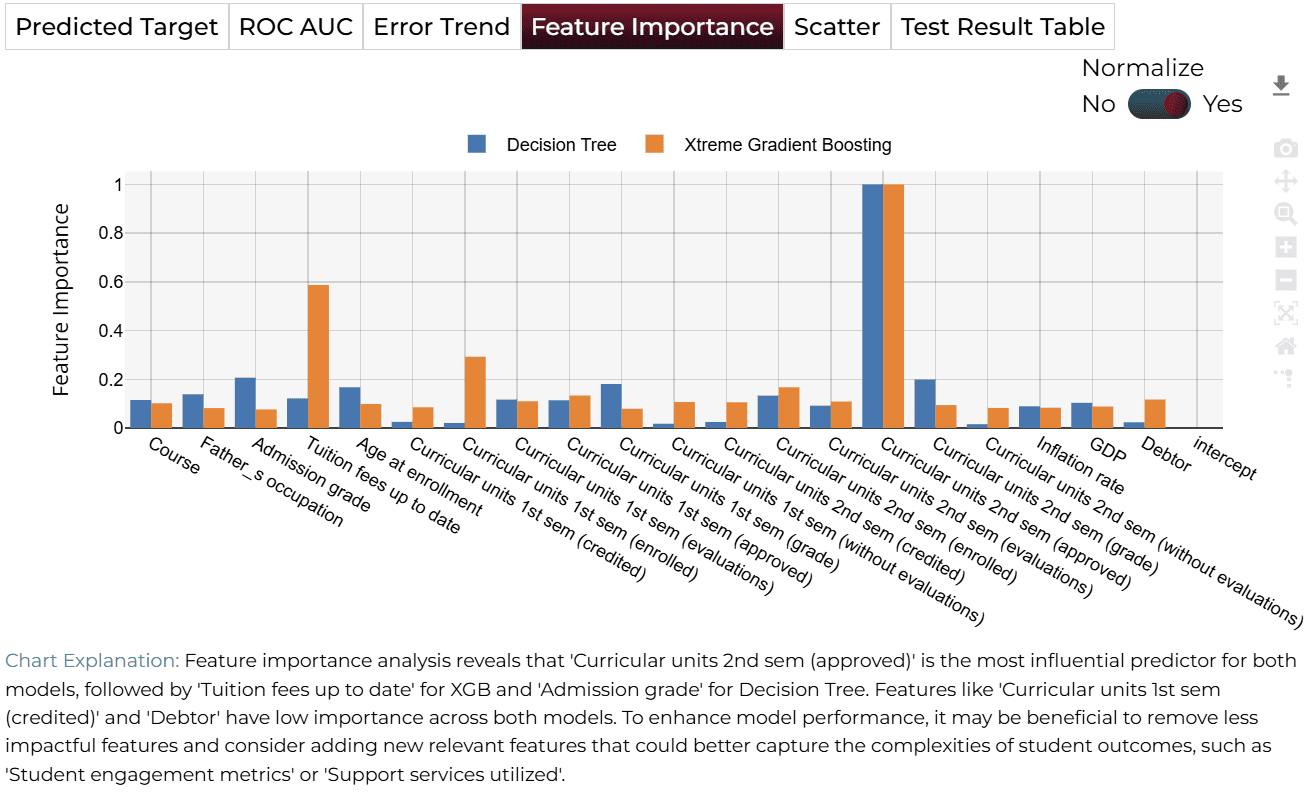
To support students at risk of dropping out, institutions can leverage predictive analytics derived from the trained machine learning models. By identifying key factors such as 'Curricular units 2nd sem (approved)' and 'Tuition fees up to date', institutions can proactively engage with at-risk students.
BAI Application
Running the query generates an on-demand AI application. Users can adjust sliders to test different scenarios and see real-time updates to predictions without technical knowledge.
Model Fine-Tuning/Manual Model Building
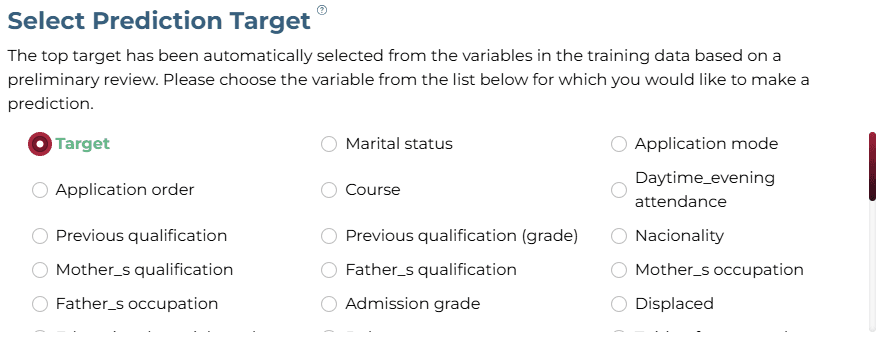
ASelecting Prediction Target
Analyzing the automated response to the query generated from the problem statement, the 'Target' column was selected as the target.
BSelecting Analysis Type
The analysis target is a categorical column with three values, 'Dropout', 'Enrolled', and 'Graduate'. Hence, the 'Classification' analysis type is selected.

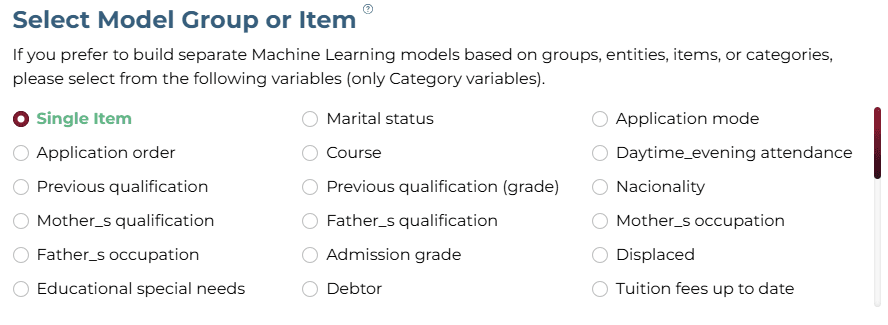
CSelecting Model Group/Item
No item/group is required for this dataset.
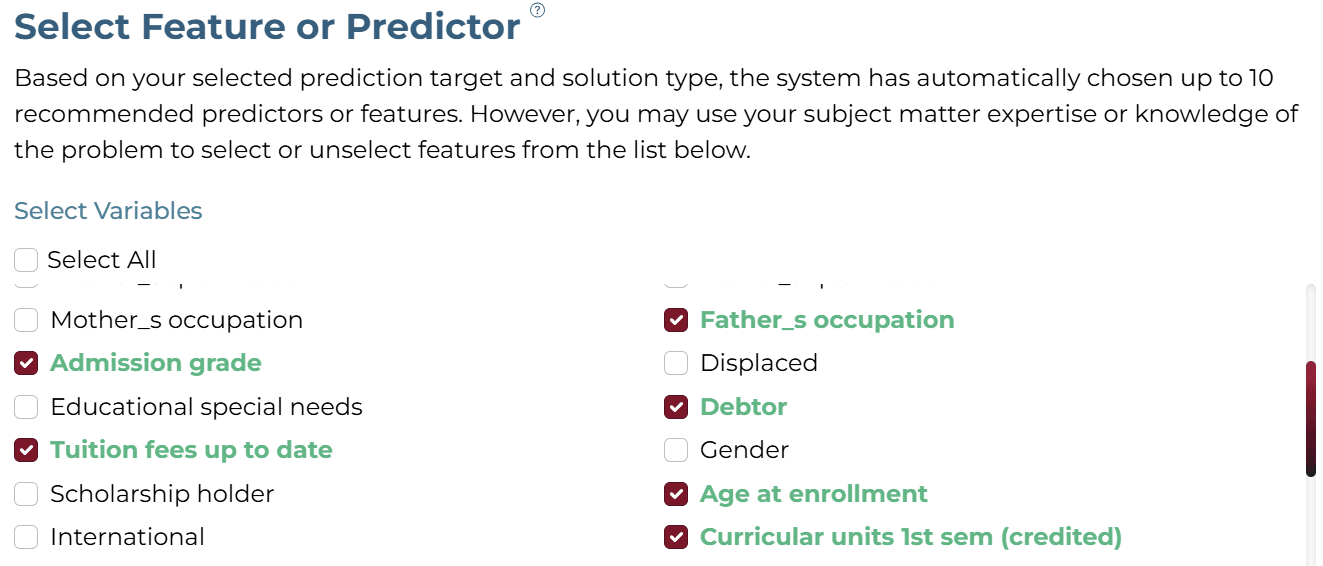
DSelecting Features
Select the following features: Course, Father's occupation, Admission grade, Tuition fees up to date, Age at enrollment, Curricular units (1st & 2nd sem), GDP, Inflation rate, and Debtor.
ESelecting Training Level
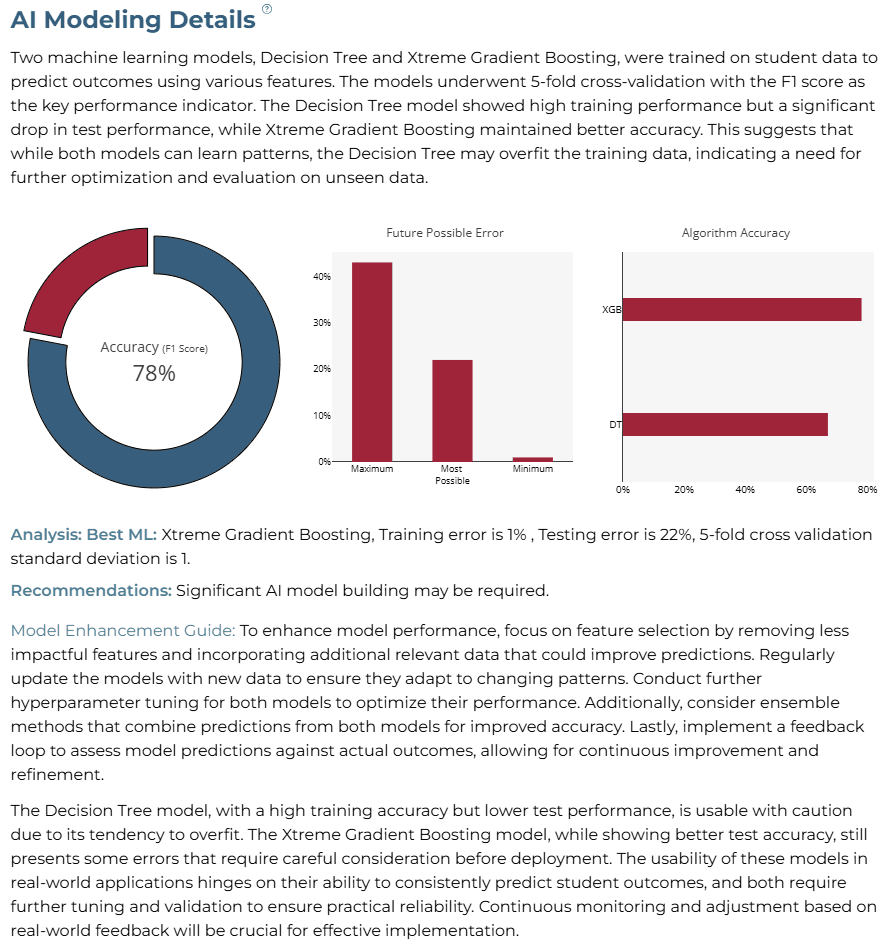
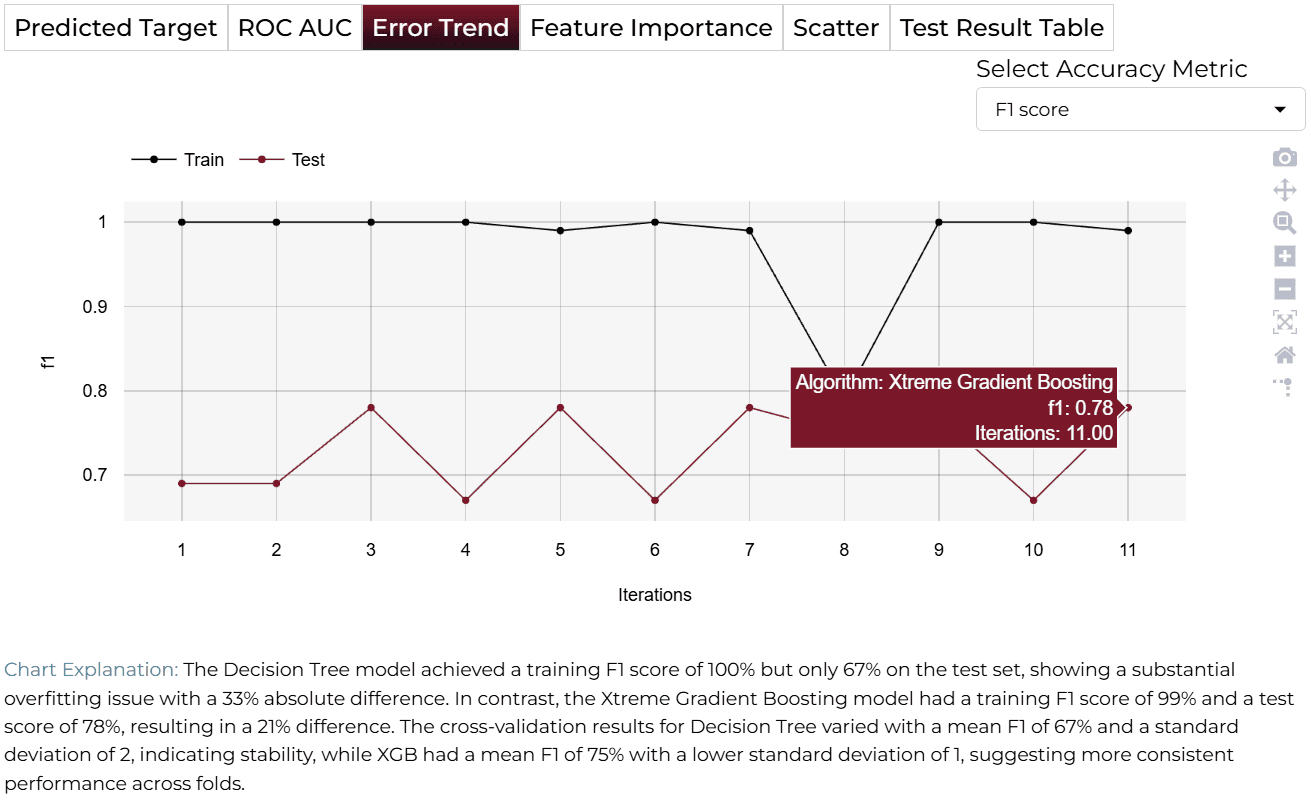
The training process uses advanced algorithms, including Xtreme Gradient Boosting, and Decision Tree. It applies 5-fold cross-validation with 80% of the data for training and 20% for testing on unseen data, ensuring robust and reliable student dropout predictions.

AI Modeling Details
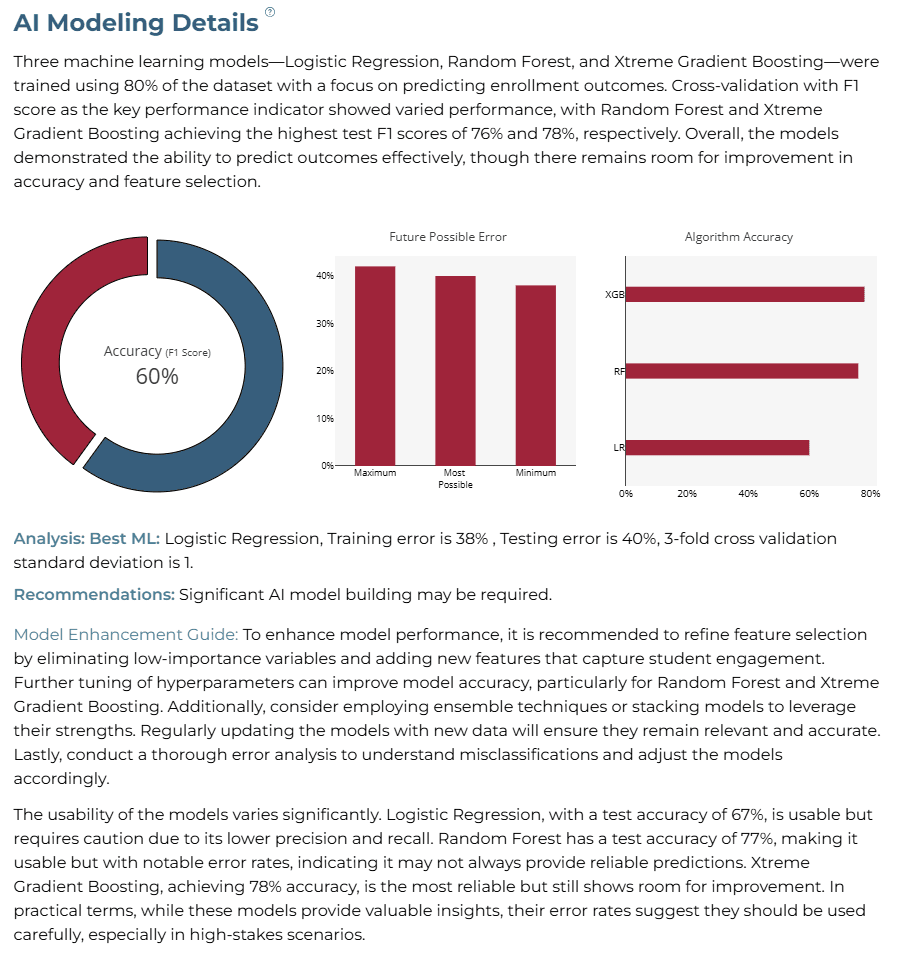
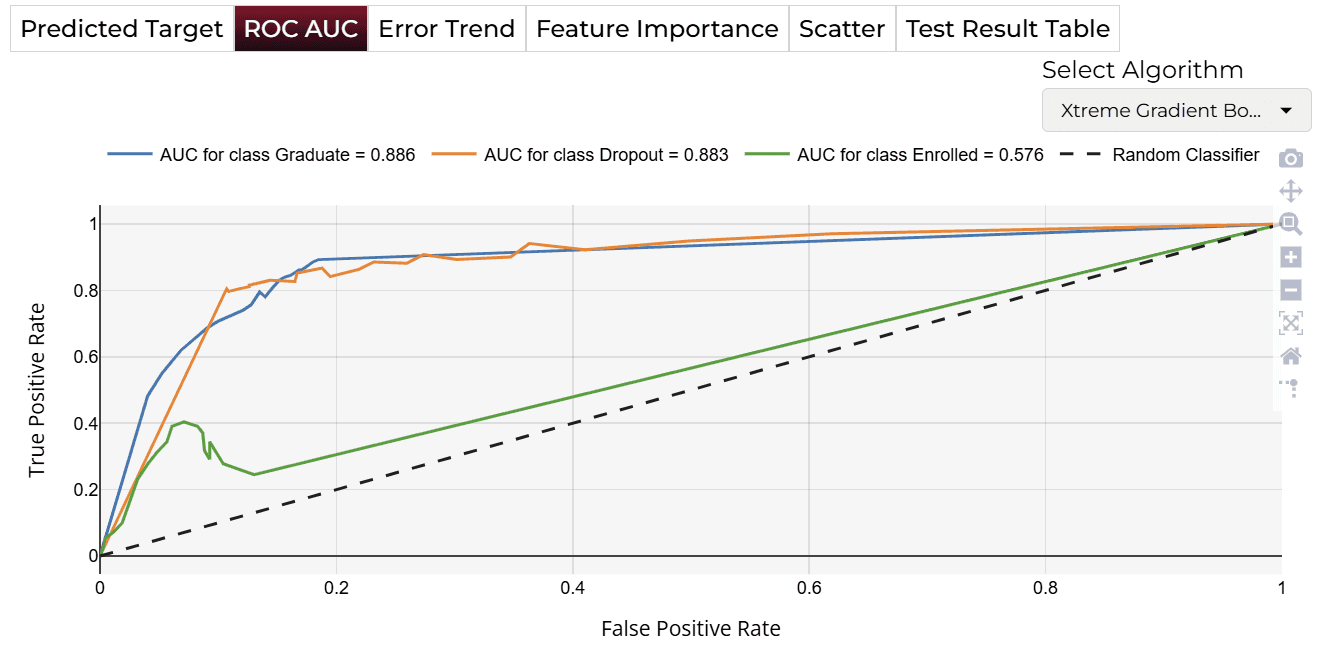
The analysis highlights that while the Xtreme Gradient Boosting model achieves the best performance with relatively low error rates, there is still room for improvement through refined feature selection and model optimization.
Training Analysis Details
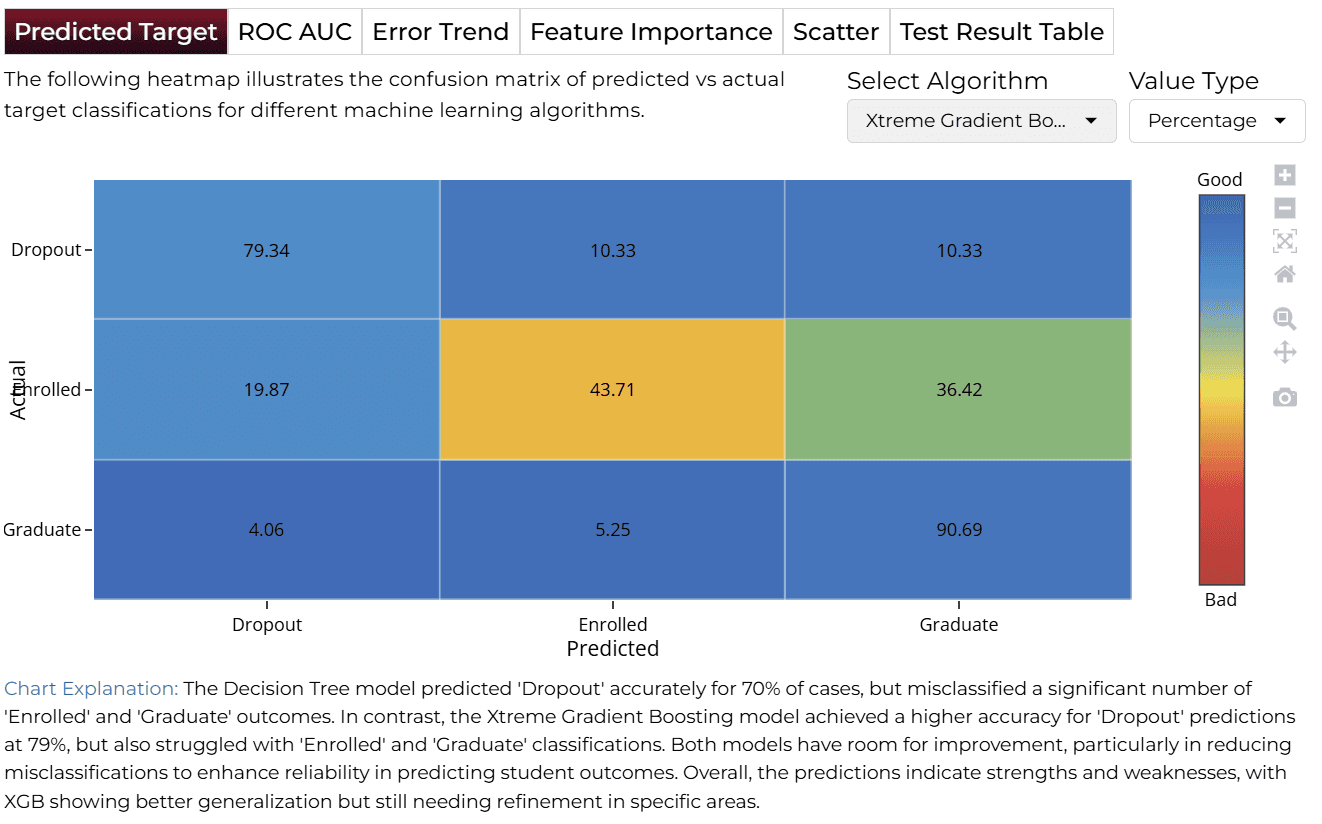
APredicted Target
BROC AUC
CError Trend
DFeature Importance
Finalize Models
Once satisfied with performance, click 'Deploy'. The system saves and deploys models for future demand analysis or production environment.

4AI APPLICATION
Manual Model Building
In Manual Training Mode, users can modify sliders for variables like Admission Grade, Tuition Fees, and Age. Clicking ‘Get Response’ triggers an updated analysis.
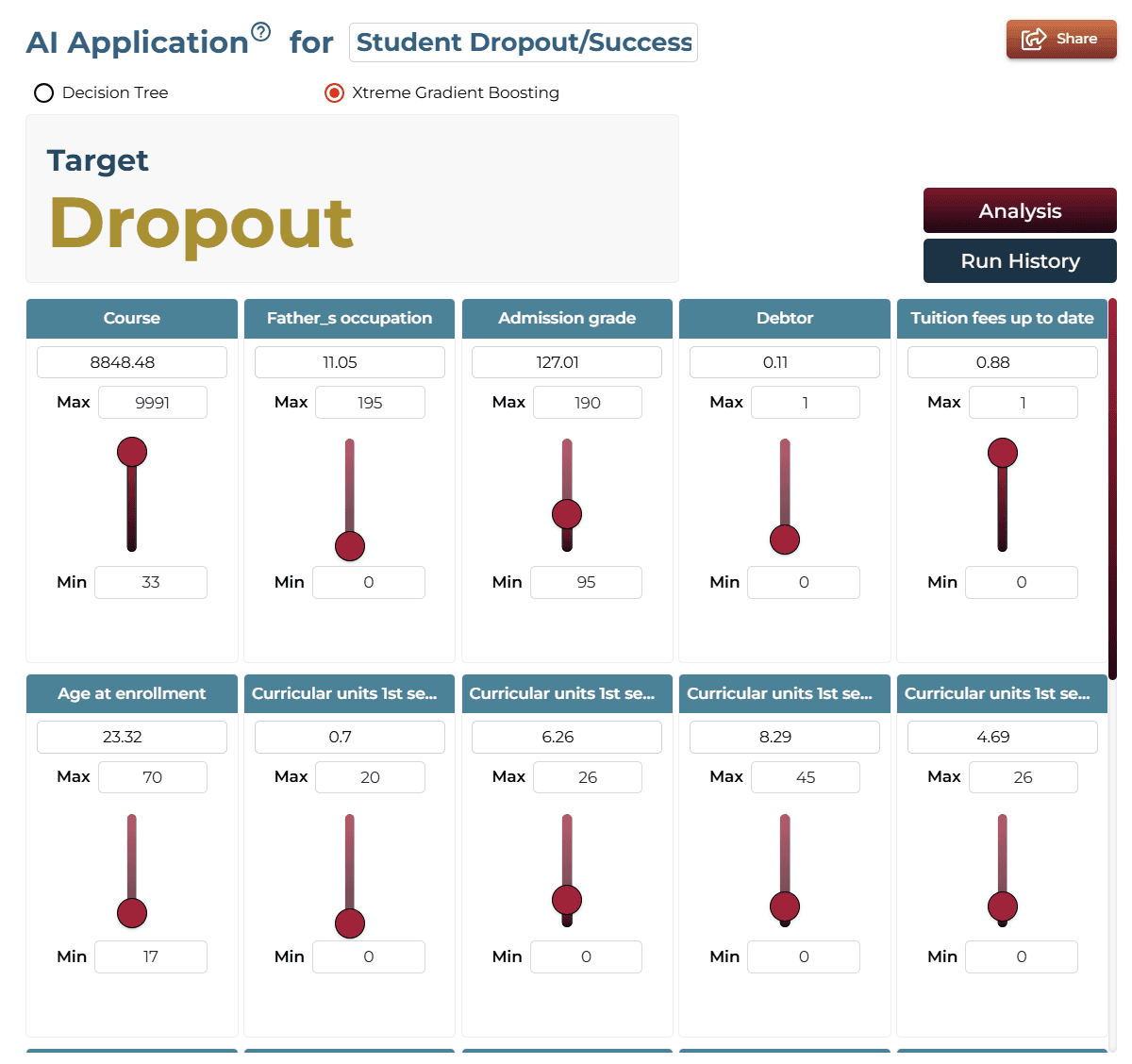
AI Application Demo
- The initial state shows 'Graduate' as the most likely outcome.
- Using the slider, adjust the 'Tuition fees up to date' feature.
- The predicted outcome changes to ‘Dropout,’ demonstrating the impact.
Saving the Project
Save your project by clicking the icon at the bottom left corner of the textbox.

Sharing the Project
Share the application for single on-demand predictions once the analysis is saved.

Interested in similar AI solutions?
Explore our full suite of AI capabilities designed to transform your business operations.